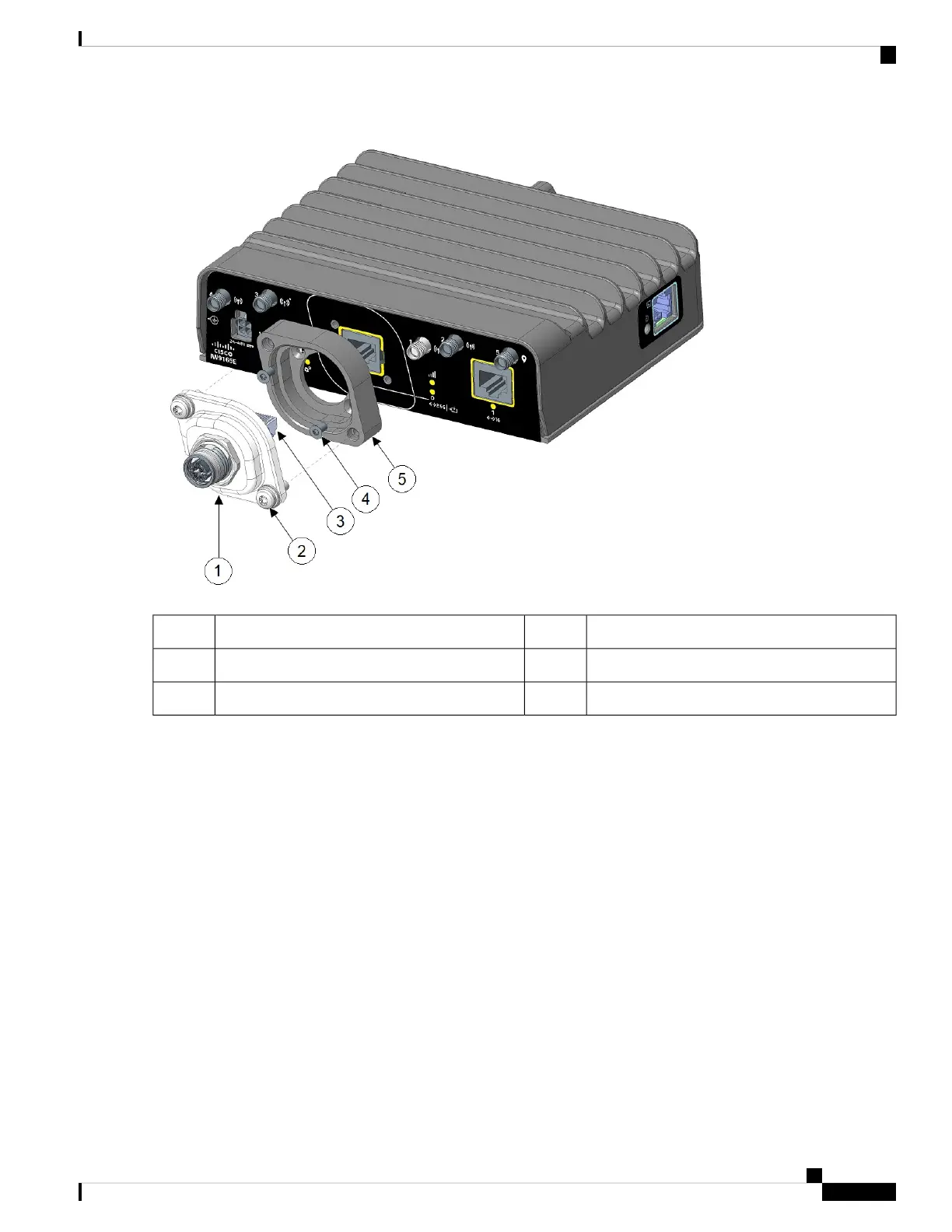
Captive screws2M12-RJ45 adapter1
M3 screws4RJ45 plug3
Spacer5
Step 3 Align the RJ45 plug with the RJ-45 connector in the chassis, and plug the M12 adapter into the chassis.
Step 4 Tighten the M12 adapter captive screws into the chassis (2 in the following figure). Use 15-20 in-lbs. of torque to screw
the M12 adapter onto the spacer and the chassis.
Installation Overview
15
Installation Overview
Connecting to the RJ-45 Port Using M12 Adapter




 To Next Page