To remove the router from the DIN Rail, simply reverse the procedure.
Note
Grounding the Access Point
In all installations, after mounting the access point, you must properly ground the unit before connecting
power cables.
This equipment must be grounded. Never defeat the ground conductor or operate the equipment in the
absence of a suitably installed ground conductor. Contact the appropriate electrical inspection authority
or an electrician if you are uncertain that suitable grounding is available. Statement 1024
Warning
Installation of the equipment must comply with local and national electrical codes. Statement 1074
Warning
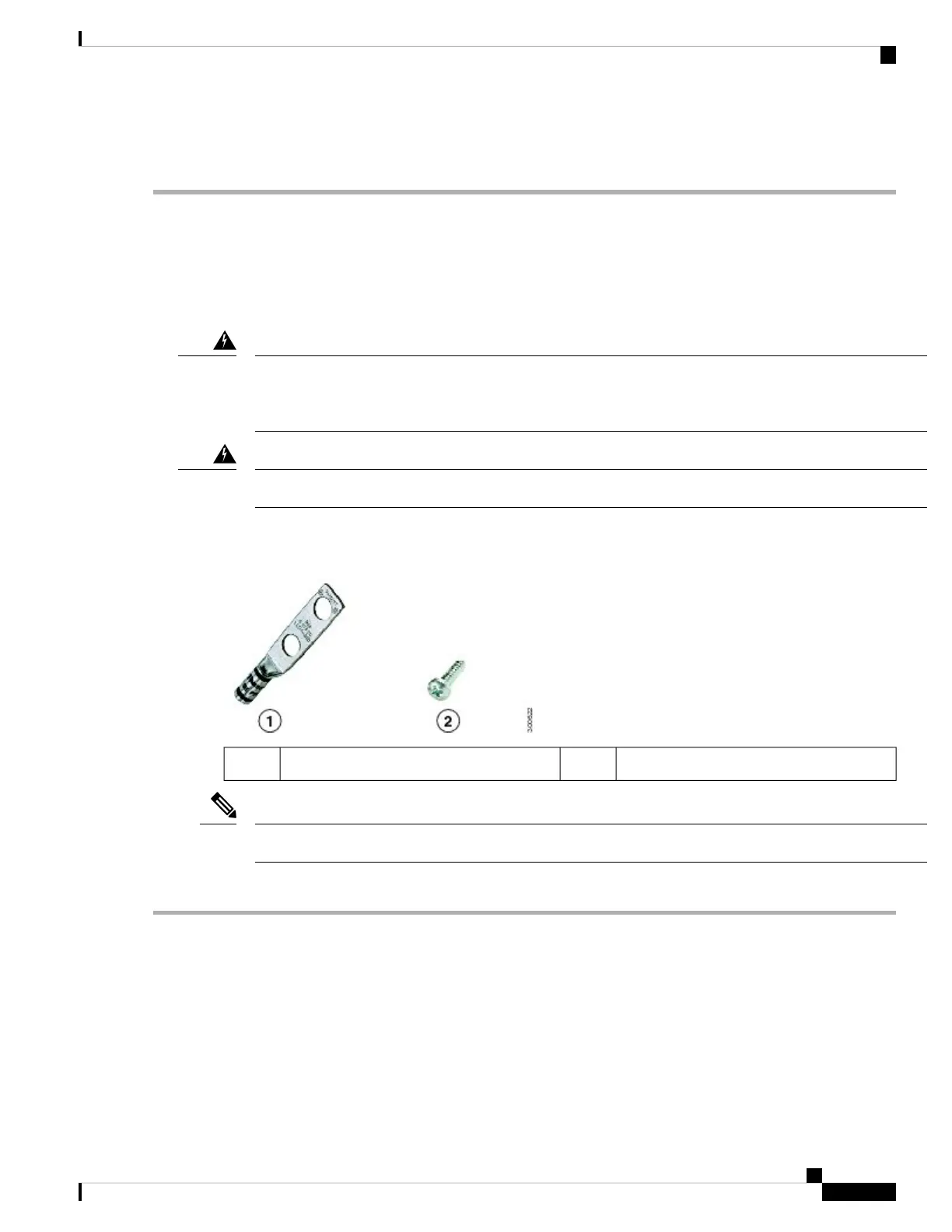
The access point is shipped with a grounding kit.
Figure 9: Access Point Grounding Kit Contents
6-32 screws x 22Grounding lug1
The grounding kit also includes the oxide inhibitor, which is contained in a tube.
Note
To ground the access point:
Step 1 Use a crimping tool to crimp a 6-AWG ground wire (not included in the grounding kit) to the ground lug.
Installation Overview
9
Installation Overview
Grounding the Access Point



 To Next Page