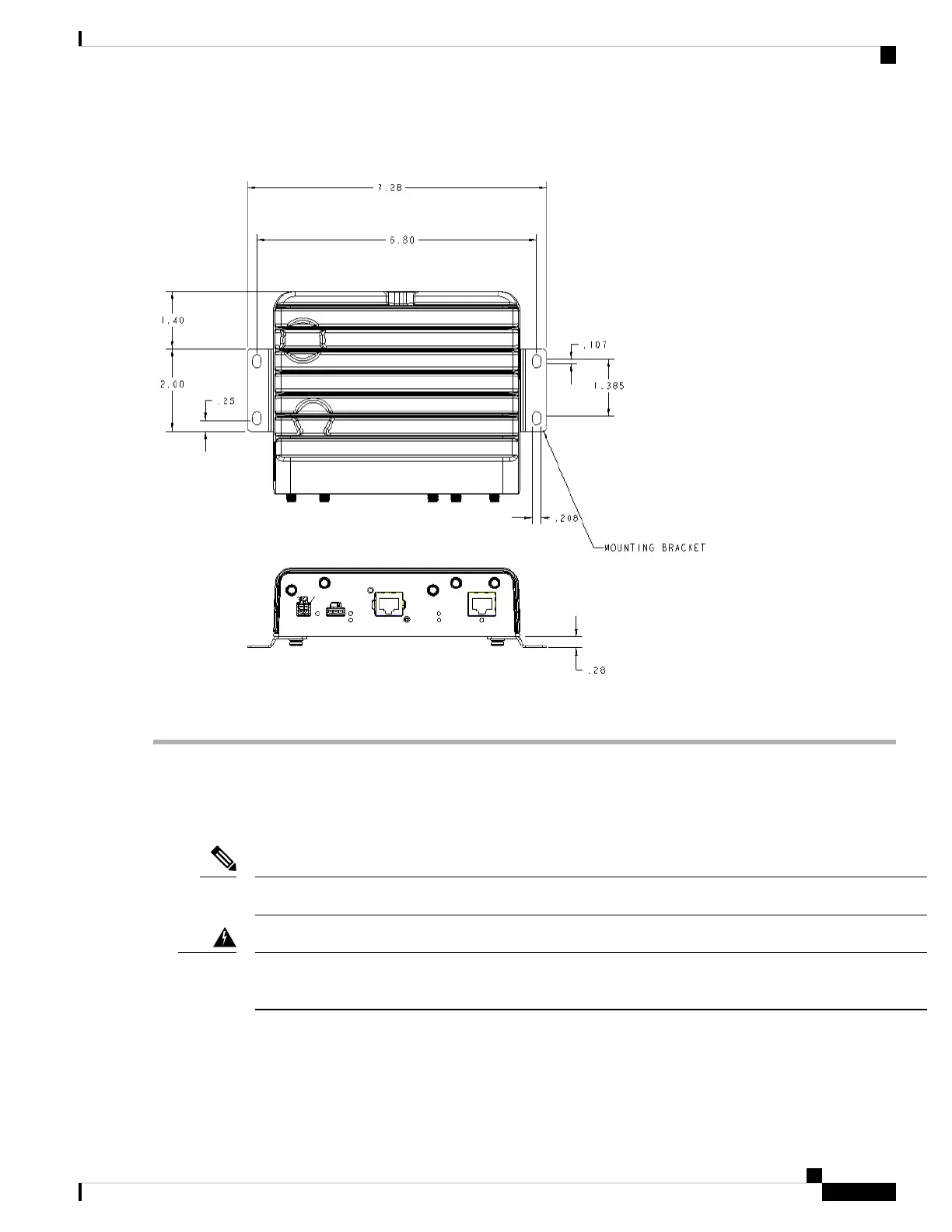
Figure 4: Wall Mounting Hole Dimensions and Overall Dimensions With Mounting Brackets Attached
Step 5 Route the cables so that they do not put a strain on the connectors or mounting hardware.
Installing a DIN Rail
The DIN Rail kit is ordered separately.
The DIN Rail can be installed on the IW9165E in two different orientations, horizontally and vertically.
Note
A minimum of 1 inch clearance is required on all sides of the device except for the side mounted against the
wall or DIN rail, to allow for proper air flow.
Warning
To attach the DIN rail bracket to the IW9165E, follow these steps.
Installation Overview
5
Installation Overview
Installing a DIN Rail



 To Next Page