Install and Remove QSFP-DD Transceiver Modules
This section provides the installation, cabling, and removal instructions for the QSFP-DD transceiver modules.
The modules are hot-swappable I/O devices that connect the system’s module port electrical circuitry with
either a copper or a fiber-optic network.
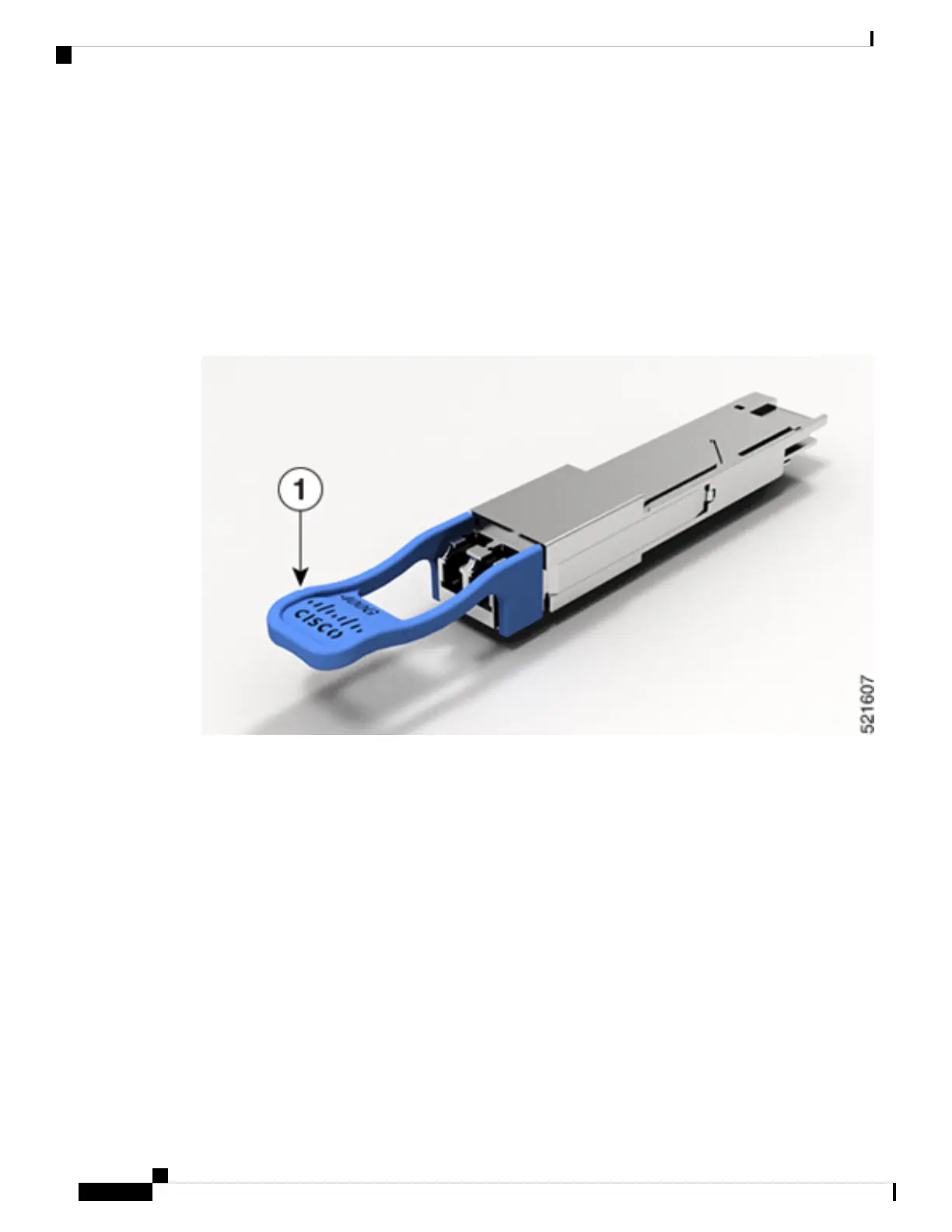
The following figure shows a 400-Gigabit QSFP-DD optical transceiver. The transceiver is used primarily in
short reach applications in switches, routers, and data center equipment where it provides higher density than
SFP+ modules. The 100GE/400GE QSFP-DD optical transceiver and 100-Gigabit QSFP28 optical transceiver
are similar to the 40-Gigabit QSFP+ optical transceiver.
Figure 7: 400-Gigabit QSFP-DD Transceiver Module - Front view
Connect Router to the Network
12
Connect Router to the Network
Install and Remove QSFP-DD Transceiver Modules




 To Next Page