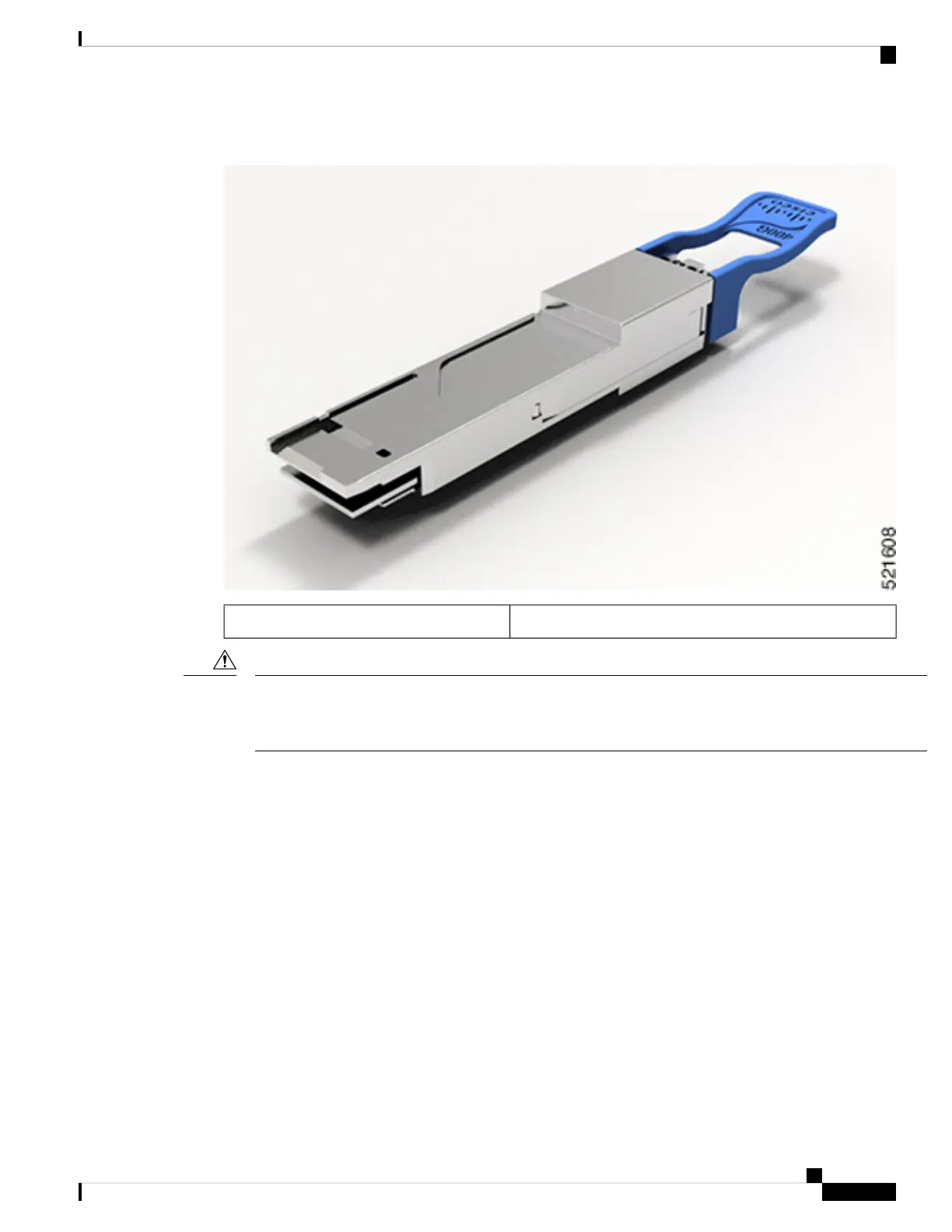
Figure 8: 400-Gigabit QSFP-DD Transceiver Module - Rear view
Pull-tab latch.1
The QSFP-DD transceiver module is a static-sensitive device. Always use an ESD wrist strap or similar
individual grounding device when handling QSFP-DD transceiver modules or coming into contact with system
modules.
Caution
The QSFP-DD transceiver module has a pull-tab latch.
To install the QSFP-DD transceiver module, follow these steps:
Before you begin
You need these tools to install the transceiver modules:
• Wrist strap or other personal grounding device to prevent ESD occurrences.
• Antistatic mat or antistatic foam to set the transceiver on.
• Fiber-optic end-face cleaning tools and inspection equipment. See Inspection and Cleaning Procedures
for Fiber-Optic Connections.
Connect Router to the Network
13
Connect Router to the Network
Install and Remove QSFP-DD Transceiver Modules




 To Next Page