
 To Next Page
C
Christina KimAug 6, 2025
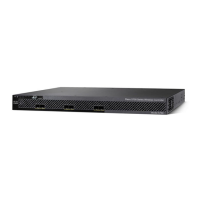
What to do if Express Setup does not run on Cisco Unified Access CT5760?
- AandersonrileyAug 6, 2025
If Express Setup on your Cisco Switch isn't running or the setup page isn't loading in your browser, first ensure only the SYST and ACTV LEDs are green before pressing the Mode button to enter Express Setup. If the switch fails POST, contact your Cisco technical support. Also, power cycle the switch and confirm the SYST and ACTV LEDs are green before attempting to enter Express Setup mode. Verify that all LEDs next to the Mode button are green; if not, press and hold the Mode button. Change your PC or laptop settings to temporarily use DHCP before connecting to the switch. Disconnect the console port cable and connect via an Ethernet port, waiting 30 seconds before entering 10.0.0.1 in your browser. If it still doesn't work, wait 30 seconds and re-enter 10.0.0.1, pressing Enter.
 General