EasyManua.ls Logo

Citizen CT-S300 - User Manual

Citizen CT-S300
32 pages
Print Icon
To Next Page IconTo Next Page
Loading...
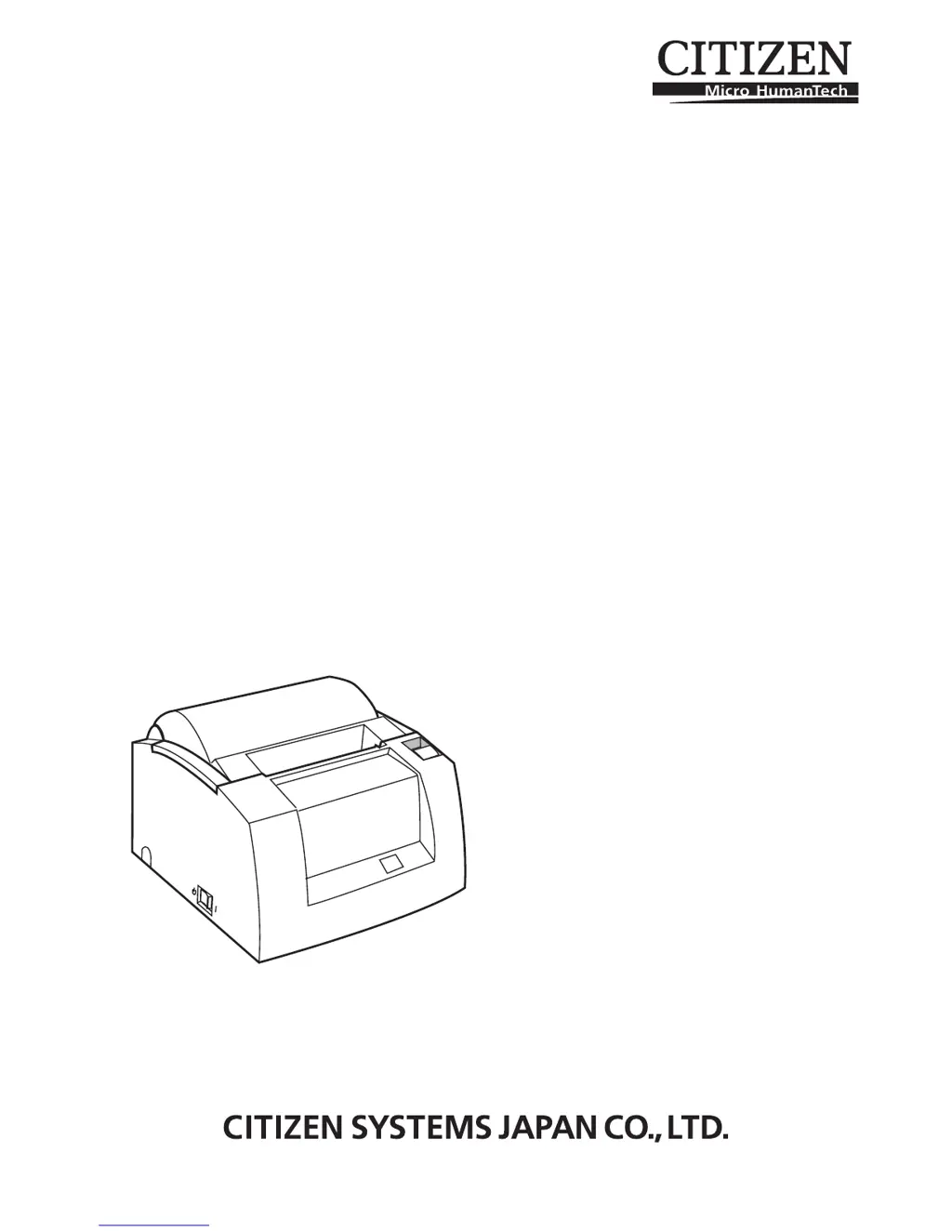
LINE THERMAL PRINTER
MODEL CT-S300
User’s Manual

Other manuals for Citizen CT-S300

Questions and Answers

  • T
    tcrawfordAug 15, 2025
    What to do if my Citizen CT-S300 is not printing?
    • S
      Shawn AustinAug 15, 2025
      If your Citizen Printer is not printing, it could be due to: * Faulty DC output voltage from the AC adapter: Use the specified AC adapter. * Faulty control PCB assy: Replace the control PCB assy. * Faulty connection of the thermal head connector: Connect the thermal head connector properly, or replace the head cable assembly. * Faulty thermal head: Replace the thermal head.
  • J
    Jimmy LopezAug 18, 2025
    Why is my Citizen CT-S300 Printer paper not fed or fed irregularly?
    • S
      Scott HartmanAug 18, 2025
      Irregular paper feeding in your Citizen Printer can occur due to several reasons: * Faulty connection of the motor connector: Ensure the connector is correctly connected. * Defective motor: If the supply voltage is normal, the motor might be defective and needs replacement. * Faulty or low DC output voltage from the AC adapter: Use the specified AC adapter or supply the specified AC voltage to the AC adapter. * Faulty control PCB assy: Replace the control PCB assy. * Faulty mounting of the platen roller: Ensure the platen roller is properly mounted. * Paper feed failure: Eliminate unnecessary paper in the paper path and set paper properly. * Foreign substance in the gear: Eliminate the foreign substance. * Broken gear: Replace the broken gear with a new one.
  • V
    Victor AndrewsAug 21, 2025
    What to do if my Citizen CT-S300 Printer has faint or uneven printout?
    • R
      Ryan ChanAug 21, 2025
      A faint or uneven printout from your Citizen Printer may be due to: * Faulty DC output voltage from the AC adapter: Use the specified AC adapter. * Low DC output voltage from the AC adapter: Supply the specified AC voltage to the AC adapter. * Faulty thermal head: Replace the thermal head. * Foreign substance adhered to the thermal head: Dip a cotton swab or soft cloth in ethyl alcohol and gently wipe the foreign substances. * Non-recommended paper: Replace the paper with the specified paper. * Faulty mounting of the platen roller: Mount the platen roller properly.
  • Q
    qhuntAug 25, 2025
    What to do if my Citizen Printer is partly not printed?
    • J
      jodijohnsonAug 25, 2025
      If your Citizen Printer is only partly printing, it may be caused by: * Faulty connection of the thermal head connector: Connect the thermal head connector properly, or replace the head cable assembly. * Faulty thermal head: Replace the thermal head.
  • D
    Darlene RamirezAug 28, 2025
    What to do if my Citizen Printer does not detect paper presence?
    • J
      Joshua LunaAug 28, 2025
      If your Citizen Printer fails to detect the presence of paper, check these possible causes: * Faulty paper sensor: Replace the sensor PCB assembly. * Foreign substance is attached to the paper sensor: Remove the foreign substance. * Faulty connection of the paper sensor connector: Connect the connector correctly.
  • K
    kimberly70Aug 31, 2025
    What to do if my Citizen CT-S300 Printer doesn't detect paper near-end status?
    • S
      sdouglasAug 31, 2025
      If your Citizen Printer does not detect the paper near-end status, consider the following: * Faulty paper near-end sensor: Replace the paper near-end sensor. * Foreign substance is attached to the paper near-end sensor: Remove the foreign substance. * Faulty connection of the paper near-end sensor connector: Connect the connector correctly.
  • D
    Dawn BryantSep 4, 2025
    What to do if my Citizen Printer cutter does not function?
    • J
      Julie HarperSep 4, 2025
      If the cutter on your Citizen Printer isn't working, check the following: * Faulty connection of the auto cutter connector: Connect the connector correctly. * Faulty DC output voltage from the AC adapter: Use the specified AC adapter. * Defective auto cutter: If the supply voltage is normal, replace the auto cutter. * Paper feed failure (Paper jam): Eliminate unnecessary paper in the paper path and set paper properly.
  • J
    Jason Burgess IIISep 7, 2025
    How to fix no power issue on Citizen Printer?
    • J
      Jessica MaloneSep 7, 2025
      If your Citizen Printer has no power and the POWER lamp is not illuminated, it could be due to: * The AC adapter is not connected: Connect the specified AC adapter. * The fuse is gone: Use the specified AC adapter. * Fuse issue: Use the specified fuse.
  • T
    Tiffany JonesSep 10, 2025
    What to do if my Citizen Printer immediately blows fuses after replacement?
    • T
      Terry GuzmanSep 12, 2025
      If the fuse in your Citizen Printer immediately blows again after replacing it, it indicates: * The control PCB assy is defective: Replace the control PCB assy. * The circuit drive power is abnormal: Replace the control PCB assy.

Summary

General Precautions

Safety Precautions

Printer Installation Precautions

Handling and Power Precautions

Daily Maintenance

General Outline

Basic Specifications

Presents a comprehensive table of the printer's technical specifications, including performance, dimensions, and standards.

Printer Parts Explanation

Preparation

Connecting AC Adapter and Power Cord

Provides step-by-step instructions and safety cautions for connecting the AC adapter and power cord.

Connecting Interface Cables

Explains how to connect various interface cables (Serial, Parallel, USB) with detailed pin configurations.

Connecting the Cash Drawer

Details the procedure for connecting a cash drawer, including pin configurations and important operational cautions.

Maintenance and Troubleshooting

Setting and Replacing Paper Rolls

Details the correct procedure for setting and replacing paper rolls in the printer, with safety warnings.

Removing Jammed Paper

Provides step-by-step instructions for safely removing jammed paper and resetting the auto cutter.

Printer Error Indicators and Meanings

Describes different error conditions and their visual/audible indicators for troubleshooting.

Citizen CT-S300 Specifications

General IconGeneral
BrandCitizen
ModelCT-S300
CategoryPrinter
LanguageEnglish

Related product manuals