EasyManua.ls Logo

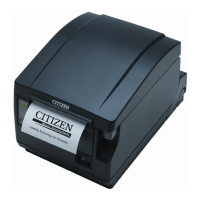
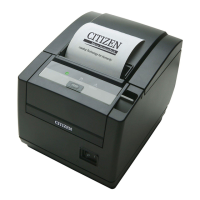
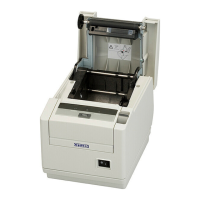
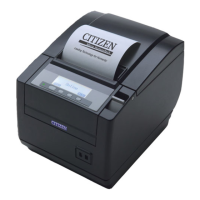
Citizen CT-S651 Series - User Manual

Citizen CT-S651 Series
76 pages
Print Icon
To Next Page IconTo Next Page
Loading...
Service Manual
COMPACT LINE THERMAL PRINTER
CT-S651 Series
Revision 1.00 2010.3.29

Questions and Answers

  • J
    Jesus HuntAug 12, 2025
    What to do if my Citizen CT-S651 Printer is not printing?
    • J
      Joseph SmithAug 12, 2025
      If your Citizen printer isn't printing, the control PCB might be faulty, requiring replacement of the “SA, MAIN PCB.” Another potential cause is a bad contact or connection with the thermal head connector; try re-inserting it or replacing it. If these steps don't resolve the issue, the thermal head itself may be faulty and need replacement.
  • B
    barbara98Aug 16, 2025
    How to fix Citizen CT-S651 Printer when power cannot be turned on?
    • J
      John SmithAug 16, 2025
      If your Citizen printer won't power on, first ensure the power cable is securely connected. If the issue persists, the fuse might be blown and needs replacement with the specified fuse. If the fuse blows again immediately after replacement, or if the circuit drive power is abnormal, replace the “SA, MAIN PCB”.
  • J
    Jessica CooperAug 20, 2025
    Why is my Citizen Printer paper not feeding straight?
    • M
      Madison HenryAug 20, 2025
      If your Citizen printer isn't feeding paper correctly, check the following: * Ensure the motor connector is correctly connected. * The motor might be faulty, consider replacing “UNIT, MOTOR.” * Verify the supply voltage is within the specified range. * The control PCB could be faulty, needing replacement of “SA, MAIN PCB.” * Make sure the platen roller is correctly mounted. * Remove any unnecessary paper and ensure it's set correctly. * Check for foreign substances in the gear or broken gears; remove any obstructions or replace broken gears.
  • M
    Mckenzie TaylorAug 25, 2025
    What to do if my Citizen Printer print is pale?
    • M
      Mrs. Dawn AlexanderAug 25, 2025
      If your Citizen printer's output is pale, uneven, or faint, several factors could be responsible. First, ensure that the supply voltage is within the specified range. If that's not the issue, the thermal head may be faulty and require replacement. Additionally, check the thermal head for fouling and remove it with an ethyl alcohol-soaked cotton swab or soft cloth. Using paper other than what's recommended can also cause this issue, so replace it with the specified paper. Finally, make sure the platen roller is correctly mounted and the paper thickness setting lever is in the correct position.
  • S
    Steven LongAug 27, 2025
    How to fix Citizen Printer when part of printing is not done?
    • B
      Bryan FisherAug 27, 2025
      If your Citizen printer is only partially printing, the thermal head connector may have a bad contact, connection, or faulty mounting. Try re-inserting the thermal head connector or replacing the “HEAD SA.” Another possibility is a faulty thermal head, which would require replacement.
  • S
    Sarah BakerAug 31, 2025
    What causes the auto cutter to not operate on a Citizen CT-S651 Printer?
    • C
      Carl MackAug 31, 2025
      If the auto cutter on your Citizen printer isn't working, start by checking the connector for a bad connection and ensure it is correctly connected. If the connection is good, the auto cutter itself may be faulty. If the supply voltage is normal, replace the auto cutter. Also, check for paper jams; remove any unnecessary paper and set the paper correctly.
  • N
    Nicholas MedinaSep 4, 2025
    Why is my Citizen CT-S651 Printer paper sensor not working?
    • E
      Eric HughesSep 4, 2025
      If your Citizen printer isn't detecting paper presence, paper near end, or the open/close state of the cover, the issue might stem from several sensor-related problems. The paper sensor or the paper near end sensor could be faulty, requiring replacement of “UNIT, PE” or “UNIT, PNE” respectively. A broken sensor spring can also cause this; replace “UNIT, PE” or “UNIT, PNE.” Check the connector for a bad connection and ensure it's correctly connected. Lastly, the sensor lever spring might be broken, needing replacement of “SPRING INTERLOCK.”
  • D
    David StarkSep 8, 2025
    What to do if the operation panel LED does not illuminate on Citizen CT-S651?
    • A
      Anthony RuizSep 8, 2025
      If the operation panel LED on your Citizen printer isn't illuminating, first check the connector for a bad connection or cable disconnection. Connect the connector correctly or replace “SA, OP-PANEL CABLE.” If the problem persists, the “OP-PANEL PCB” may be faulty, requiring replacement of “UNIT, OP-PANEL PCB.”

Summary

Introduction and General Information

Manual Overview and Purpose

Overview of the service manual's purpose and content for CT-S651 Series printers.

Essential Tools for Maintenance

Lists the necessary tools for performing printer disassembly and reassembly procedures.

Disassembly, Reassembly, and Oiling

Printer Disassembly Procedures

Step-by-step instructions for disassembling the printer and its mechanism unit.

Assembly and Oiling Guidelines

Guidance on reassembling printer components and performing essential lubrication.

Troubleshooting and Error Diagnostics

Error Indication and Condition Explanations

Explanation of LED error patterns and detailed descriptions of printer error conditions.

Troubleshooting Procedures and Guides

Methodology for fault diagnosis and guides for common printer failures.

Service Parts List and Layouts

Mechanical Parts List and Exploded Diagrams

Catalog of mechanical parts with numbers, quantities, and visual exploded diagrams.

Printed Circuit Board (PCB) Layouts

Layout diagrams illustrating the placement of various PCBs like MAIN, SERIAL, USB, and ETHERNET.

Circuit Diagrams

Main PCB Circuit Diagrams

Detailed schematics for the Main PCB sections: CPU, ROM, RAM, SENSORS, and POWER.

Interface PCB Circuit Diagrams

Circuit diagrams for Serial, Parallel, USB, USB HUB, Powered USB, and Ethernet Interface PCBs.

Ethernet Interface PCB Sub-circuits

Circuit diagrams for CPU2, SD RAM, PHY, and I/F sections of the Ethernet Interface PCB.

Citizen CT-S651 Series Specifications

General IconGeneral
BrandCitizen
ModelCT-S651 Series
CategoryPrinter
LanguageEnglish

Related product manuals