Hydro 4
Hydro 4
Page 4
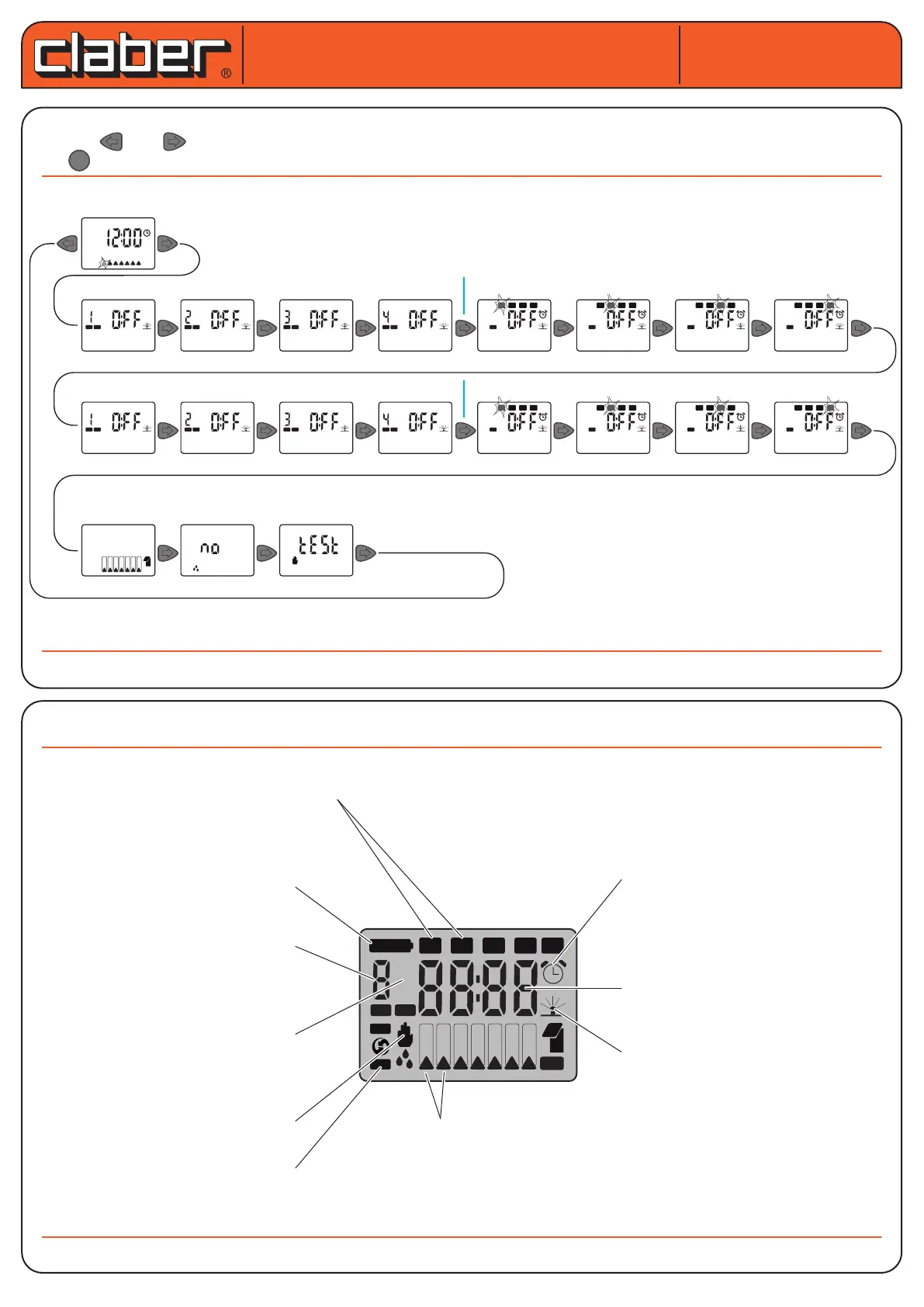
GUIDELINES ON PROGRAMMING. provides information about all the programming pages in the order they
appear: and allow the user to scroll through the dierent pages.
The key lets you access the EDITING of the parameter displayed.
DISPLAY. The following functions are assigned to the various keys or combination of keys:
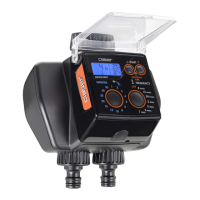
Hydro 4 (cod.): 90829
Hydro 4 (cod.): 90829
User manual
User manual
B B B B
S M T W T F S
PROGLINE
A
PROGLINE
A
PROGLINE
A
PROGLINE
A
PROG
A
1 2 3 4
PROG
A
1 2 3 4
PROG
A
1 2 3 4
PROG
A
1 2 3 4
PROGLINE PROGLINE PROGLINE PROGLINE
PROG
1 2 3 4
PROG
1 2 3 4
PROG
1 2 3 4
PROG
1 2 3 4
B B B B
B
A
B
A
B
A
B
A
B
A
B
A
B
A
S M T W T F S
14
15
Clock
Run Time prog. A
Start Time prog. A
Run Time prog. B
Start Time prog. B
Weekly
Schedule
Rain
Sensor
Manual
Test
PROG
EXIT
LINE
B
A
B
A
B
A
B
A
B
A
B
A
B
A
B
A
S M T W T F S
LOW B AT T
OK
ERR
1 2 3 4 %
14
15
Indicate the programmed start times
(start time) for automatic watering
Indicates
battery level
Indicates the line which
is being programmed
Indicate which programmes
(only a, only b, both a and b
neither a nor b) are enabled
Indicates the page for testing
and manual watering
Indicates that we are in
change parameter mode
Indicates the day of the week. in programming, it indicates
the day of the week in which watering is required and with
which of the two programmes.
Indicates that watering is
in progress
Indicate the time or, in the
programming pages, the run time
and start time of watering
Signals that the main number
indicator represents the start time
of the watering cycle (start time)
of the selected programme






 To Next Page