Hydro 4
Hydro 4
Page 5
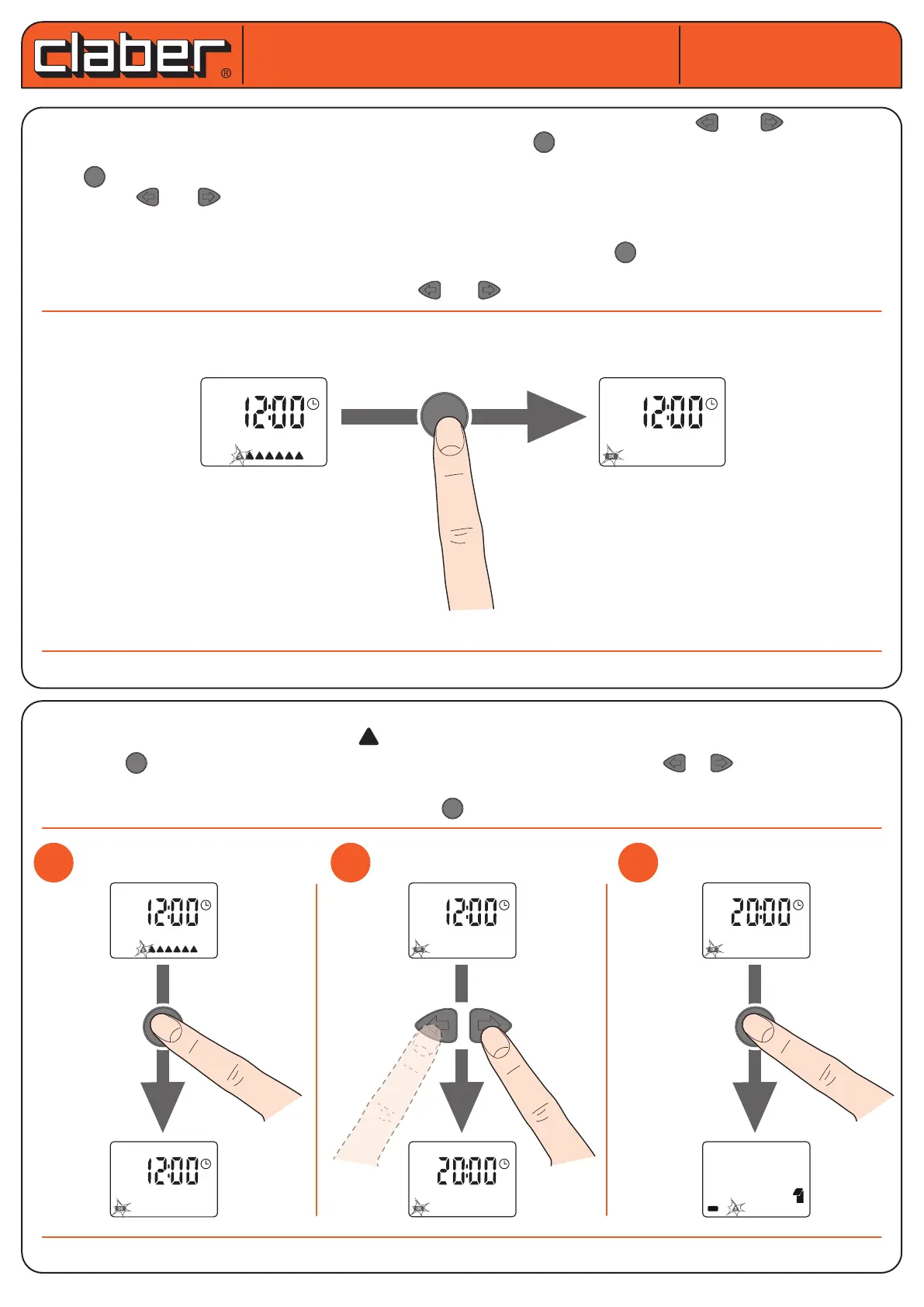
HOW TO USE THE KEYPAD. Only three keys let you set all the parameters. The keys and let you scroll
through the various pages in order to select the one desired. The key lets you access the EDITING of the para-
meter displayed.
When is pressed, OK appears in the bottom left display.
With OK, the and keys turn on and let you edit the value of the parameter displayed.
If a key is not pressed for approximately 5 minutes, the water timer automatically returns to the date and hour
page, without conrming the changes in progress.
When the desired value is reached, exit from the changes by pressing the key, OK will appear on the lower
right part of the display.
It is now possible to go back to the page with the and keys, and change the values if needed.
SETTING CURRENT DAY AND TIME. When the batteries are rst tted the display shows the rst page current
TIME/DAY, indicating as default 12:00 and Sunday.
By pressing , the message OK appears and the days of the week disappear. Press or to increase or decre-
ase the current time. By holding down the key, the time progresses more quickly until the required time setting
is reached. To conrm the modied parameter press and move to the screen to set the current day.
Hydro 4 (cod.): 90829
Hydro 4 (cod.): 90829
S
User manual
User manual
S M T W T F S
OK
1
1
2
2
3
3
OK
S M T W T F S
OK
OK
OK
OK
S
14
15





 To Next Page