Hydro 4
Hydro 4
Page 6
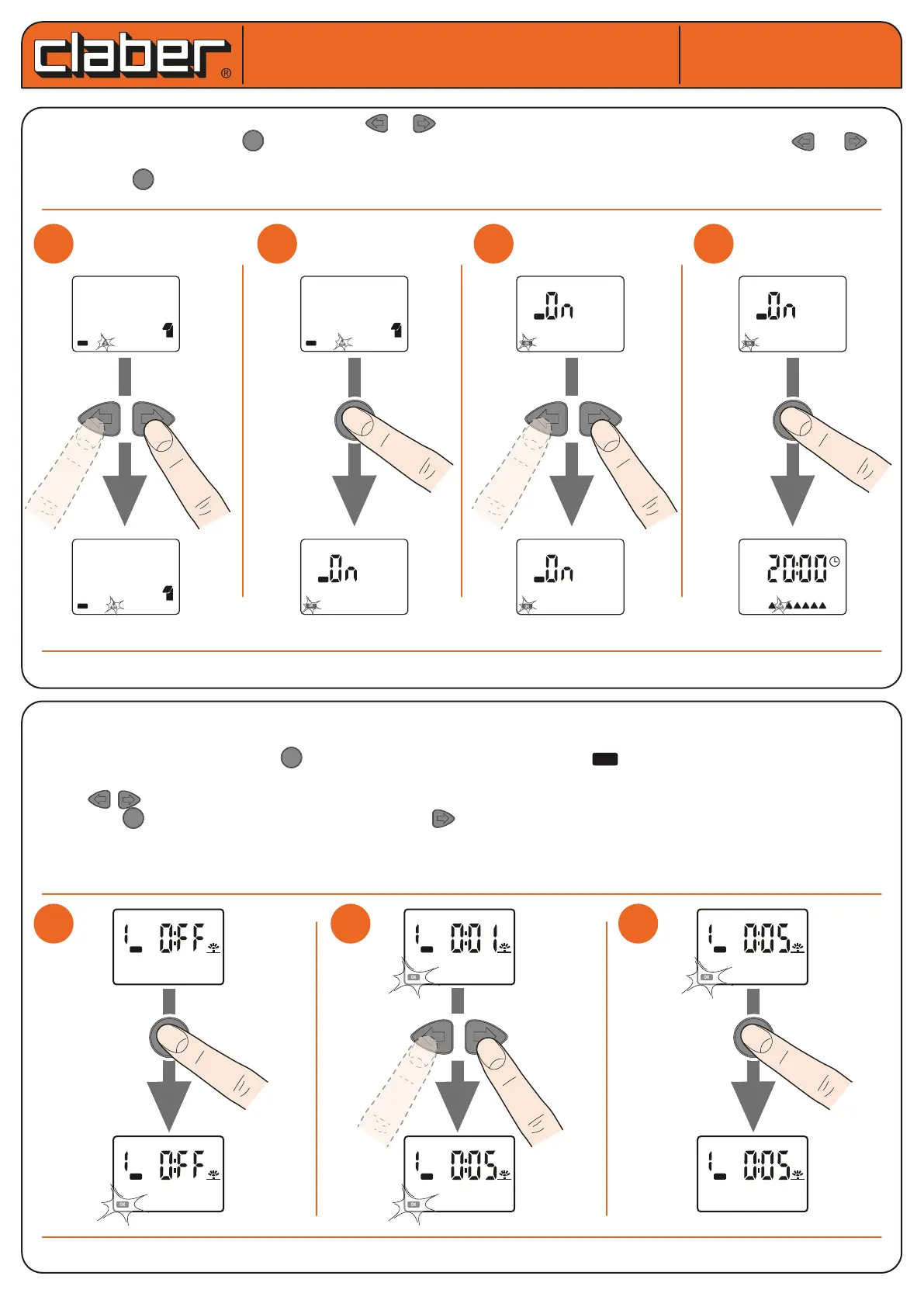
SETTING CURRENT DAY AND TIME. Press or to scroll through and select the current day. To conrm the
modied parameter press and move to the screen to set the type of programme to use. Press or to
enable the required programme A or B or both programmes or set them to OFF. To conrm the modied para-
meter press and exit programming and return to the time screen.
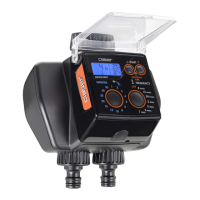
PROGRAMMING WATERING - Set/modify the RUN TIME. The RUN TIME page allows the user to set a watering
run time for programme A and programme B for each LINE.
From the RUN TIME page, press to enable modication ->the symbol ashes indicating that the parame-
ters displayed can be modied and require a setting conrmation.
Using changes the value displayed (by pressing and holding the keys, the value will change more quic-
kly). Press to conrm the set value. By pressing the user moves to the RUN TIME setting of the next LINE
up to a maximum of 4 lines to form a WATERING CYCLE).
If a watering cycle does not include the use of a specic line, simply set the watering run time of that line to OFF.
Hydro 4 (cod.): 90829
Hydro 4 (cod.): 90829
OK
User manual
User manual
1
1
2
2
3
3
1
1
2
2
4
4
3
3
LINE
PROG
A
LINE
PROG
A
OK
OK
14
15
M
OK
S
14
15
PROG
B
A
OK
OK
14
15
M
PROG
B
A
OK
PROG
B
A
OK
PROG
B
A
OK
S M T W T F S
LINE
PROG
A
OK
LINE
PROG
A
OK
LINE
PROG
A
OK
LINE
PROG
A









 To Next Page