EasyManua.ls Logo

Clarion FB275BTB - User Manual

Clarion FB275BTB
39 pages
Print Icon
To Next Page IconTo Next Page
Loading...
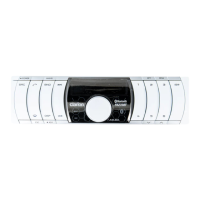
Ownerʼs manual
Mode d'emploi
Manual de instrucciones
Bluetooth
®
SD/MP3 RECEIVER
RÉCEPTEUR Bluetooth
®
SD/MP3
RECEPTOR Bluetooth
®
SD/MP3
All Rights Reserved. Copyright © 2007: Clarion Co., Ltd.
Printed in Malaysia / Imprimé en Malaisie / Impreso en Malasia
PE-8500B
280-8556-01
Clarion Co., Ltd.

Questions and Answers

  • J
    Joshua KingSep 8, 2025
    How to fix callers voice sounds distorted on Clarion FB275BTB?
    • T
      Thomas Pruitt MDSep 9, 2025
      Try reducing the telephone volume level. The volume may be too loud based on the car environment, speakers, and microphone, which could trigger half-duplex mode automatically.
  • B
    Bradley SmithAug 23, 2025
    What to do if my Clarion FB275BTB Car Receiver power does not turn on?
    • K
      Kevin MorenoAug 23, 2025
      First, check the fuse and replace it with one of the same amperage. If the fuse blows again, consult your store of purchase. If the fuse is not the problem, the issue might be incorrect wiring, in which case you should consult your store of purchase.
  • S
    Sarah WashingtonAug 25, 2025
    Why is there no sound heard from my Clarion FB275BTB Car Receiver?
    • A
      Amy ChristensenAug 25, 2025
      This could be due to the speaker protection circuit operating. Try turning down the sound volume, or turn the power off and on again. If the sound is muted again, consult our service department.
  • A
    Angela StewartAug 26, 2025
    What to do if my Clarion FB275BTB is connected to another device?
    • C
      Cory Lewis PhDAug 27, 2025
      Disconnect the previous device and reconnect the current device.
  • B
    Brad FoxAug 27, 2025
    What to do if my Clarion FB275BTB has no sound output when operating the unit with amplifiers or power antenna attached?
    • J
      Jordan WilsonAug 27, 2025
      1. Turn the unit off. 2. Remove all wires attached to the power antenna lead. Check each wire for a possible short to ground using an ohm meter. 3. Turn the unit back on. 4. Reconnect each amplifier remote wire to the power antenna lead one by one. If the amplifiers turn off before all wires are attached, use an external relay to provide remote-on voltage (excessive current required).
  • J
    Jessica BurnsSep 22, 2025
    What to do if unable to receive and make call in SD mode when another A2DP device is connected on Clarion Car Receiver?
    • T
      Travis LopezSep 22, 2025
      Disconnect the A2DP device and reconnect mobile phone (HFP). It is recommended to connect and use one device at a time. If the problem persists, please consult you nearest Clarion dealer for your phone compatibility. This is due to excessive Bluetooth® activity on a low bandwidth link. Some A2DP devices still stream data to the unit.
  • T
    timothyevansSep 16, 2025
    What to do if there is no sound output when incoming call is answered on Clarion FB275BTB?
    • A
      Anna WagnerSep 16, 2025
      Please use your phone to transfer the audio back to the phone for the current ongoing call. Kindly answer the call only when you hear a ringing tone next time. If the problem persists, please reconnect the phone or create new pairing before the next incoming call. This can occur if the incoming call was answered too quickly before you hear the ringing tone, which can cause the audio not to be properly transferred to the main unit by some phones.
  • S
    Summer WattsSep 18, 2025
    How to fix caller reports poor voice quality at remote end on Clarion FB275BTB Car Receiver?
    • U
      uchambersSep 18, 2025
      Use external rather than internal microphone. Move external microphone closer to mouth. Try reducing the telephone volume level.
  • T
    tylermeyerSep 7, 2025
    Why is the audio streaming disconnected after telephone interrupt on Clarion Car Receiver?
    • P
      pbutlerSep 7, 2025
      This probably happens when audio streaming and telephone function are from the same device (mobile phone). Audio streaming may or may not resume after interruption as this is highly dependent on the device/phone. Reconnect A2DP/AVRCP (Audio streaming profiles) from the phone again after telephone interrupt. Clarion recommends using an external audio player with Bluetooth® wireless technology.
  • R
    Rebecca TorresSep 4, 2025
    How to fix no sound output during conversation on Clarion Car Receiver?
    • G
      Greg LarsenSep 4, 2025
      Please disconnect the phone and reconnect. If the problem persists, please create new pairing for both phone and main unit.

Summary

1. Features

2. Precautions

3. Handling Memory Cards

4. Controls

Main Unit Controls Overview

Diagram and labeling of the main unit's buttons, slots, and microphone.

Display Indicators and Modes

Explanation of source, operation status, and mode-specific displays on the unit.

LCD Screen Behavior

Notes on LCD screen performance in cold and sunlight conditions.

5. Nomenclature

Button and Knob Functions

Detailed explanations of buttons and the main control knob's operations.

6. DCP (Detachable Control Panel)

Removing and Storing the Control Panel

Instructions for detaching, storing, and handling the detachable control panel.

Attaching the Control Panel

Procedure for correctly attaching the detachable control panel to the main unit.

7. Operations

Basic Operations: Power and Mode Selection

How to turn the unit on/off and switch between operation modes (Radio, SD, BT Audio, AUX).

Switching Display Information

Using the DISP button to cycle through different display modes for SD playback.

Adjusting Volume and AUX Function

How to adjust volume and enable the AUX input function.

Radio Listening and Seek Tuning

Procedures for listening to the radio, including preset bands and seek tuning methods.

Radio Tuning and Memory Functions

Manual tuning, preset memory, auto store, and instant station recall for radio operation.

MP3 Operations: SD;MMC Card and File Types

Information on SD/MMC cards, supported formats, and MP3 file basics.

MP3 File Creation and Folder Structure

Precautions for creating MP3 files and recommendations for folder hierarchy.

Loading and Handling Memory Cards

Detailed steps for inserting and caution notes regarding memory card usage.

Ejecting Memory Cards and Playback Control

Procedure for ejecting memory cards and basic playback controls like play/pause.

Displaying Track Information

How to cycle through different display titles (Track, Folder, Title, etc.) during playback.

MP3 File Tag Information and Playing Order

Details on ID3 tags, character display, and how files are sorted and played.

Selecting Tracks and Folders

Methods for navigating and selecting tracks and folders during MP3 playback.

Manual Navigation and Restarting Tracks

Using manual navigation mode and restarting the current track.

Special Playback Functions: Track Repeat

How to enable and disable track repeat play mode.

MP3 Playback Modes: Folder and Random

Functions for folder repeat, track random, folder random, card random, and quick random play.

Introduction to Bluetooth Wireless Technology

Understanding Bluetooth Technology and Profiles

Explanation of Bluetooth technology and supported profiles like HFP, A2DP, AVRCP.

Pairing Bluetooth Devices: Phones and Audio Players

Step-by-step guide for pairing mobile phones and external audio players via Bluetooth.

Connecting and Disconnecting Bluetooth Devices

Procedures for connecting, automatic connection, and manually disconnecting Bluetooth devices.

Handsfree Operations

Storing and Managing Preset Telephone Numbers

How to store, clear, and delete preset phone numbers for direct dialing.

Handling Incoming Calls

Process of receiving calls, including automatic muting and caller ID display.

Answering, Rejecting, and Ending Calls

Methods for managing incoming and ongoing calls using the car stereo.

Making Calls: Voice Dialing and Redial

Instructions for making calls via voice commands or redialing the last number.

Making Calls via Preset Numbers and Microphone Usage

Using preset numbers, direct dialing, and notes on microphone selection.

Handsfree Volume Adjustment and Operation

Adjusting volume for handsfree calls and notes on echo cancellation and noise dependence.

Audio Streaming Operations

Understanding Audio Streaming and Playback Controls

How audio streaming works and controls for play, pause, and track selection.

Common Operations

Adjustment Mode: Bass, Treble, Balance, Fader

Adjusting audio settings including bass, treble, balance, and fader levels.

Adjustment Mode: Loudness, AUX, and Clock Settings

Configuring loudness, enabling AUX input, and setting the clock display and format.

Display Adjustment: Scroll, Contrast, Illumination, and Color

Customizing display settings like title scroll, contrast, backlight, and color illumination.

User Color Mode and Animation Effects

Setting custom colors for illumination and enabling/disabling animation effects.

Bluetooth Adjustment: Adding and Editing Devices

Managing Bluetooth devices, including pairing, editing names, and deleting entries.

Bluetooth Adjustment: Auto Connection and Microphone Input

Configuring automatic Bluetooth connection and selecting the microphone input.

System Menu: Version and Factory Reset

Checking unit version, performing a factory reset, and clock reset procedure.

Compatible Devices

Supported Phones and Audio Players

List of compatible phones and external audio players with Bluetooth® wireless technology.

8. Additional Information

Safe and Efficient Use Guidelines

Important notes on product care, installation, and safe usage.

Radio Frequency Exposure and Driving Safety

Information on RF exposure compliance and safety precautions while driving.

Electronic Equipment and Blasting Areas

Precautions regarding electronic equipment near medical devices and in blasting areas.

Emergency Call Information

Important notes on the limitations of electronic devices for essential communications like emergencies.

9. Troubleshooting

General Troubleshooting: Power and Sound Issues

Solutions for problems like no power, no sound, or inaccurate display.

SD;MMC Card Troubleshooting

Resolving issues related to SD/MMC card readability and MP3 file playback.

BT Audio Troubleshooting: Streaming and Connection

Resolving issues with audio streaming disconnection, choppy audio, and synchronization.

Telephone Connectivity Troubleshooting

Addressing problems with call reception, voice quality, and pairing during Bluetooth operations.

10. Error Displays

Error Display Meanings and Solutions

Explanation of error messages like NO MP3, SD ERROR, CALL FAIL, and STREAM ERR.

11. Specifications

FM Tuner and SD Player Specifications

Technical details for the FM tuner and SD/MMC multimedia player.

Bluetooth and Audio Specifications

Technical specifications for Bluetooth® wireless technology and audio output.

General Specifications and Dimensions

General unit specifications including power, consumption, weight, and physical dimensions.

Clarion FB275BTB Specifications

General IconGeneral
BluetoothYes
USB PortYes
Aux InputYes
AM/FM TunerYes
Display TypeLCD
TypeSingle DIN
DIN Size1 DIN
Preamp Outputs2-Channel
ModelFB275BTB
BrandClarion
Remote ControlYes
Media PlaybackMP3, WMA
DisplayLCD
Dimensions178mm x 50mm x 160mm
Power Output50W x 4

Related product manuals