EasyManua.ls Logo

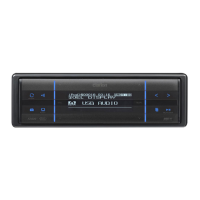
Clarion FZ409 - User Manual

Clarion FZ409
34 pages
Print Icon
To Next Page IconTo Next Page
Loading...
1. FEATURES ............................................................................................................................. 2
2. CONTROLS ............................................................................................................................
3
MAIN UNIT .............................................................................................................................. 3
3. NOMENCLATURE .................................................................................................................. 4
Names of the Keys and Their Functions ................................................................................. 4
Slider's Key Operation ............................................................................................................ 5
Display Items ........................................................................................................................... 6
OEL Display ............................................................................................................................. 6
4. PRECAUTIONS ......................................................................................................................
7
5. REMOTE CONTROL ..............................................................................................................
8
Inserting the Battery ................................................................................................................. 8
Functions of Remote Control Unit Buttons .............................................................................. 9
6. OPERATIONS .......................................................................................................................
10
Basic Operations ................................................................................................................... 10
Radio Mode Operations ........................................................................................................ 15
USB Operations .................................................................................................................... 17
iPod Operations ..................................................................................................................... 21
Satelite Radio Operations ..................................................................................................... 25
Common Operations ............................................................................................................. 27
7. TROUBLESHOOTING
.......................................................................................................... 31
8. ERROR DISPLAYS
.............................................................................................................. 32
9. SPECIFICATIONS
................................................................................................................ 33
Contents
2
FZ409
1. FEATURES
OEL Display and Touch Sensor Operation.
BBE MP for compressed Audio Improvement.
USB Direct Connection for iPod
®
.
CLARION PRODUCT REGISTRATION INFORMATION
For USA and Canada only
Dear Customer:
Congratulations on your purchase of a Clarion mobile electronic products. We are confident that
you’ll enjoy your Clarion experience.
There are many benefits to registering your product. We invite you to visit our website at
www.clarion.com
to register your Clarion product.
We have made product registration simple with our easy to use website. The registration form is
short and easy to complete. Once you’re registered, we can keep you informed of important product
information.
Register at www.clarion.com - it’s easy to keep your Clarion product up to date.
Be sure to unfold and read the next page.
Veuillez déployer et vous référer à la page suivante.
Cerciórese de desplegar y de leer la página siguiente.
USB/MP3/WMA/AAC RECEIVER / CeNET CONTROL
RÉCEPTEUR USB/MP3/WMA/AAC / CONTRÔLE CeNET
RECEPTOR USB/MP3/WMA/AAC / CONTROL CeNET
Owner’s manual
Mode d’emploi
Istruzioni per l’uso
All Rights Reserved. Copyright © 2009: Clarion Co., Ltd.
Printed in Malaysia / Imprimé en Malaisie / Stampato in Malaysia
PE-8503B
Clarion Co., Ltd.
280-8748-01

Questions and Answers

  • M
    Mr. Joseph MooreJul 30, 2025
    What to do if there is no sound output with amplifiers/power antenna on my Clarion Car Receiver?
    • A
      austinriveraJul 30, 2025
      If you are not hearing sound from your Clarion Car Receiver when using amplifiers or a power antenna, the issue might be a shorted power antenna lead or excessive current draw. Here's how to troubleshoot: 1. Turn the unit off. 2. Disconnect all wires from the power antenna lead and check for shorts to ground using an ohm meter. 3. Turn the unit back on. 4. Reconnect each amplifier remote wire to the power antenna lead one by one. If the amplifiers turn off before all wires are attached, an external relay may be needed to provide remote-on voltage due to excessive current requirements.
  • N
    Norman ReidAug 6, 2025
    What to do if no sound is heard from my Clarion FZ409?
    • G
      George SmithAug 6, 2025
      If you hear no sound from your Clarion Car Receiver, the speaker protection circuit may be activated. Try turning down the sound volume. You can also try turning the power off and on again. If the sound is muted again, consult our service department.
  • S
    scottwilsonAug 11, 2025
    Why won't my Clarion FZ409 Car Receiver turn on (no sound)?
    • M
      Mariah WolfeAug 12, 2025
      A blown fuse or incorrect wiring can prevent your Clarion Car Receiver from powering on and producing sound. Replace the fuse with one of the same amperage. If it blows again, or if the wiring is incorrect, consult a service dealer.
  • L
    Lisa BrooksAug 17, 2025
    Why can’t I insert the device into my Clarion FZ409 Car Receiver?
    • M
      Mr. Anthony CastroAug 18, 2025
      If you can't insert the device into your Clarion Car Receiver, it might be improperly inserted or the connector might be broken. Try reversing the connection direction of the device (usually the brand name surface should be facing left). If that doesn't work, the connector may be broken, and you should replace the device.
  • G
    grahamelizabethAug 25, 2025
    What to do if my Clarion Car Receiver doesn’t recognize the device?
    • L
      Lindsey GilbertAug 25, 2025
      If your Clarion Car Receiver isn't recognizing the device, it could be damaged, have loose connectors, or a communication fault. Try disconnecting and reconnecting the device. If it's still not recognized, try a different device. Also, ensure the connection is secure.

Summary

2. CONTROLS

Main Unit Controls

Details the controls and layout of the main audio unit.

3. NOMENCLATURE

Key Functions and Their Operations

Explains the function of each button on the main unit.

4. PRECAUTIONS

5. REMOTE CONTROL

Functions of Remote Control Buttons

Details the functions and operations of each button on the remote control.

6. OPERATIONS

Basic Operations: Power, Mode, Volume

Covers powering the unit on/off, selecting sources, and adjusting volume.

Basic Operations: Display Layout and Sound Adjustments

Covers switching display layouts and introducing sound adjustment features.

Setting the BEAT EQ

Details the different BEAT EQ sound effect presets.

Sound Adjustments: Bass and Mid

Explains how to adjust bass and mid-range frequencies in sound settings.

Sound Adjustments: Treble, BBE MP, Balance, Fader

Covers treble adjustment, BBE MP enhancement, speaker balance, and fader settings.

Sound Adjustments: M-BEX, Filters, Subwoofer

Details M-BEX, high pass filters, subwoofer low pass filter, and subwoofer volume.

USB Operations

iPod Operations

Common Operations

Security Code and Activation Process

Explains the security code feature for theft prevention and its activation.

7. TROUBLESHOOTING

General Unit Troubleshooting

Provides solutions for power, sound output, and wiring issues for the general unit.

USB;iPod Device Troubleshooting

Addresses issues with USB/iPod devices not playing, recognized, or inserting.

8. ERROR DISPLAYS

USB;iPod Error Messages and Solutions

Lists common error displays for USB and iPod modes and their causes/measures.

Clarion FZ409 Specifications

General IconGeneral
BrandClarion
ModelFZ409
CategoryCar Receiver
LanguageEnglish

Related product manuals