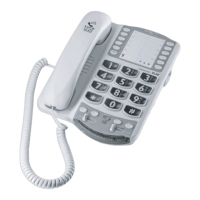
Basic Installation
Step 1: Install the backup batteries (optional) by removing the battery cover as shown in
Figure 1.
Step 2: Pull the ends of the phone cord to untable the cord; connect the loose end of the
phone cord into your wall telephone outlet
Step 3: Place handset in cradle
Step 4: Pull the ends of the power cord apart to untangle the cord; plug the adapter into
your wall’s electrical outlet
IMPORTANT: Use only with Class (Classe) 2 power source, provided with your
product
Step 5: If you hear a dial tone, your telephone is ready
for use
If not, check all connections again
ALTOPLUS QUICK START GUIDE
four AA alkaline backup batteries (not included)
The phone operates as a regular phone if there is no power or backup batteries In this case, the
We recommend installing batteries if you live in an area with frequent power outages
Figure 1
Figure 2

 Need help?

 To Next Page
 General