20
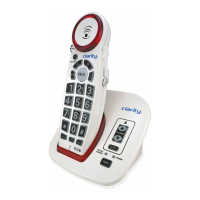
1. While on a call, press the BOOST
button to engage the additional
amplification (up to 50dB); the
TALK button turns red.
BOOST
!
A
2. Adjust the VOLUME rotary
control to achieve the desired
sound level (up to 50dB of
amplification).
!
3. Adjusting the TONE switch
allows you to customize your
hearing experience. Since
we all have dierent hearing
preferences, we suggest exploring
each setting to find the one most
comfortable for you. The three
available settings are:
TONE
1 2 3
1 - Flat frequency response: best for hearing aid users;
2 - High frequency emphasis: best used to hear high frequency
sounds;
3 - MBC (Multi-Band Compression): makes words clearer and easier
to understand.
Amplify Incoming Sounds (Handset)
BOOST Function (Amplification)
XLC2+


 To Next Page