23
E
N
G
L
I
S
H
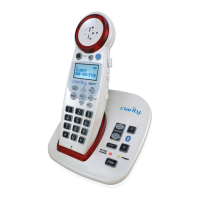
NO DIAL TONE
• Verify the TALK Button is lit.
• Verify the AC adapter is securely plugged into the AC power outlet
and the telephone.
• Verify the telephone line cord is securely plugged into the
wall jack and the telephone.
• Make sure the handset batteries are fully charged.
• Verify the telephone is in the correct dialing mode, tone (touch) or
pulse (rotary).
• Make sure you are in the usable range of the base station.
• You may have too many extensions on your line. Try unplugging a
few devices.
NO DIAL TONE, AND HANDSET VISUAL RINGER is blinking (twice every
second)
It is possible that the handset has lost connection to the base.
• Make sure you are in the usable range of the base station.
• If you are close to the base, but you are still unable to get a dial
tone, proceed as follows:
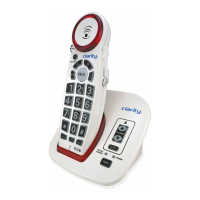
1. Handset: press and hold the FLASH button for three seconds, until
the keypad backlight and visual ringer start flashing; release the
FLASH button.
2. Base: press and hold the FIND button for three seconds, until the
IN USE light and visual ringer (base) start flashing; release the FIND
button.
3. Wait for the connection to be re-established; the handset will beep
five times to indicate successful registration.
4. If the handset beeps just twice, the registration was not
successful. Repeat steps 1-4 above.TALK button is blinking red
(twice every 2 seconds)
Handset batteries are low on charge; return the handset to the base
to recharge the batteries
VISUAL RINGER is blinking red (twice every 5 seconds)
The handset is out of range, or the power to the base is unplugged;
return the handset to the usable area, and check the power adapter
connections on the base unit.
XLC2+


 To Next Page