24
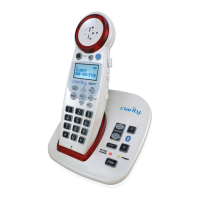
TALK button is blinking green (fast pace) and VISUAL RINGER is
backlit red
The base is trying to locate the handset; press TALK to end the FIND/
paging process and return the handset to the base.
RINGER does not work
• Make sure the RINGER button on the handset is set to ON, and the
SILENT button on the base is not lit red yet.
• Make sure you are in the usable range of the base station.
• Make sure the handset batteries are fully charged.
TALK button is backlit orange during a call
The OSA function is enabled - see page 22 for details.
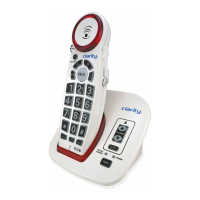
The TALK button lights up as per the settings below:
• green when the phone is in use, non-Boost mode;
• red when the phone is in use, BOOST function is engaged;
• orange when the OSA function is active;
• blinks green during incoming ring or when the base is paging the
handset (FIND function is engaged) - along with the visual ringer
• blinks green (slower) during the memory programming process
Phone Will Not Hold Charge
• Make sure the charging contacts on the handset and base
are free of dust and dirt.
• Clean the battery contact with a cloth moistened with alcohol.
• Make sure CHARGE LED on the base is lit when the handset is in
the cradle. If necessary, replace the handset batteries. (See Battery
Information.)
Diculty in Placing or Receiving Calls
• Check the visual ringer and/or other buttons for dierent blinking
lighting patterns - see above examples.
• Make sure you have selected the correct dialing mode, tone or pulse.
• Disconnect the base for 5-10 seconds, then reconnect. Place the
handset back on the base and reinsert the AC adapter.
• Make sure the handset batteries are fully charged.
XLC2+


 To Next Page