8
English
MIN
MIN
MAX
MAX
4. Operation
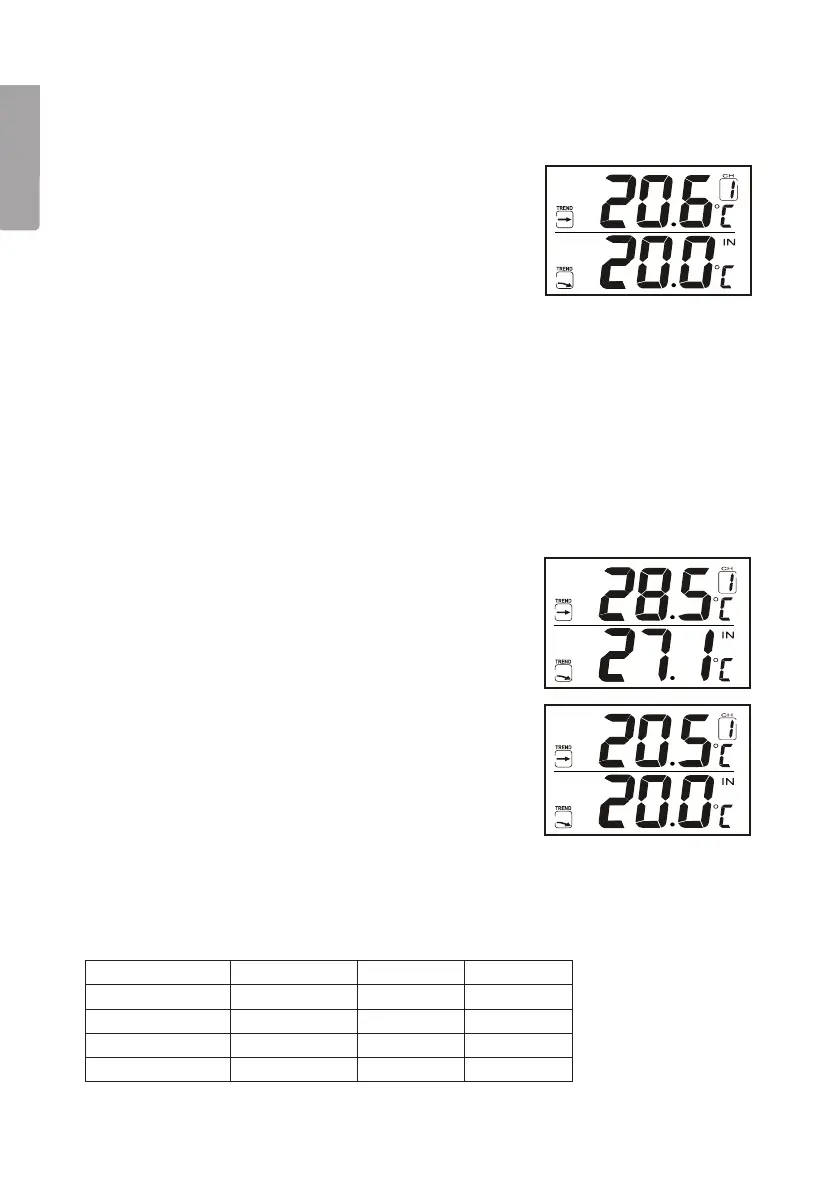
4.1 Reading thetemperature
Displaying theindoor temperature:
1. Whenyou have inserted thebatteries thetemperature
will appear on thedisplay.
Displaying theoutdoor temperature
1. Press[Channel] repeatedly to switch channels
between 1, 2, 3 and 4 (if you have more than one
transmitter/sensor). Thetemperature is shown on
thedisplay.
2. Pressand hold in [Alarm/C/F] for 3 seconds to
activate or deactivate automatic switching between
thedifferent channels (applies if you have more than
one transmitter/sensor).
Switching between Celsius and Fahrenheit
1. Switchbetween Celsius and Fahrenheit by pressing
[Alarm/C/F] when thereceiver is in clock mode.
Displaying themax and min temperature
• Press[Minute/-/Min] in theclock mode to see
theminimum temperature.
• Press[Hour/+/Max] in theclock mode to see
themaximum temperature.
Deleting themax and min temperature
Note: The max/min values must be deleted manually if
you wish to change themeasuring period.
Select thedisplay of thevalue to be deleted. Pressand
hold in [Minute/-/Min] or [Hour/+/Max] for 3 seconds
until asignal is heard and thestored temperature value
isdeleted.
Indication that thetemperature is outside themeasuring range
“Hi” and “Lo” appear on thedisplay when thevalues are above or below thenormal values.
Indoor/outdoor Temperature Humidity Display
Indoor > +55 ºC > 95 % Hi
Indoor < -20 ºC < 15 % Lo
Outdoor > +70 ºC > 95 % Hi
Outdoor < -30 ºC < 15 % Lo


 To Next Page