Basic Operation
AC POWER
Turn On the Power
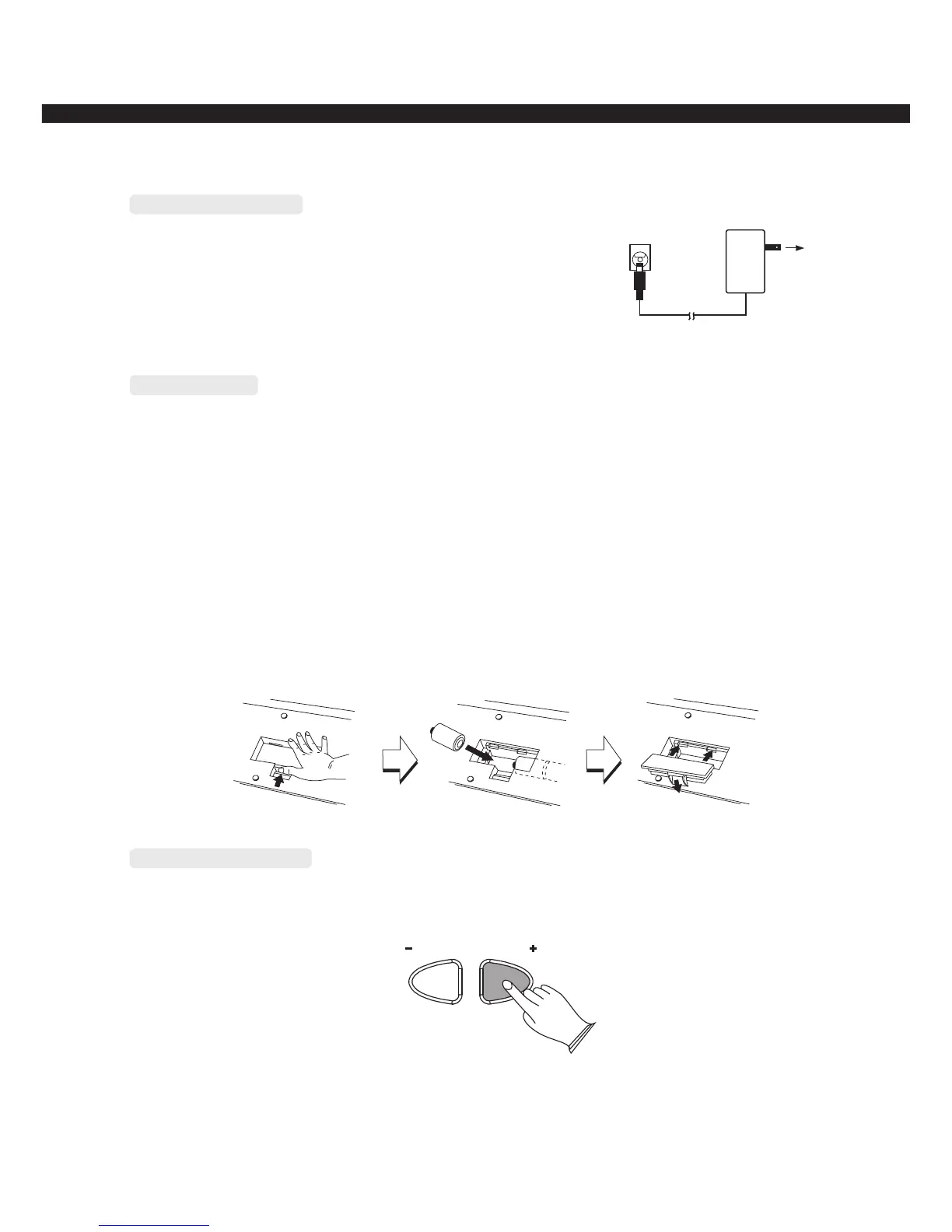
Plug the DC output cable from the Power adaptor into the
DC 9-12V jack on the rear panel of your instrument , then plug
the Power adaptor (or the AC cable of the Power Adaptor) into
a convenient wall AC power socket, then turn the power on.
The instrument use 6×1.5V D size battery. When the batteries need to be replaced, the volume
may be reduced, the sound may be distorted, and other problems may be occurred. Please change
new battery after turn off the power.
1. open the battery compartment cover located on the bottom of the instrument.
2. Insert six new batteries, be careful to follow the polarity markings on the inside of the compartment.
3. Replace the batteries run down, replace them with a complete set of six new batteries,
never mix old and new batteries, do not use different kinds of batteries at the same time, to prevent
possible damage due to battery leakage, remove the batteries from the instrument if it is not to be
used for an extended period of time.
Use Battery
Adjust Main Volume
Use [MASTER VOLUME+/-] button to adjust the main volume,Range:00~15
MASTER VOLUME
-4-



 To Next Page