11
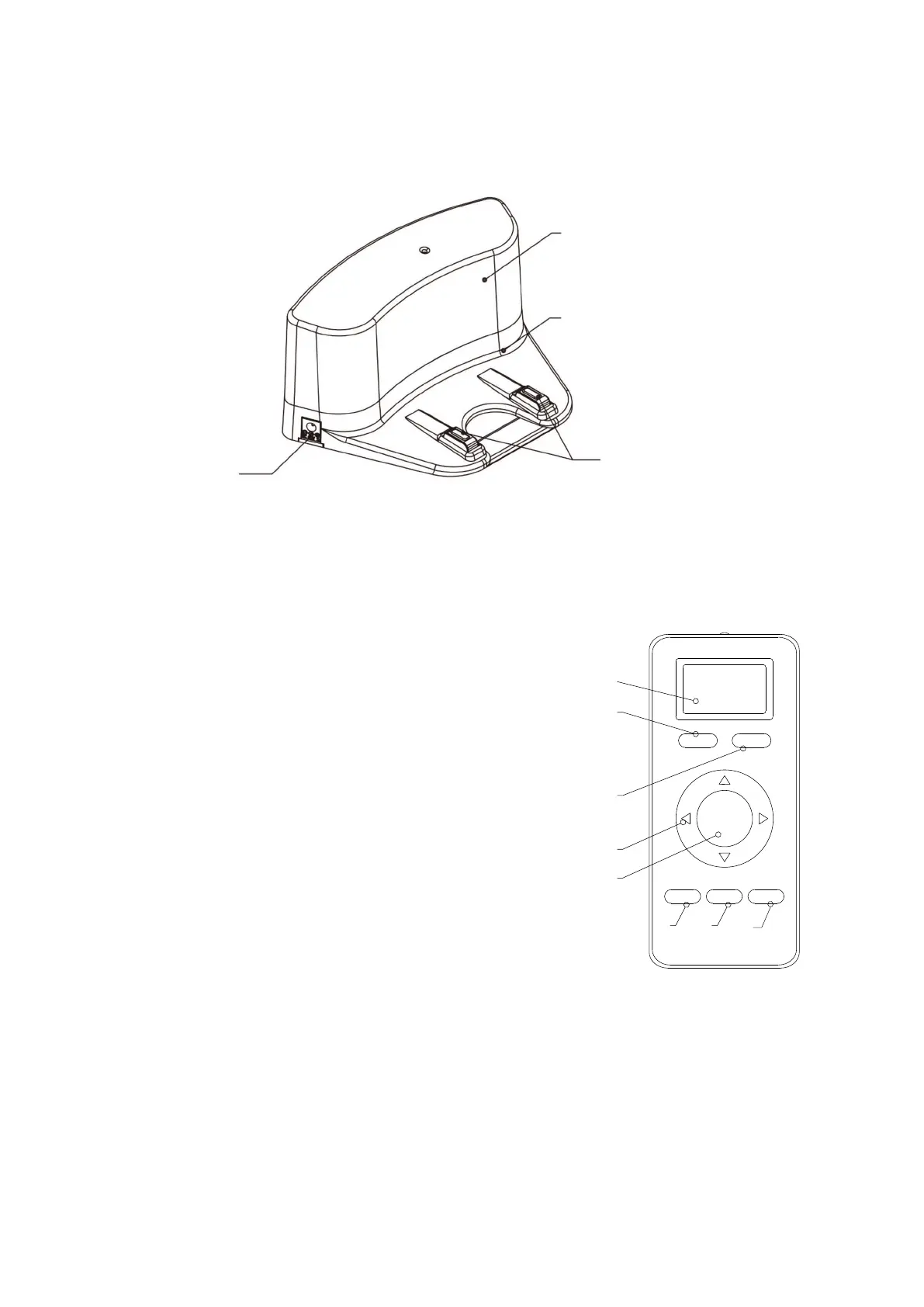
Charging Docking
Docking Top Cover
Docking Middle Cover
Charging Poles
Power Socket
Note:
A. Please install AAA type batteries into the remote control before use it.
B. Remove the batteries if the remote control will be left unused for a long period.
C. If you use the remote control near the charging docking, the robot may not recognize the command
and may not respond.
1
6
2
3
7
8 5 4
Remote Control
1. LED display
2. HOME: Auto-recharging
3. Direction Buttons: control robot move to certain direction.
(Only works when robot in standby status)
4. Max: robot change to powerful cleaning mode.
(Only works when robot in standby status)
5. CLK: robot timer setting
6. PLAN: robot schedule cleaning time setting
7. ON/OFF: turn on/off the robot
8. Mode: robot cleaning modes
(Only works when robot is in standby status)



 To Next Page