13
Battery Charging
1. Battery Charging
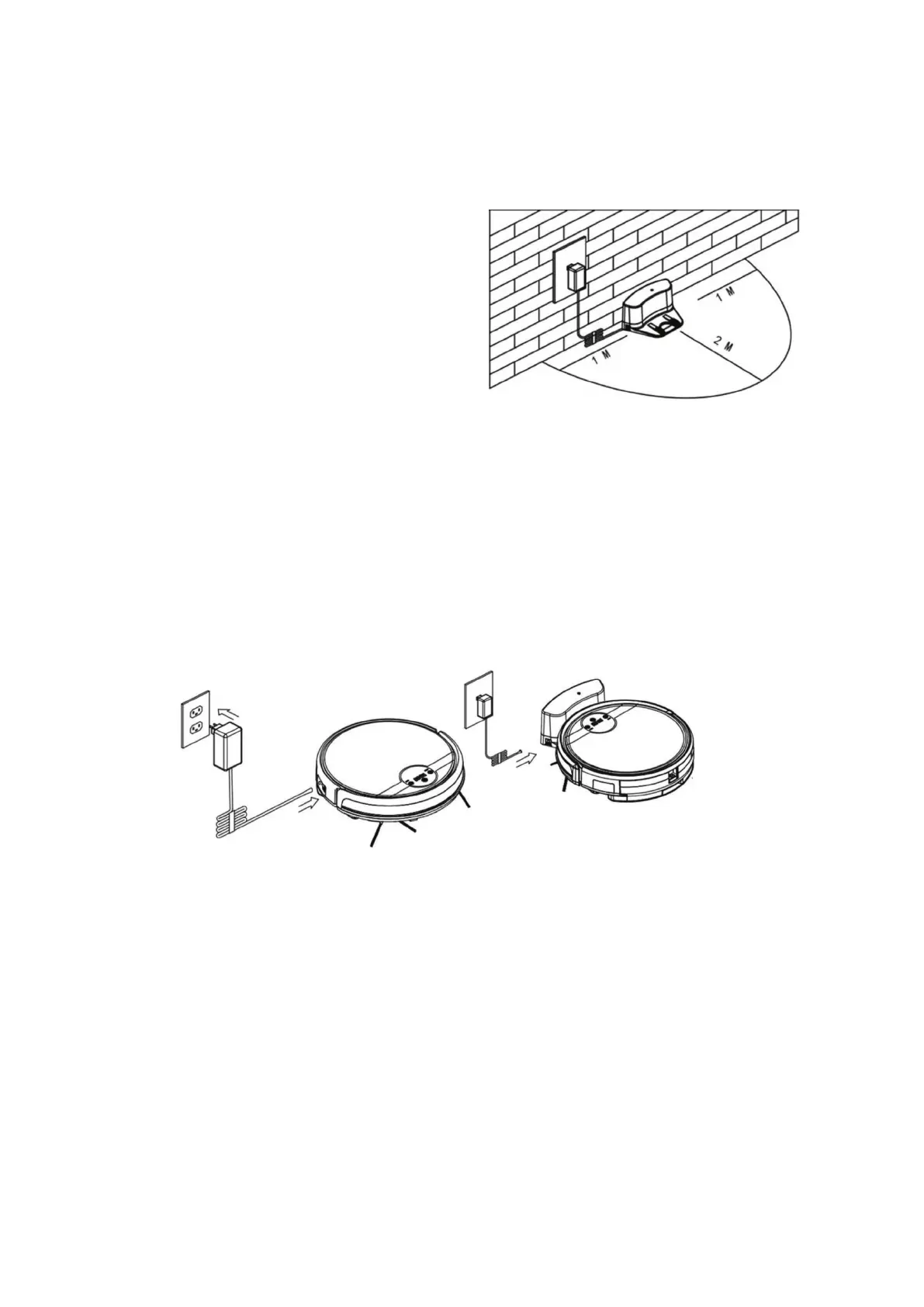
Place charging station against the wall, and remove
obstacles about 1m at two sides and 2m in front of the
station as show in the right gure.
Note:
If the robot is powered off, then switch on the robot
first before charging.
2. Charge the robot in either way as shown below:
A. Plug one end of the adapter into the robot and the other end into the power socket as shown
in Fig a.
B. Press “HOME” button on remote control or robot to make the robot search for the
chargingstation and dock automatically as shown in Fig b
Note:
A. When the robot is charging, the LED panel will gradually show “1111” from left to right.
B. When charging is done, LED panel will show “FULL”
C. In standby status, the robot will broadcast voice “Please Charge” when battery level is low.
D. In working status, the robot will start searching for the charging station
automatically when
battery level
is low.
Figur A
Figur B



 To Next Page