CleanSpace Respirators USER INSTRUCTIONS
28
There is no way to restore the function of the activated carbon in a gas filter.
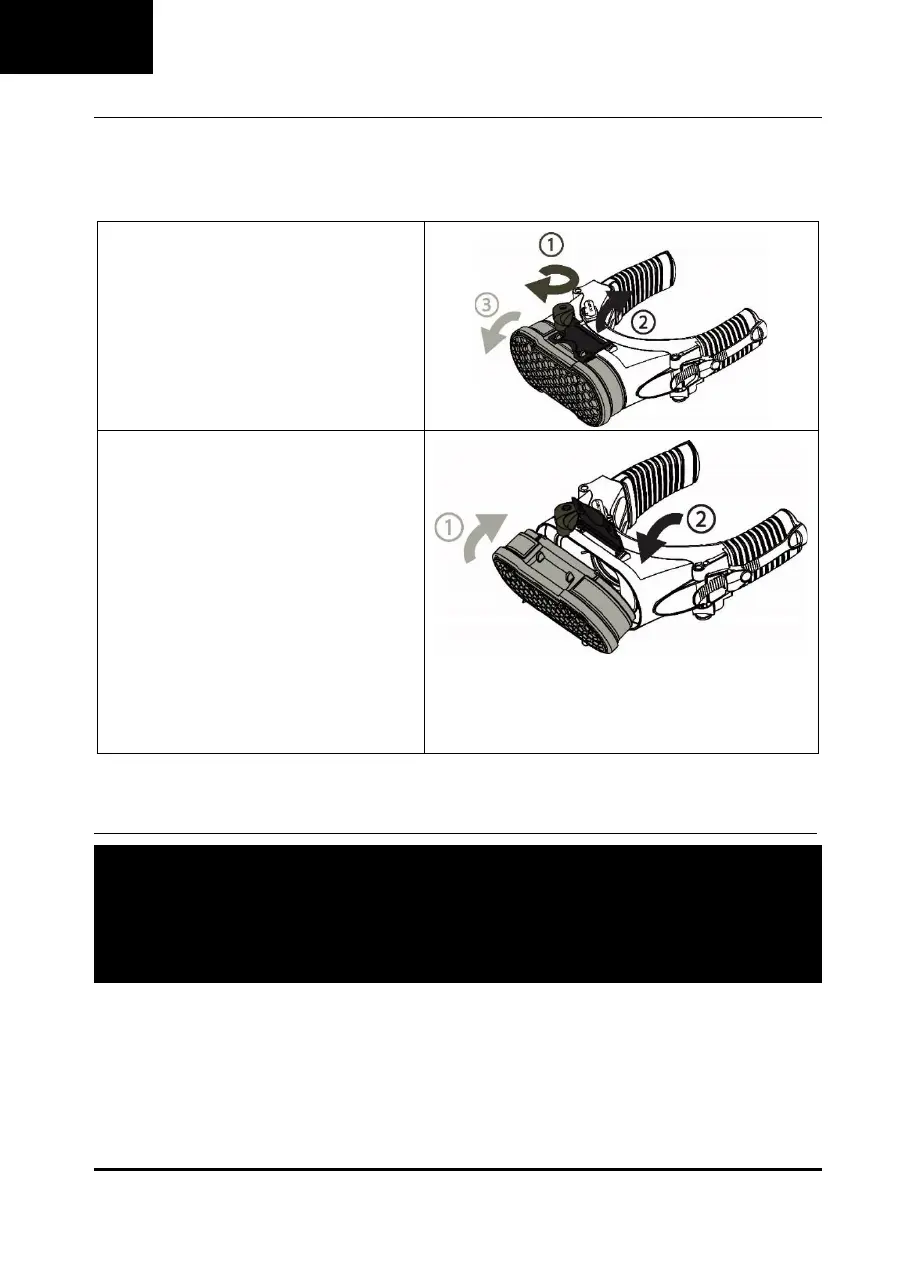
HOW TO CHANGE THE FILTERS THAT USE THE FILTER ADAPTOR (PAF-0038)
STEP 1. Removing the filter from the filter adaptor
• Turn the Power Unit upside down.
• Using your thumb, unlock the latch lock, and
then pull the latch firmly away from the filter.
• The filter can now be removed.
STEP 2. Fitting a new filter to the filter adaptor
• Turn the Power Unit upside down.
• Hold the new filter so that the blue seal is
facing the adaptor.
• Fit the two (2) ribs on the filter body into the
slots in the top of the filter adaptor (facing
down), and push into place.
• Push the filter into the adaptor as shown in the
figure on the right.
• Push the latch down and over the two (2) ribs
on the bottom of the filter body (facing up).
The latch lock will move to one side
automatically. When the filter is positioned
correctly, two clicks are heard.
• The filter is now sealed to the Power Unit and
ready for use
13. Battery Information
Always correctly use and maintain the internal lithium-ion battery pack. Failure to do so may result in fire, explosion, or
could adversely affect the performance of the CleanSpace Respirator, and result in injury, sickness, or death.
- Only use CleanSpace chargers to charge the internal battery.
- Do not charge the internal battery in enclosed cabinets without ventilation, near flammable liquids or gasses, or near
sources of high heat
- Do not immerse the Power Unit in water.
- Do not use, charge, or store the device outside the recommended temperature limits. See Section 5. Limitations of Use.


 To Next Page