Quick-Start Guide
6QSG-0081-002v1.0 January 2021
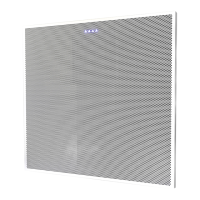
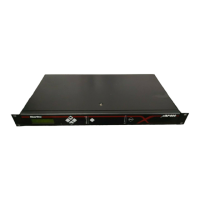
Huddle CTH
You can mount the Huddle CTH in the following ways:
• On the bottom side of a table top
• On a wall
• Behind a display
Note: Mounting hardware such as screws and anchors are not included with
the Huddle CTH.
Required Tools
• No. 1 Phillips screwdriver
• T15 Torx screwdriver
• Level (to level the Huddle CTH)
• Drill bits appropriate for anchors
• Electric drill
• Drywall saw (for cutting hole in
wall or ceiling)
Mount the Huddle CTH on the Bottom Side of a Table Top
Select your hardware based on your specific installation needs.
1. Determine the location for the Huddle CTH.
2. Use a pencil to mark on the table the location of four mounting holes that
align with the mounting holes on the mounting ears.
3. Determine the proper depth and diameter for the holes.
4. Drill four pilot holes for #6 or M3.5 screws.
5. Align the mounting holes on the Huddle CTH mounting ears with the pilot
holes.
6. Use four #6 or M3.5 screws to attach the Huddle CTH to the table.








 To Next Page