101
Click to delete the corresponding rule.
You can refer to the chapter 4.13.2.1 to set parameters.
4.13.2.3 Object Detect (Optional)
Please make sure you are connecting to the smart network camera, otherwise you can not
use IVS function!
For the same channel, the object detect and the intrusion can not be valid at the same time.
System generates an alarm when the object missing/abandoned object alarm occurs.
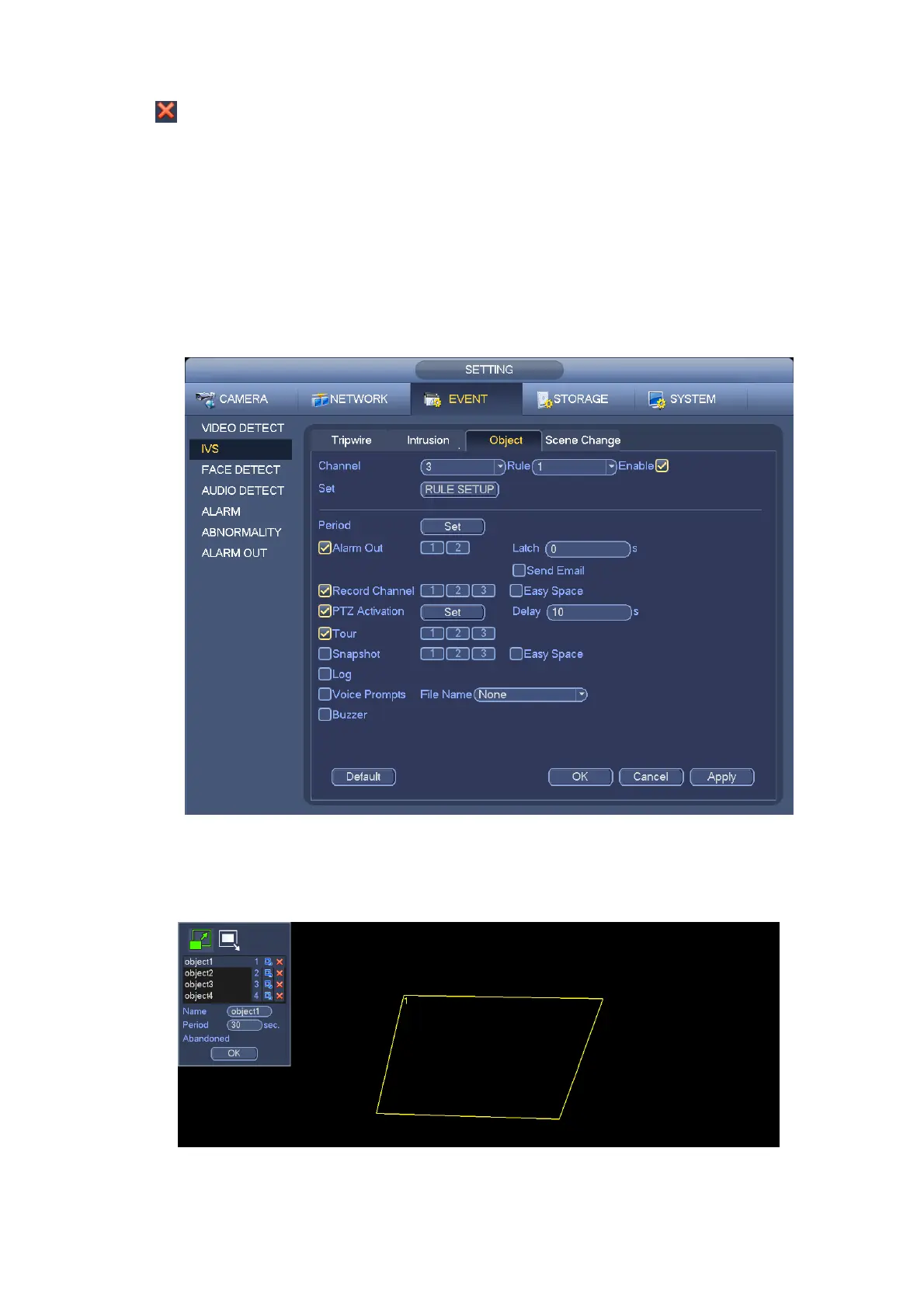
From main menu->Setting->Event->IVS->Object, the object interface is shown as below. See Figure
4-106.
Figure 4-106
Check the enable box to enable object detect function.
Click Rule setup to draw the rule.
Figure 4-107


 To Next Page