116
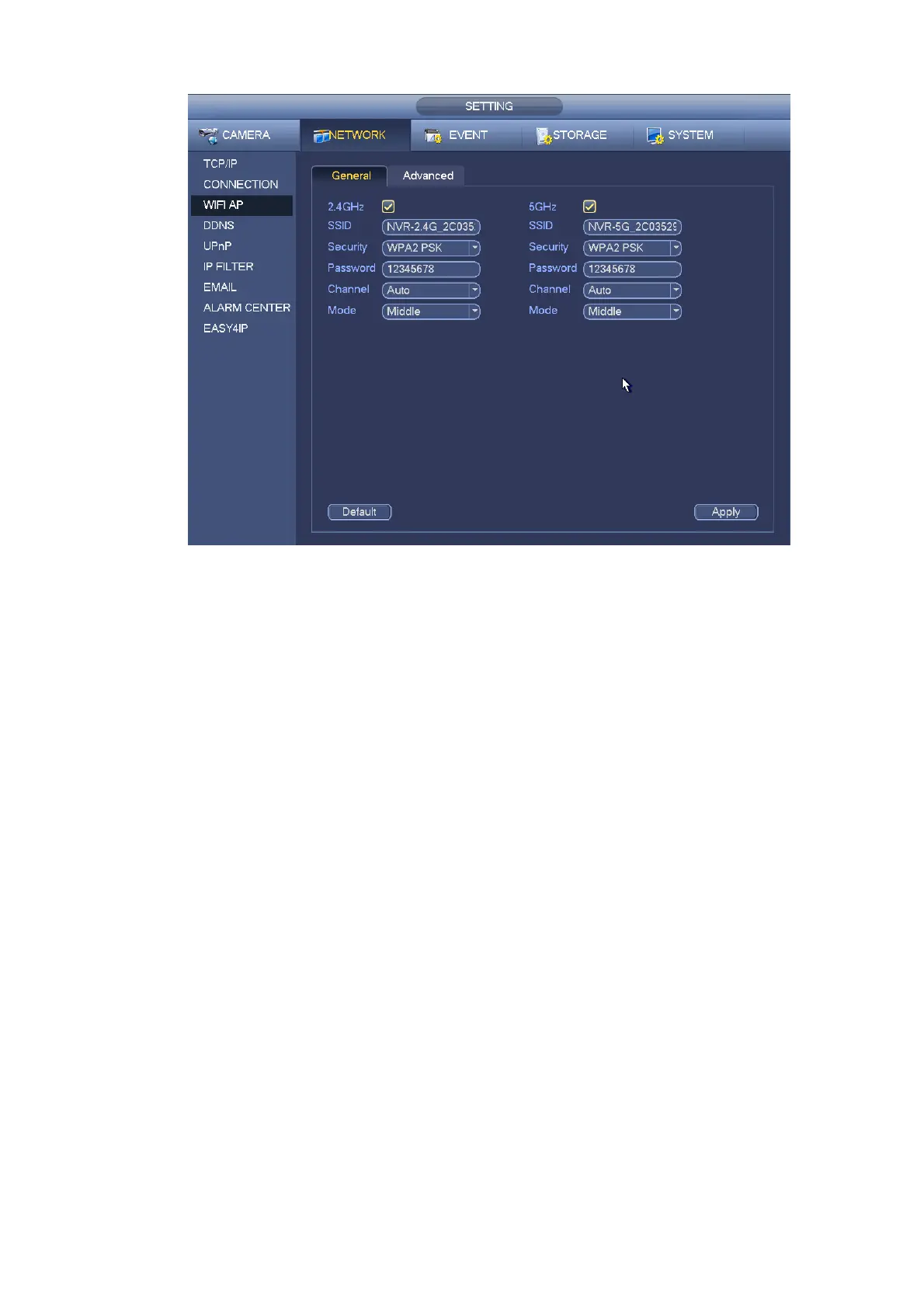
Figure 4-125
4.14.1.3.2 Advanced
Click Advanced, you can see an interface shown as below. See Figure 4-126.
IPv4 address: Input WIFI AP IP address.
IPv4 netmask: Input WIFI AP network mask.
IPv4 gateway: Input WIFI AP gateway.
Start IP/End IP: Input start IP and end IP of the network cameras. The NVR can allocate the IP
addresses in the range you specified here.
Upgrade: Click it to upgrade WIFI AP module.


 To Next Page