9
2 Front Panel and Rear Panel
2.1 Front Panel
2.1.1 PhoenixPlus-08-M
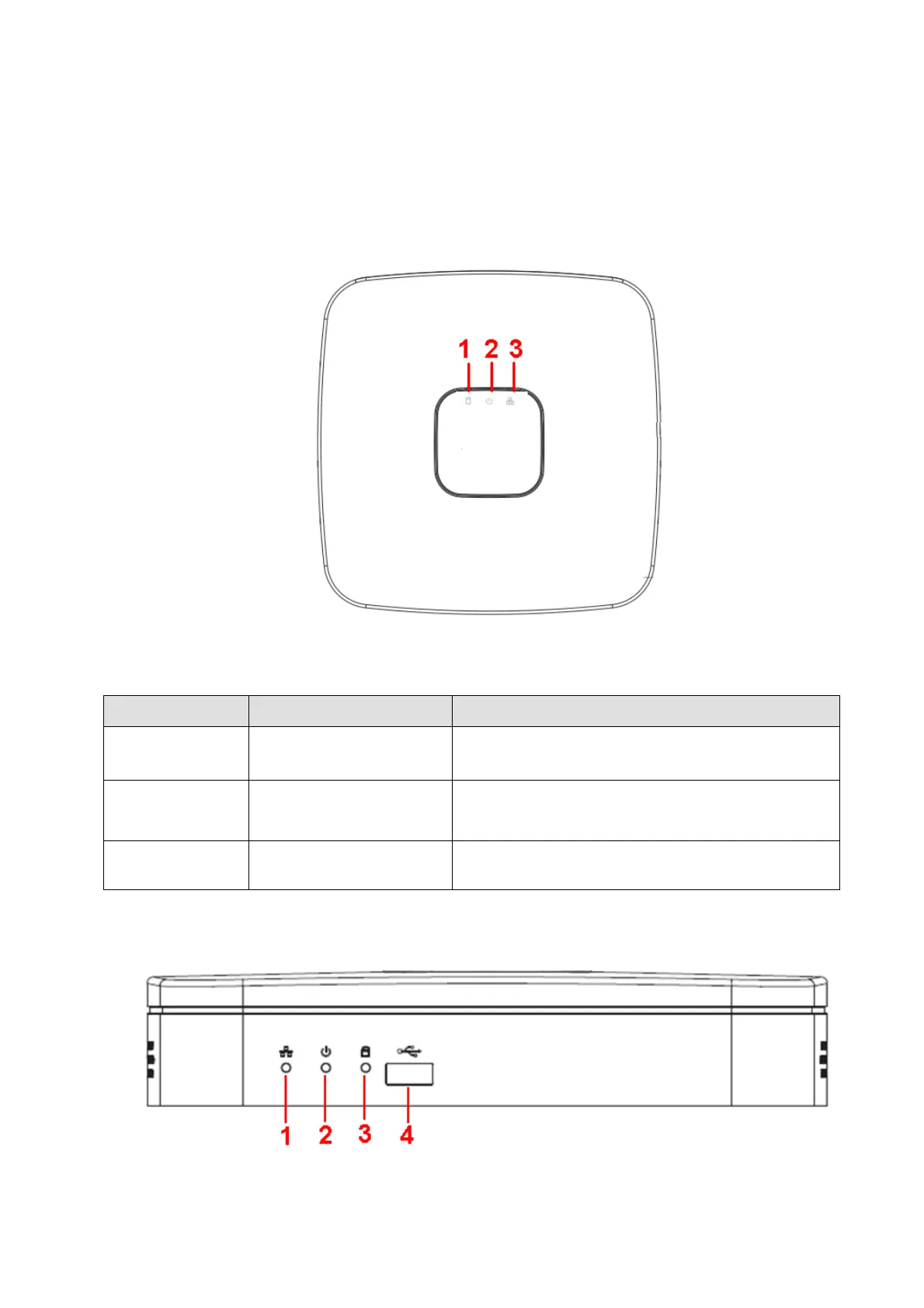
The front panel is shown as in Figure 2-1.
Figure 2-1
Please refer to the following sheet for detailed information.
HDD status indictor light
The red light becomes on when HDD is abnormal.
The red light becomes on when the power
connection is OK.
Network status indicator
light
The red light becomes on when the network
connection is abnormal.
2.1.2 PhoenixPlus-08
The front panel is shown as in Figure 2-2.
Figure 2-2


 To Next Page