12
High Definition
Media Interface
High definition audio and video signal output port.
It transmits uncompressed high definition video
and multiple-channel data to the HDMI port of the
display device. HDMI version is 1.4.
VGA video output port. Output analog video
signal. It can connect to the monitor to view analog
video.
Power socket. Input DC 48V/2A.
Bidirectional talk input port. It is to receive the
analog audio signal output from the devices such
as microphone, pickup.
Audio output port. It is to output the analog audio
signal to the devices such as the sound box.
Bidirectional talk output.
Audio output on 1-window video monitor.
Audio output on 1-window video playback.
Built-in switch. Support PoE function.
For PoE series product, you can use this port to
provide power to the network camera.
2.2.3 PhoenixPlus-16
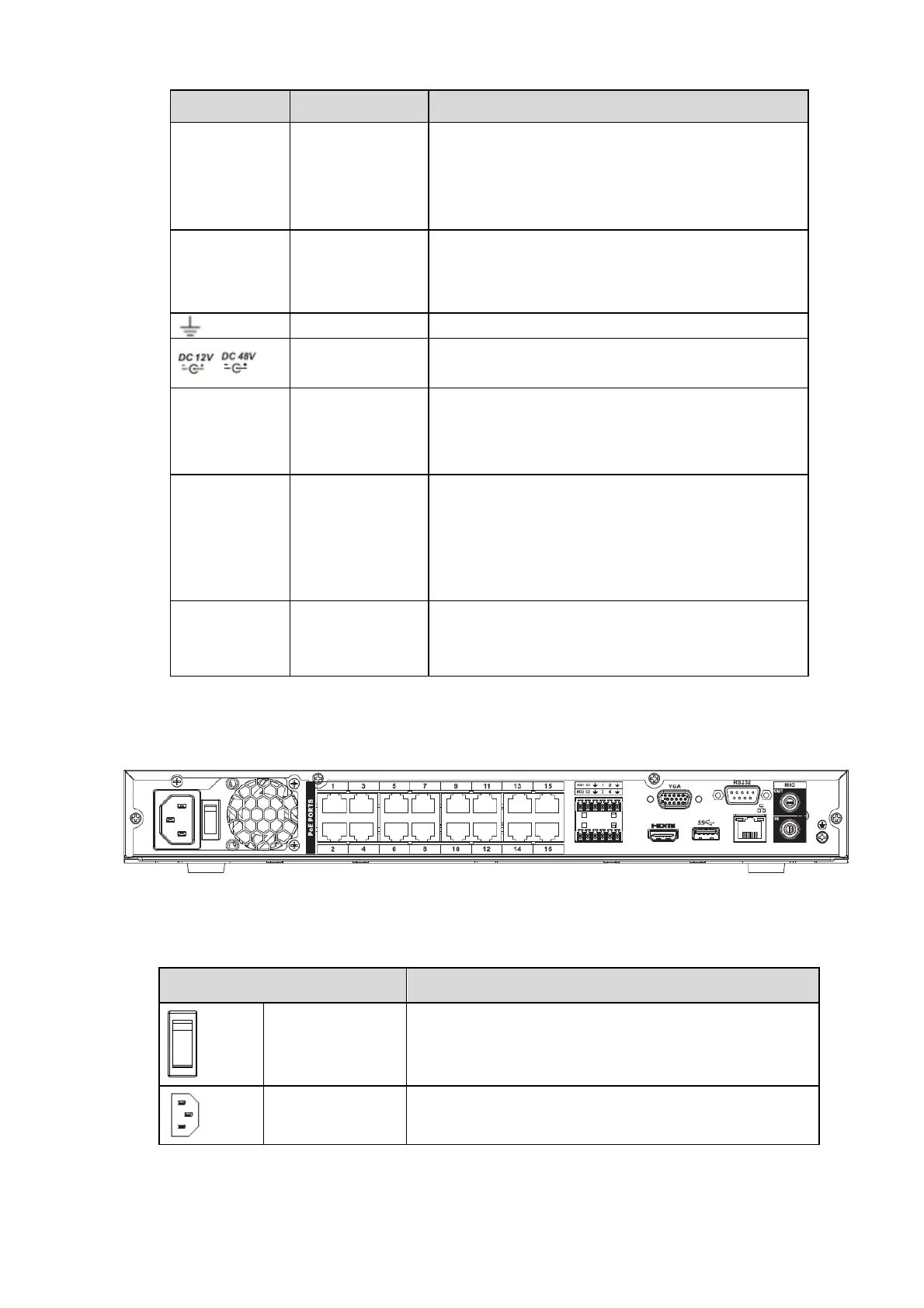
The series NVR rear panel is shown as below. See Figure 2-6.
Figure 2-6
Please refer to the following sheet for detailed information.


 To Next Page