30
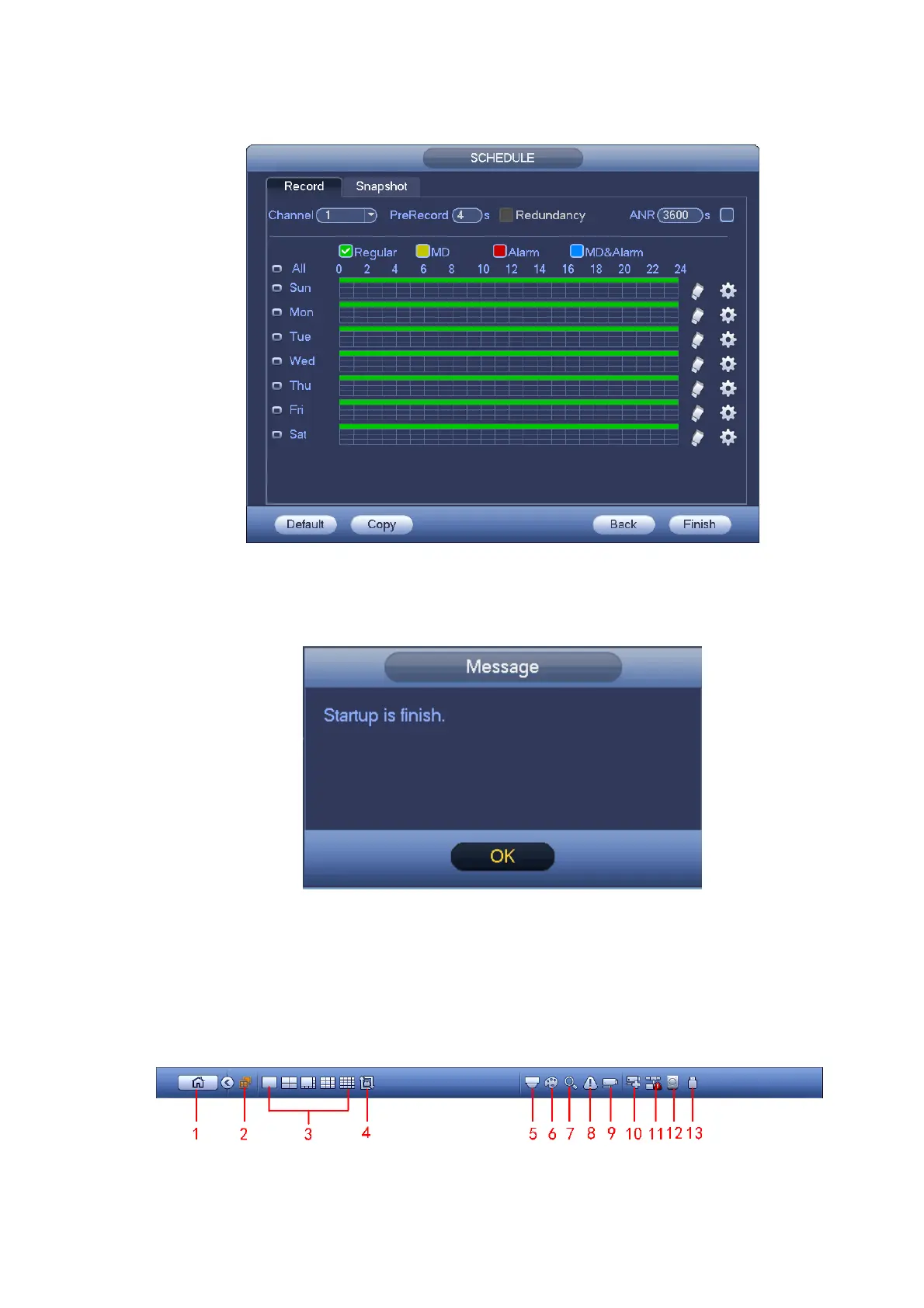
Click Next button, you can go to Schedule interface. See Figure 4-11.
For detailed information, please refer to chapter 4.10.2.
Figure 4-11
Click Finish button, system pops up a dialogue box. Click the OK button, the startup wizard is complete.
See Figure 4-12.
Figure 4-12
4.4 Navigation Bar
You need to go to the Main menu->Setting->System->General to enable navigation bar function;
otherwise you can not see the following interface.
The navigation bar is shown as below. See Figure 4-13.
Figure 4-13


 To Next Page