22
○
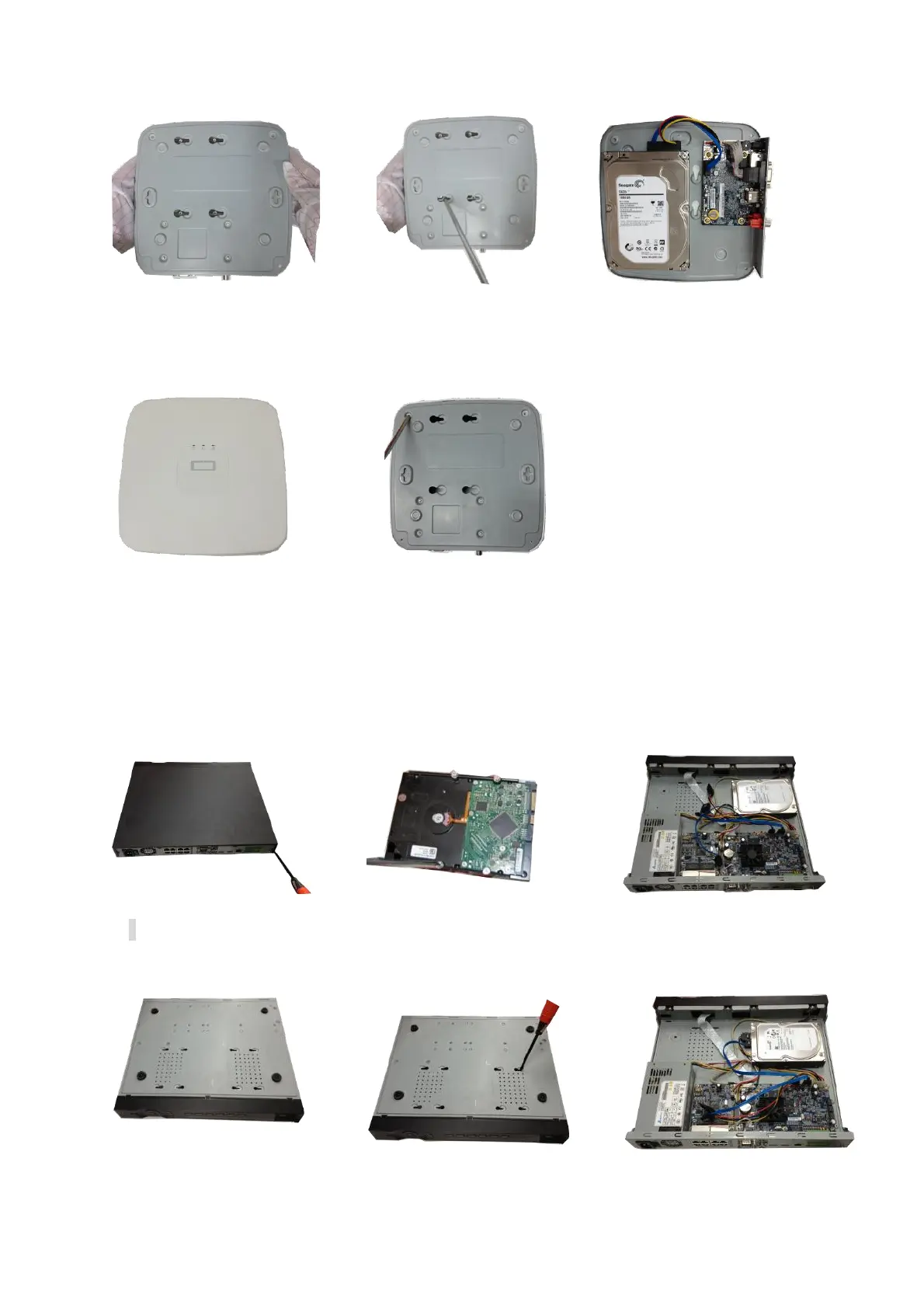
4 Turn the device upside down and
then turn the screws in firmly.
○
6 Connect the HDD cable and
power cable.
○
7 Put the cover in accordance with
the clip and then place the upper cover
back.
○
8 Secure the screws in the rear panel and the side panel.
3.3.2 PhoenixPlus-16
○
1
Loosen the screws of the upper
cover and side panel.
②Fix four screws in the HDD (Turn
just three rounds).
③Place the HDD in accordance with
the four holes in the bottom.
④Turn the device upside down and
⑥Connect the HDD cable and power


 To Next Page