132
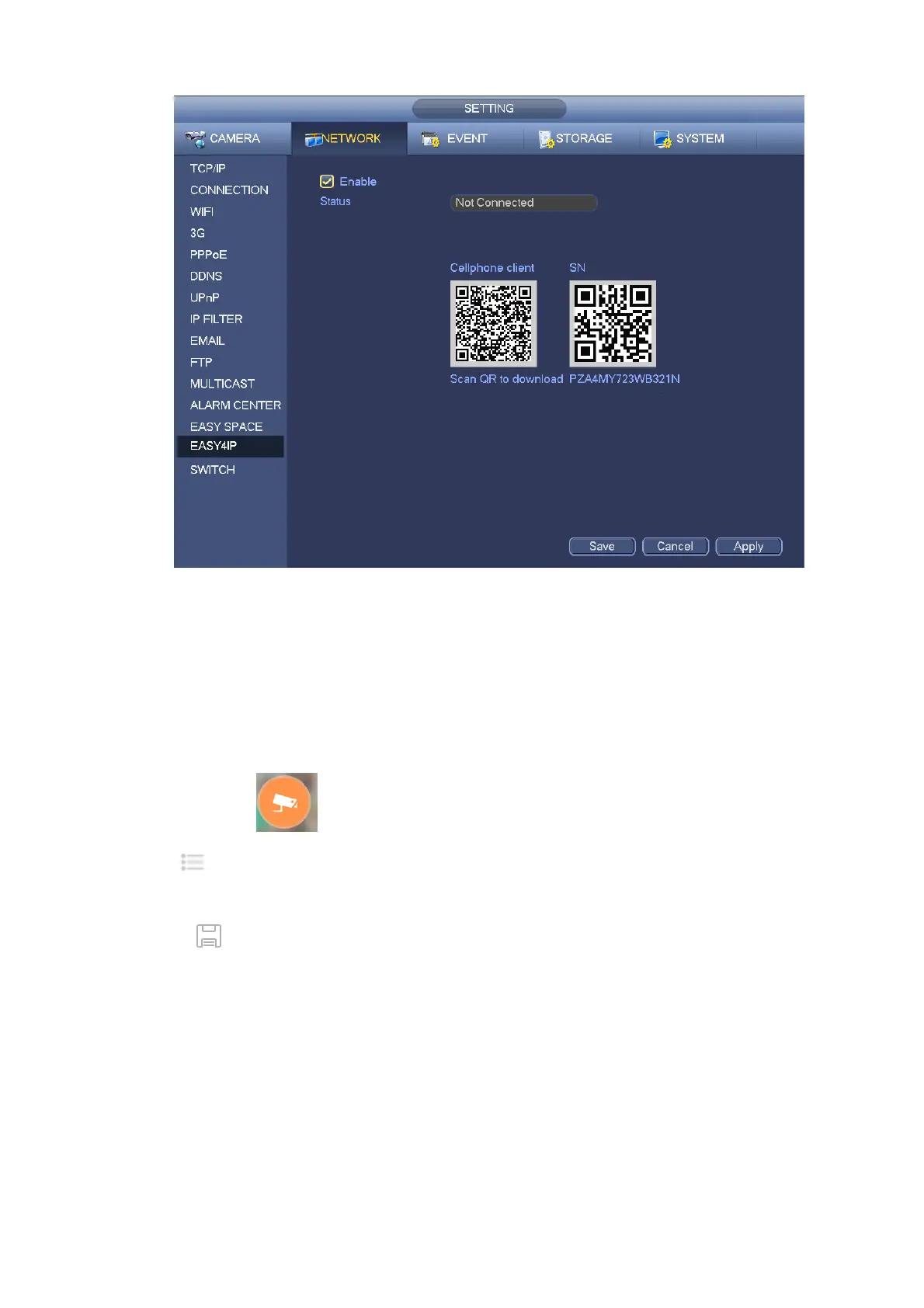
Figure 4-143
Android:
Open Google Play app in your smart phone. Search gDMSS Lite or gDMSS Plus, download it and install.
iOS:
Open App Store app in your smart phone. Search iDMSS Lite or iDMSS Plus, download it and install.
Please follow the steps listed below.
Open App; tap to go to the Liv preview.
Tap at the top left corner, you can see the main menu.
Tap Device manager button, you can use several modes (P2P/DDNS/IP and etc) to add the device.
Click to save current setup. Tap Start Live preview to view all-channel video from the
connected device. See Figure 4-144.


 To Next Page