EasyManua.ls Logo

CleaverBrooks CFC-500 - User Manual

CleaverBrooks CFC-500
314 pages
Print Icon
To Next Page IconTo Next Page
Loading...
Manual Part No. 750-263 07/2010
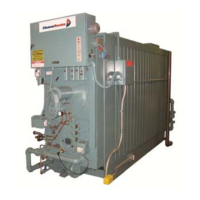
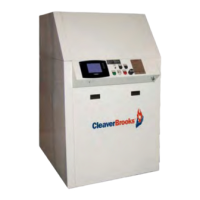
Model CFC
ClearFire
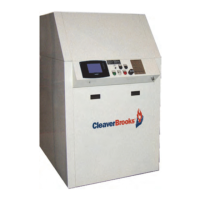
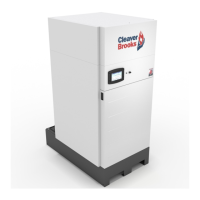
Condensing Boiler
Operation, Service, and Parts

Table of Contents

Questions and Answers

  • M
    Michael SmithAug 3, 2025
    Why does my CleaverBrooks Boiler have burner can failure and high gas pressure lockouts?
    • R
      Rebecca DayAug 3, 2025
      If the CleaverBrooks Boiler experiences burner can failure and high gas pressure lockouts, it might be due to incorrect gas pressure. Check the regulated gas pressure to ensure it matches the specifications in Table 4-3. Also, inspect other equipment connected to the gas main to ensure the regulator and gas supply piping are appropriately sized for all appliances operating simultaneously. A dedicated, correctly sized gas pressure regulator is essential for each boiler, and the customer connection should reduce to the boiler gas train.
  • T
    Tonya TrujilloAug 11, 2025
    How to troubleshoot lightoff problems in CleaverBrooks CFC-500?
    • D
      David GuerreroAug 11, 2025
      If your CleaverBrooks Boiler is experiencing lightoff problems, several factors could be the cause. First, check the regulated gas pressure to ensure it agrees with Table 4-3, and verify that other equipment connected to the gas main has properly sized regulators and gas supply piping for all appliances operating simultaneously. You can also try increasing the fan speed in increments of 100 RPM until lightoff is successful. Other potential causes include bad cable connections, fouled or improperly spaced electrodes (which should be cleaned, replaced, and adjusted), and debris on the burner canister (clean by removing the burner can, blowing compressed air from the outside in, and vacuuming up the residue).
  • L
    Lisa PageAug 19, 2025
    How to calibrate touch screen on CleaverBrooks Boiler?
    • L
      Lauren ToddAug 19, 2025
      If the touch screen on your CleaverBrooks Boiler isn't working correctly, it might be out of calibration. To fix this, go to Setup/Advanced Setup/Diagnostics from the Falcon home page. Then, under “Touch Screen,” press and follow the on-screen instructions.
  • C
    Christina SchultzAug 27, 2025
    Why is the display on my CleaverBrooks CFC-500 Boiler behaving erratically?
    • C
      Charles HawkinsAug 27, 2025
      Erratic display or controller behavior in a CleaverBrooks Boiler can often be traced to a faulty electrical ground. Check the ground terminals in the control panel to ensure the system is firmly grounded to the metal casing. If necessary, external ground wiring may be required.

Summary

Section 1 - Introduction

Control

Explains the CB Falcon hydronic control system and its functions, including burner management and modulation.

Section 2 - Installation

Assembly

Covers the packaging and physical assembly steps for the CFC boiler unit.

Flue Gas; Combustion Air Connections

Details requirements for safely venting flue gases and providing combustion air for the boiler.

Gas Connections

Details general requirements, gas train components, pressure requirements, and piping for gas connections.

Electrical Connections

Provides instructions for making safe and correct electrical connections to the boiler.

Section 3 - Stack and Intake Vent Sizing and Installation

Combustion Air; Boiler Room Ventilation Requirements

Details requirements for providing adequate and uncontaminated air for combustion and boiler room ventilation.

Section 4 - CFC Commissioning

Initial Start-Up Procedure

Provides a step-by-step guide for the initial startup of the burner, including gas train checks and power-up.

Setting Combustion

Explains how to properly set the burner's air-fuel ratio using a combustion analyzer for optimal efficiency.

Limit Controls Check

Details how to test the Modulation Off and High Limit functions to ensure proper safety operation.

Section 5 - Service and Maintenance

Troubleshooting

Offers guidance on diagnosing and resolving lockout conditions, including possible causes and reset procedures.

APPENDIX B - CB Falcon Plug-In Module

Back Up Parameters to PROGRAM MODULE

Details the process of copying non-safety parameter values and control header data to the Program Module.

Restore Parameters from the 833-3640

Explains how to transfer parameter data from the Program Module back into a Falcon unit, including compatibility checks.

APPENDIX C - Gas Valve

Installation

Provides crucial instructions for safely installing the gas valve, including mounting and main gas connections.

Adjustments and Final Checkout

Outlines procedures for adjusting the main gas valve and performing final installation checks.

Troubleshooting

Provides guidance on diagnosing and resolving issues with the gas valve, including troubleshooting procedures and service information.

CleaverBrooks CFC-500 Specifications

General IconGeneral
BrandCleaverBrooks
ModelCFC-500
CategoryBoiler
LanguageEnglish

Related product manuals