81
82
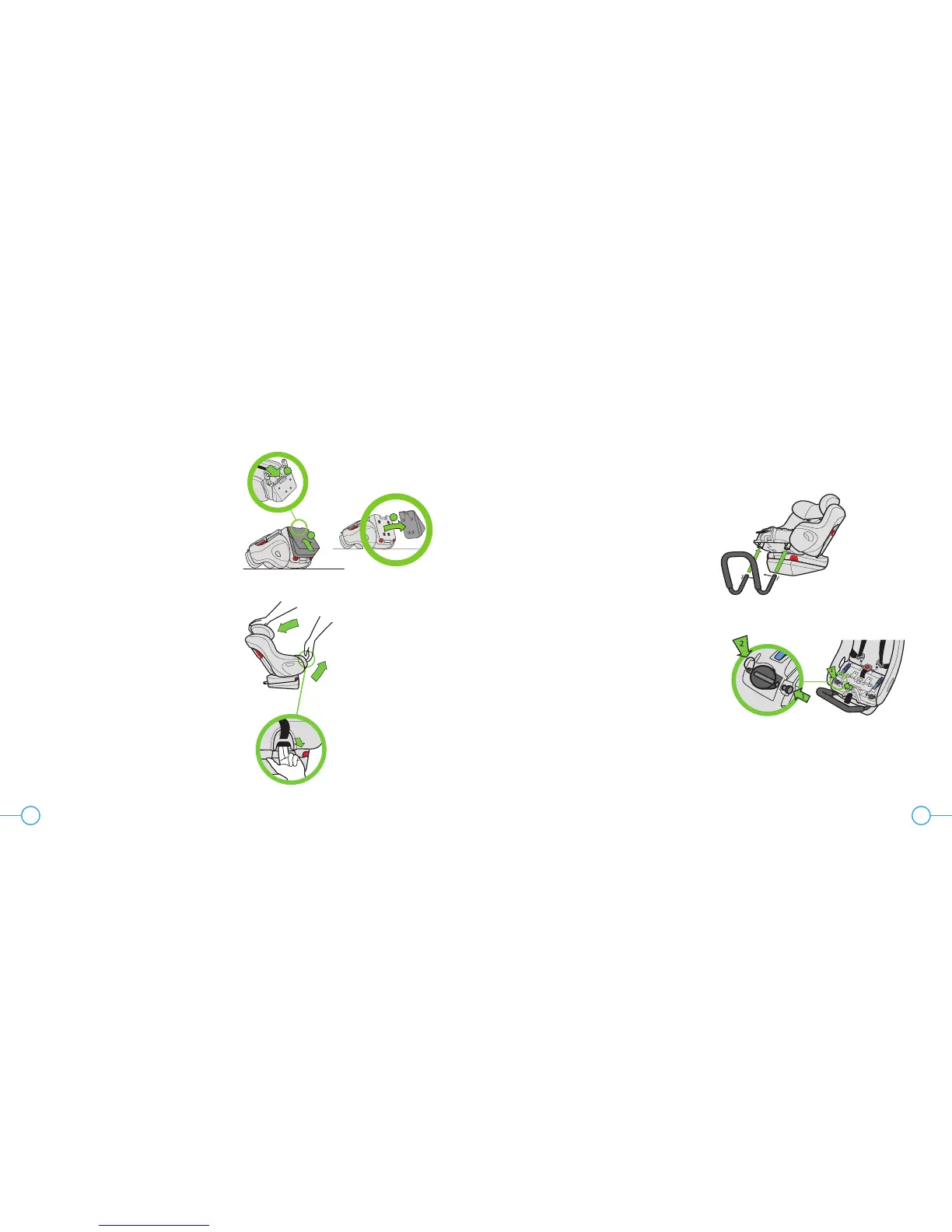
Figure 115
Figure 116
TO REMOVE REAR-FACING BASE
Step 1
Place the car seat on a clean, stable surface
with the inside of the seat facing down.
Step 2
Pull Rear-Facing Base Release Lever away
from the car seat and move the Rear-Facing
Base up to release it as shown in Figure 115.
Installing/Removing Rear-
Facing Anti-Rebound Bar
Step 1
Fully recline the seat to Recline Position 3 by
pulling Recline Handle out and rotating car
seat back as shown in Figure 116.
2
3
1
Step 2
Remove Seat Cushion, see “Removing/
Installing Seat Cushion” on page 84.
Remove Rear-Facing LATCH Push-on
Connectors from their storage location, see
“Rear-Facing LATCH Storage” on page 88.
Step 3
Insert the Rear-Facing Anti-Rebound Bar into
the holes in the bottom of the seat in front of
the base as shown in Figure 117.
Step 4
Hold the Anti-Rebound Bar in place and
insert Locking Pins into the holes in the seat
and through the Anti-Rebound Bar as shown
in Figure 118. Check that each Locking Pin
is securely installed through both sides of the
Anti-Rebound Bar and that the Locking Pin
Clip are through the Locking Pins.
Step 5
If installing with vehicle belt, place Rear-
Facing LATCH Push-on Connectors back
into their storage location, see “Rear-Facing
LATCH Storage” on page 88.
Figure 117
Figure 118


 To Next Page