89
90
Figure 129
2
1
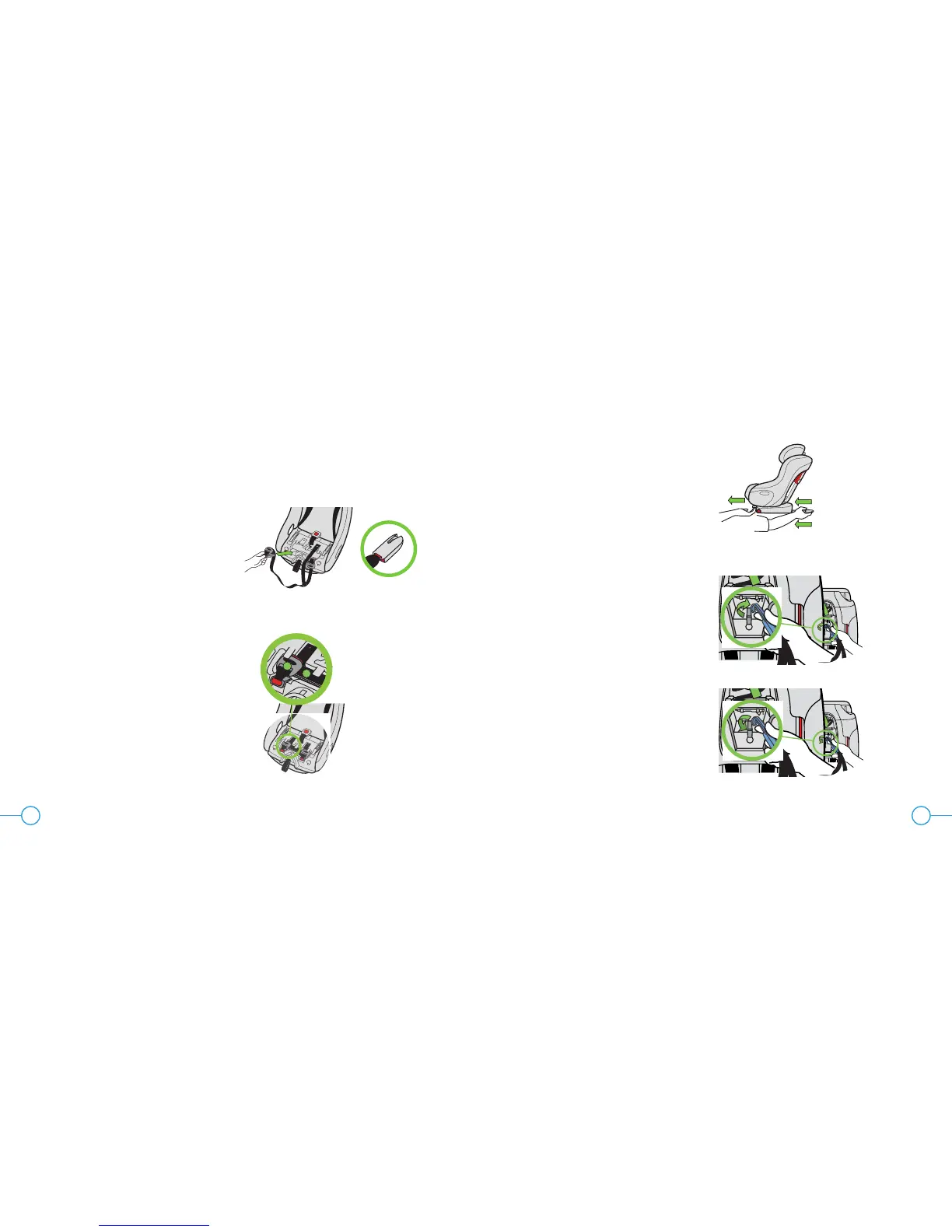
Figure 128
STORAGE OF REAR-FACING LATCH
Step 1
Remove the Seat Cushion, see “Removing/
Installing Seat Cushion” on page 84.
Step 2
Insert the Rear-Facing LATCH Push-on
Connectors, with the slots in the end oriented
toward the outside of the seat, into the
openings at the front of the seat bottom, as
shown in Figure 128.
Step 3
Insert the Rear-Facing LATCH Adjusters (1)
into the square recesses behind the LATCH
Push-on Connectors, fold the excess LATCH
Belt (2) and insert under tab between
adjusters as shown in Figure 129.
Step 4
Install the Seat Cushion, see “Removing/
Installing Seat Cushion” on page 84.
Forward-Facing Rigid
LATCH Storage
To store the Rigid LATCH Connectors, pull
and hold the Rigid LATCH Adjustment
Handle while pulling the Rigid LATCH Lower
Connectors into the seat until they stop as
shown in Figure 130.
Top Tether Storage
Removal: Remove Instruction Manual and
Top Tether from back of seat. Pull in and hold
retention spring on Tether Hook, then remove
Tether Hook from storage bar as shown in
Figure 131, then replace Instruction Manual.
Storage: Remove Instruction Manual from
back of seat. Hook Tether Hook around
storage bar as shown in Figure 132, fold
Top Tether belt and insert into Tether Storage.
Replace Instruction Manual.
Figure 130
Figure 131
Figure 132


 To Next Page