SLEEPVIEW USER MANUAL
16
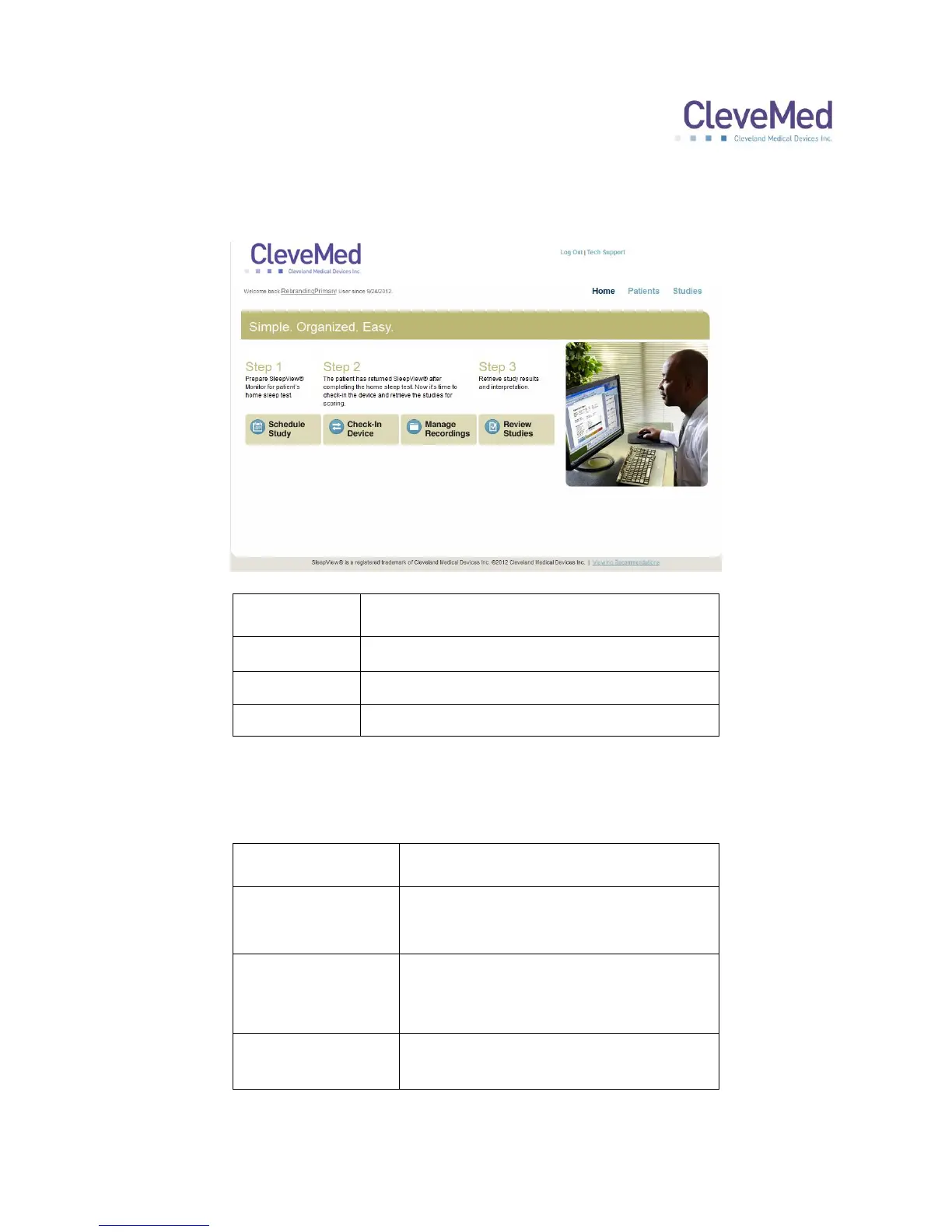
3. The main page of the site will appear and is separated into three sections indicated
by the text at the top right of the page:
Provides access to workflow tasks
Provides patient management functions
Provides study management functions
The “Home” page provides three main tasks that are part of the portal workflow
indicated as buttons within the section:
Create a new study record for an
existing or new patient.
Step 2 Check-In
Device, Manage
Recordings
Check in recorded data files from a
SleepView and assign those data
files to scheduled studies
Retrieve study reports or check the
status of a study.


 To Next Page