12
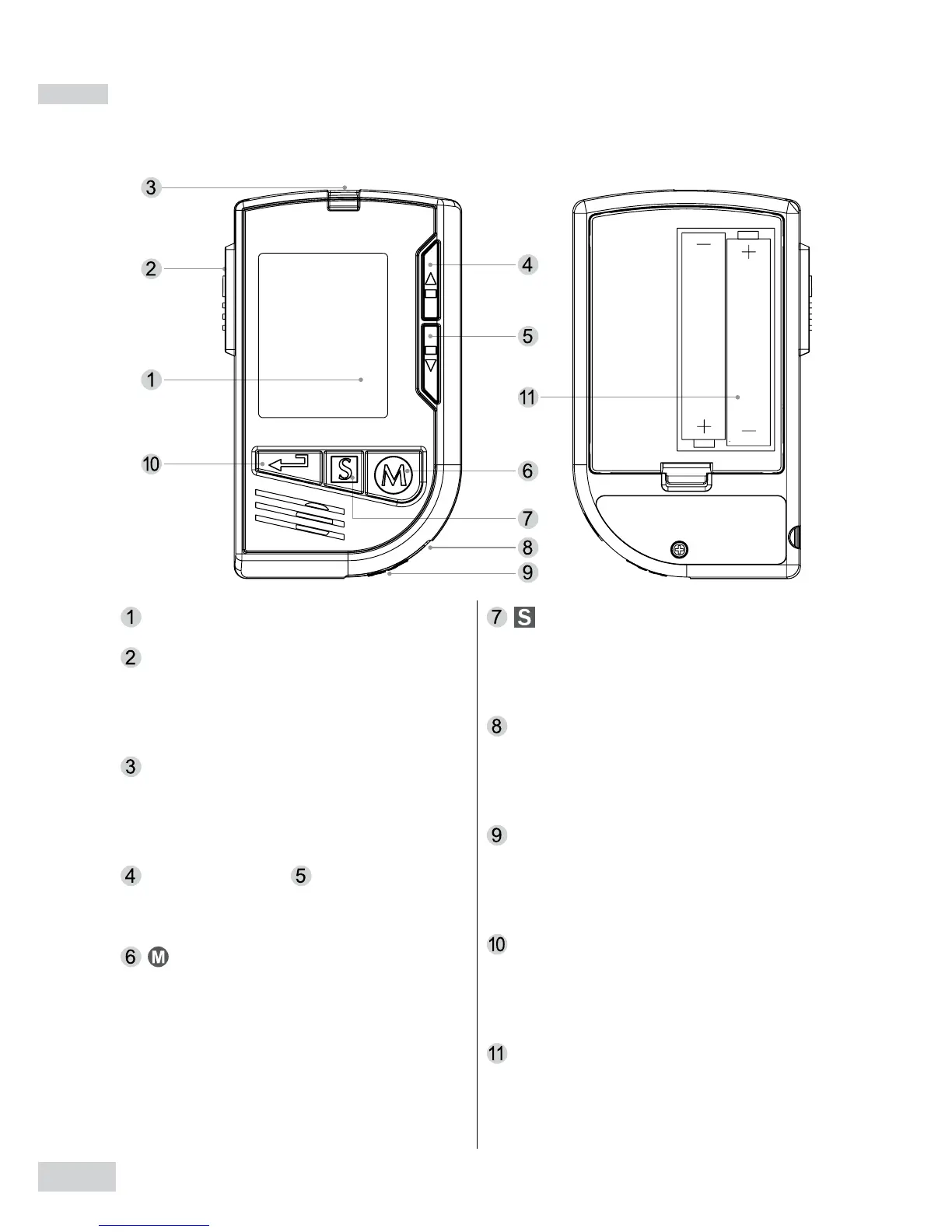
Meter Overview
Display Screen
Test Strip Ejector
Eject the used strip by pushing
up this button.
Test Slot
Insert test strip here to turn the
meter on for testing.
Up Button & Down Button
Select or change information.
Button
Enter the meter memory and
silence a reminder alarm.
Button
Enter and conrm the meter
settings.
Earphone Port
Insert earphones to listen the
voice messages.
Data Port
Download test results with a
cable connection.
Repeat Button
Replay the previous recording
while operating the meter.
Battery Compartment
Front Back


 To Next Page