19
Setting the Meter
Before using your meter for the rst time or if you change the meter
battery, you should check and update these settings. Make sure you
complete the steps below and have your desired settings saved.
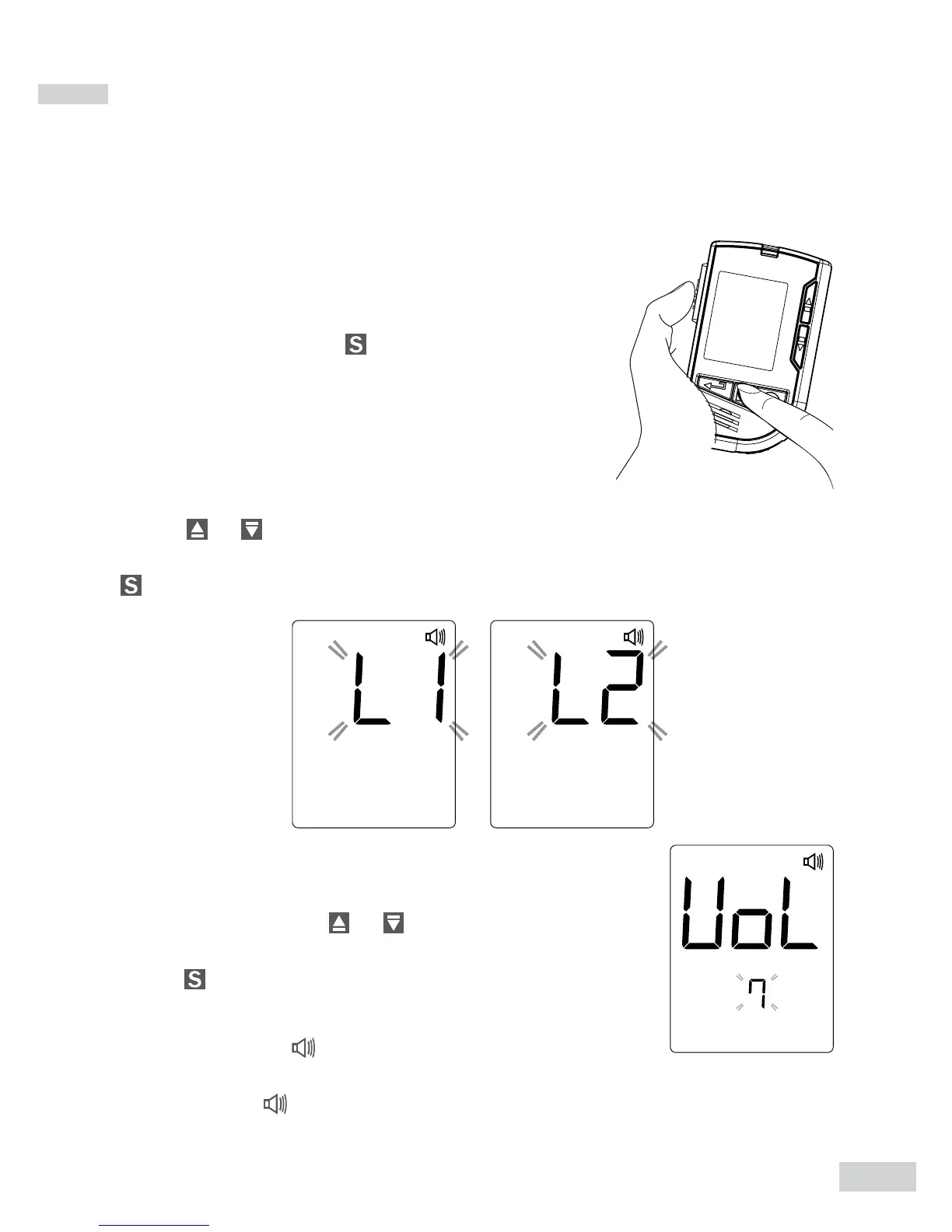
Entering the Setting Mode
Start with the meter off (no test strip inserted).
Press and rmly hold
for 3 seconds until the
meter turns on.
1. Choosing a Language
Press
or to select L1/L2.The default language for the meter is
L1, which is English. L2 is Spanish. To conrm your selection, press
.
2. Setting the speaking volume
There are seven (7) speaking volume options to
choose from. Press
or until the desired speak-
ing volume appears. To conrm your selection,
press .
Volume 0 indicates that the speaking function is
turned off, and “
” will not display during testing.
Volume 1 to 7 indicates speaking volume from low
to high, and “ ”will be displayed throughout the
testing.


 To Next Page