36
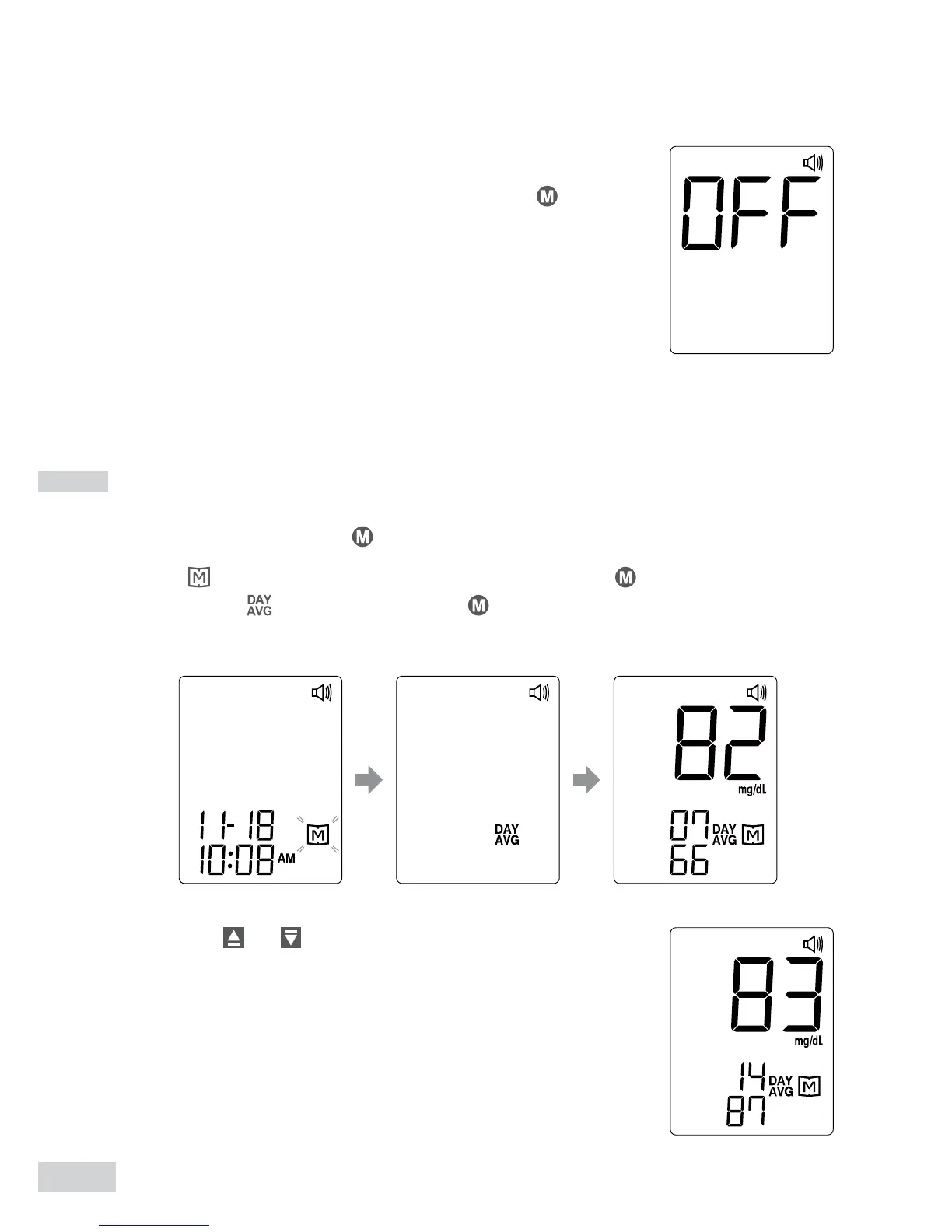
3. Exit the meter memory
After the last test results, keep pressing
and the
meter will be turned off.
2. Press or to review 14-, 21-, 28-, 60- and
90- day average results stored in memory.
Reviewing Blood Glucose Day Average Results
1. Press and release .
When
appears on the display, keep pressing for 3 seconds until
the ashing appears. Release and then your 7-day average
result will appear on the display.


 To Next Page