Clickfree C2 Portable Backup Drive (Macintosh) Backing up my content (HD)
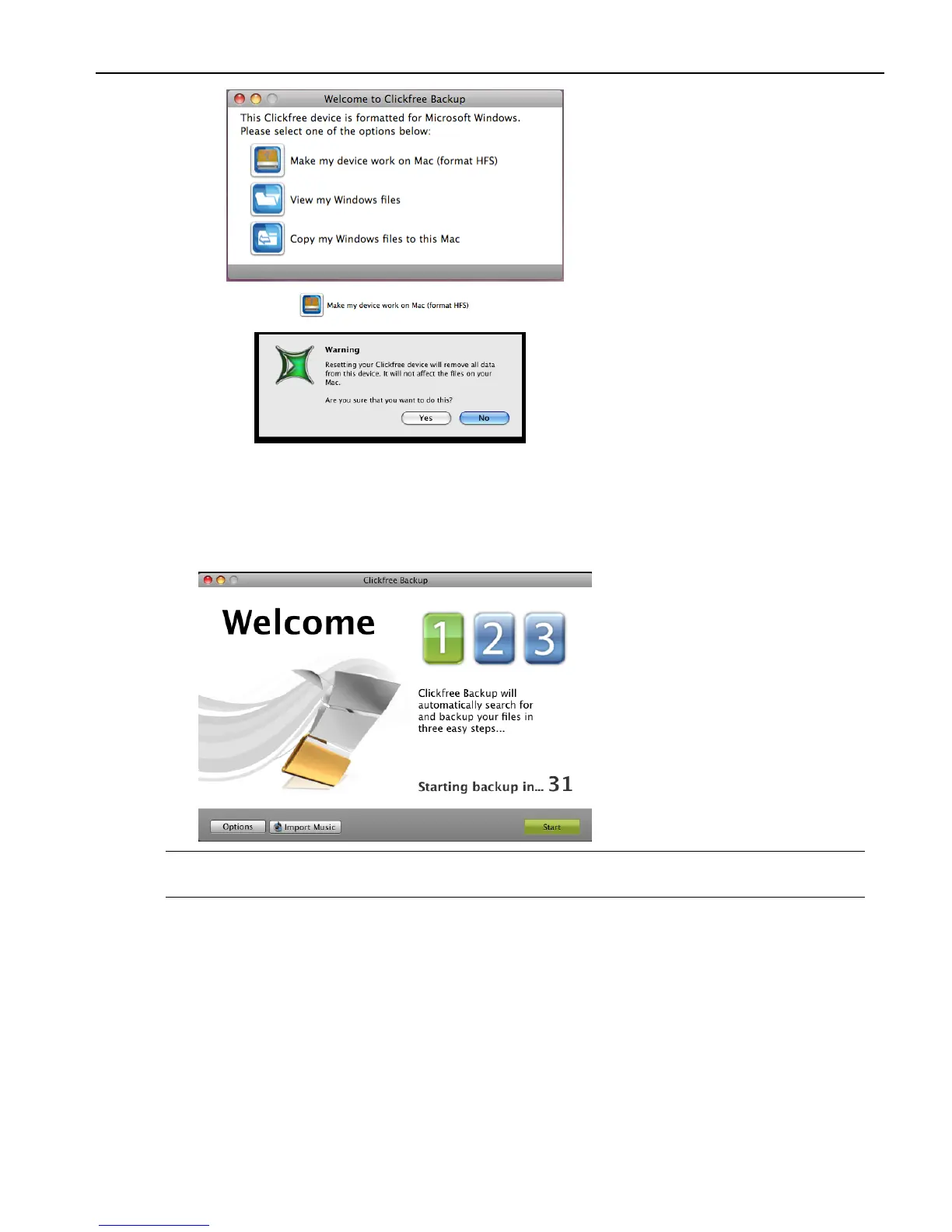
b. Click .
c. Click Yes.
Clickfree then reformats the Backup Drive.
When the Clickfree backup starts to run, a
Welcome window appears and shows the
number of seconds left before the backup starts automatically:
Note: After you have backed up content on your Portable Backup Drive,
View Files and
Restore/Transfer buttons appear.
ZERO EFFORT BACKUP – REALLY!
Unless you stop the countdown by clicking a button, at the end of the countdown period
Clickfree starts the backup.
• If you want to let Clickfree decide what needs to be backed up from where, then
you’re done: just relax and let Clickfree work.
Without any effort on your part, Clickfree is safeguarding your valuable content!
For details, see “What gets backed up?” on page 10.



 To Next Page