Clickfree C2 Portable Backup Drive (Macintosh) Browsing & searching for my files (DVD)
Browsing & searching for my files (DVD)
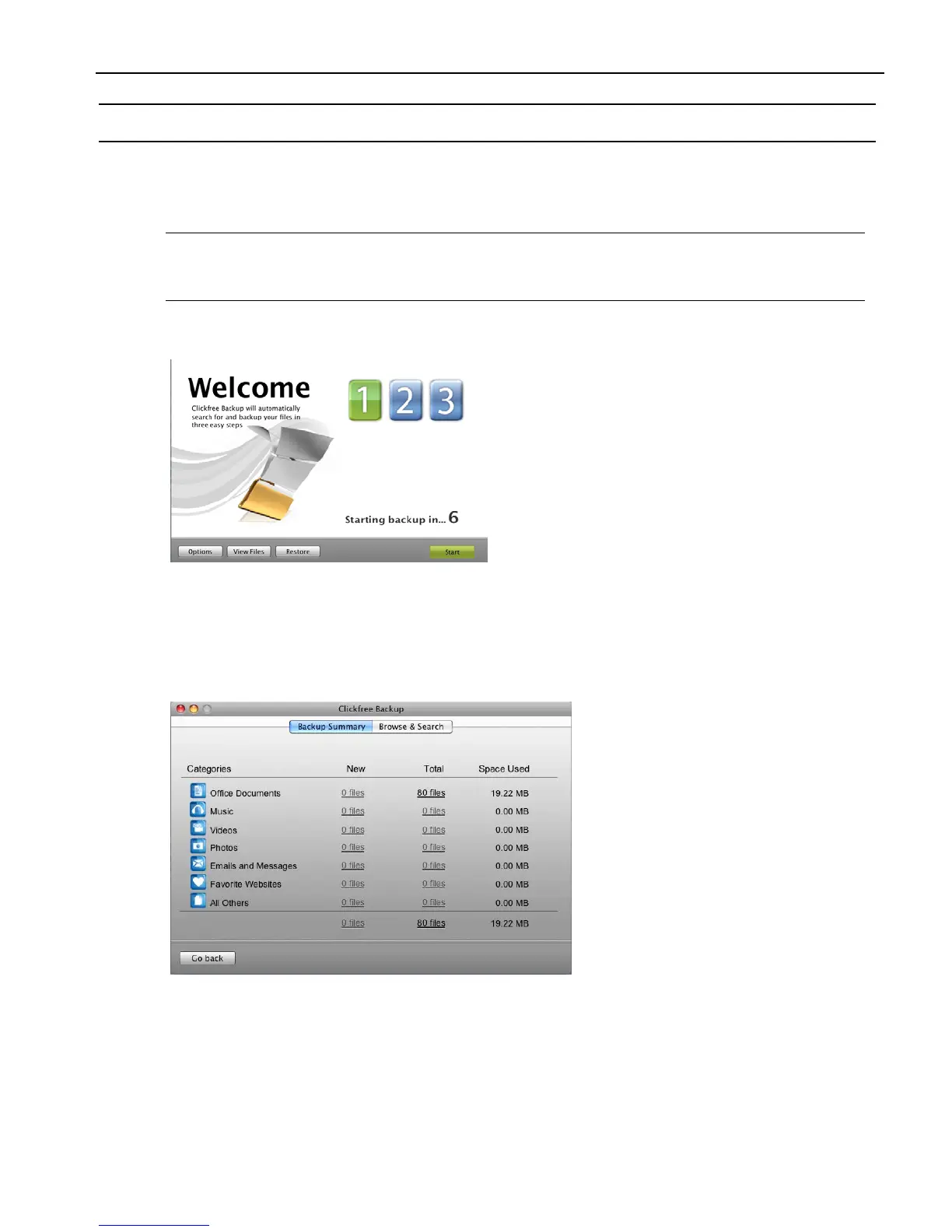
From the Backup Summary window you can:
• Browse your backup(s) for files
• Search your backup(s) for files
Note: When you try to do anything with a file (for example, to open the file), Clickfree
prompts you to insert the backup disk that contains the latest (most up-to-date)
version of that file.
STARTING FROM THE WELCOME WINDOW
To browse and search for files:
Before the countdown gets to zero, click View Files. The Backup Summary window is
displayed.
F
ROM THE BACKUP SUMMARY WINDOW



 To Next Page