Clickfree C2 Portable Backup Drive (Macintosh) Advanced topics (HD)
How do I choose a password?
Choose your password according to the sensitivity of the content you are protecting.
Advice on passwords is easy to come by – just google “choose password” to find as
much advice as you could possibly use. Clickfree imposes no restrictions on the
password, and treats upper-case and lower-case letters as identical.
Warning: Be sure to pick a password that would be difficult for anyone else to discover
and that you will be able to remember – if you forget your password there is no
way to recover any backed-up content from the Portable Backup Drive.
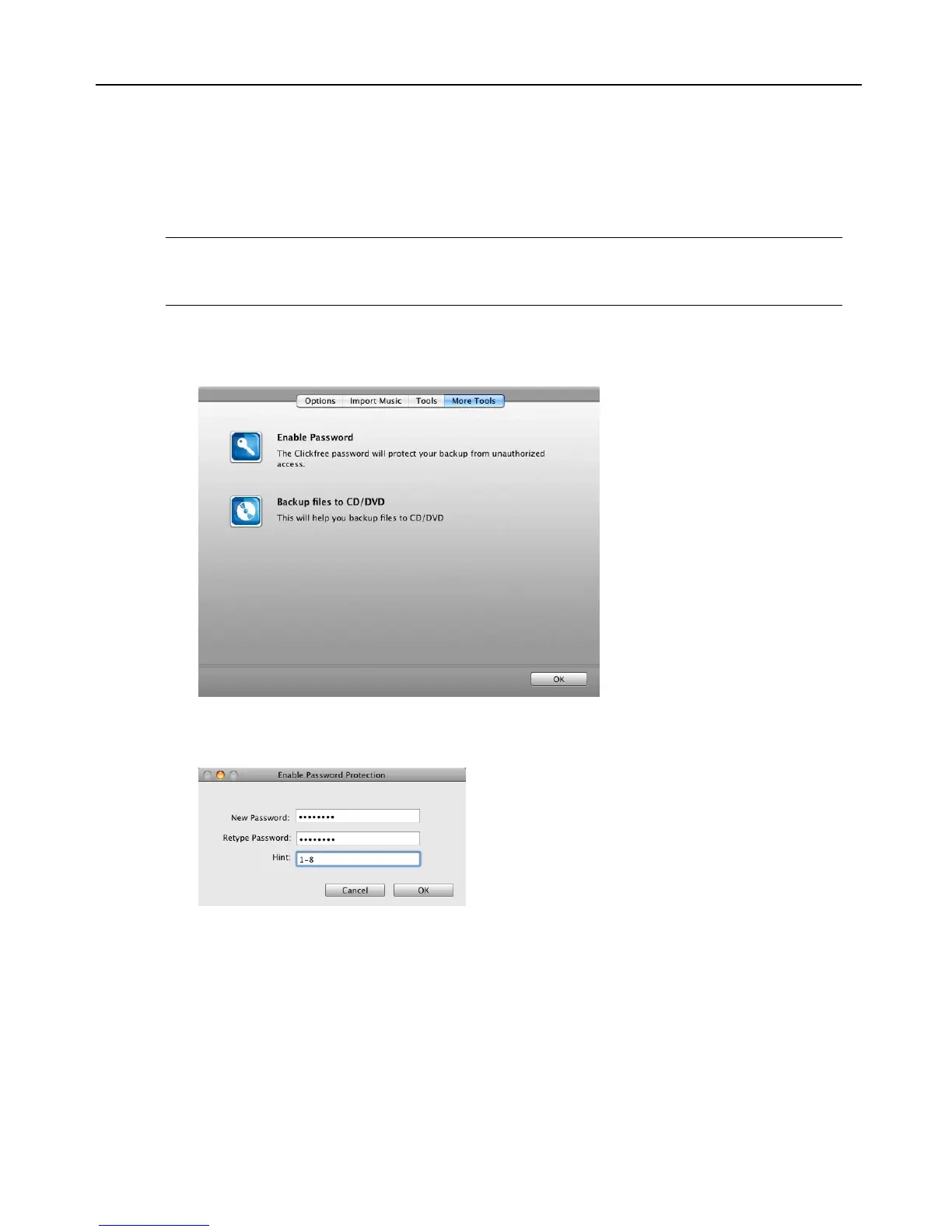
How do I enable password protection?
You can enable password protection from the
More Tools screen.
To enable password protection:
4. Click Enable Password.
5. Type your password in both the
New Password and Retype Password fields.
6. Optionally set a hint. See below for details.
7. Click
OK.



 To Next Page