Clickfree Transformer SE User Guide Advanced topics (HD)
WHAT ARE THE CLICKFREE TOOLS, AND HOW DO I USE THEM?
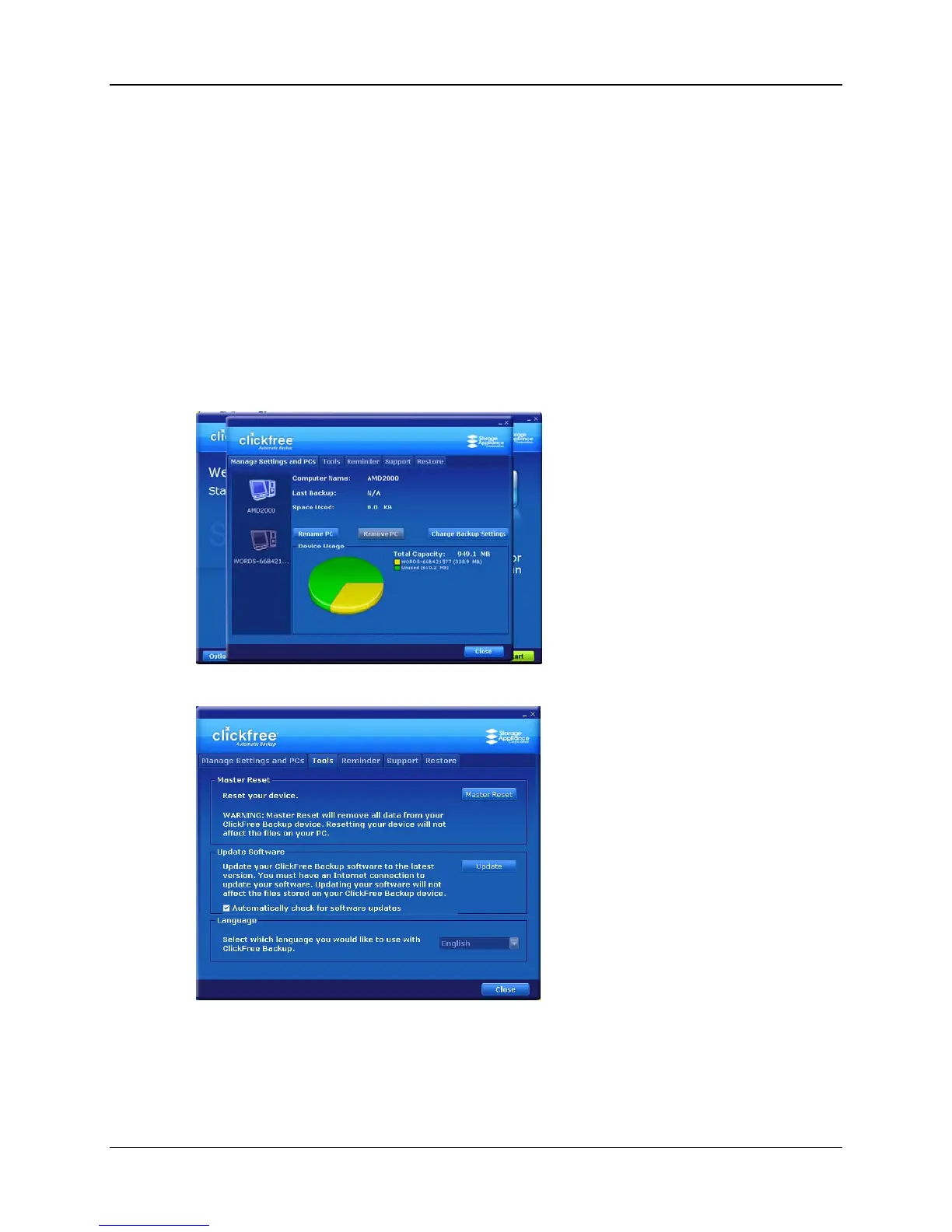
Several tools are available for working with Clickfree:
•
Master Reset - removes all backed-up content from your external hard drive,
and erases any changes you have made to the backup settings.
•
Software Update – upgrades the Clickfree software
•
Language – changes the language used in the Clickfree screens
♦ To use these tools:
1. Connect Clickfree to your computer as described in “How do I start using my
Clickfree Transformer SE?” on page 14.
2. When you see the countdown screen, click
Options before the countdown reaches
zero:
3. Click the
Tools tab to show the available tools.
Copyright © 2009 Storage Appliance Corporation. 53



 To Next Page