8
Based on Software Version 1.31.1. Content subject to change without notice. Check www.clintonelectronics.com for the most current manual.
DATE/TIME
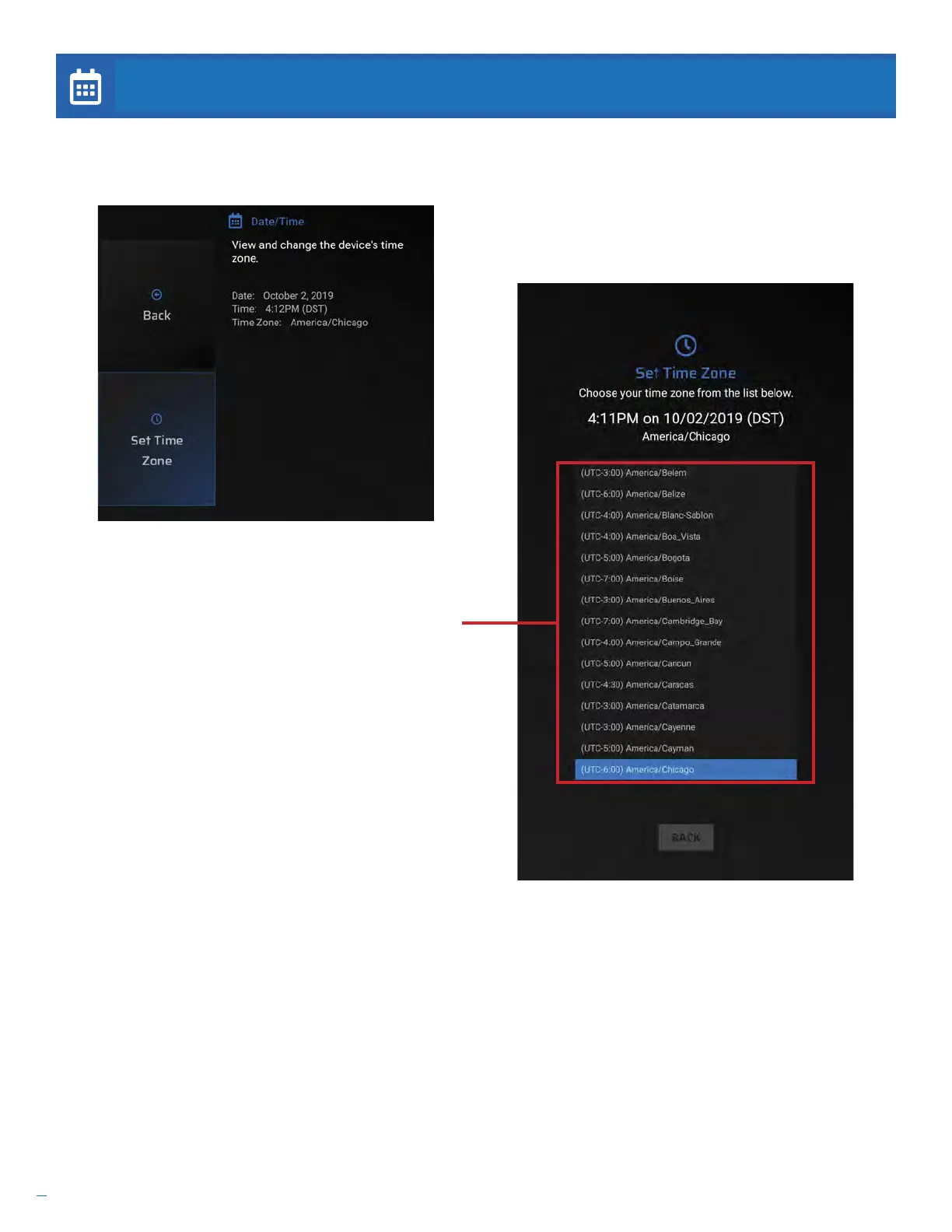
It is important that the date and time information is set correctly during installation. If the date and time are not correctly
set, scheduled content will not display at the appropriate time.
Set Time Zone. If the Date & Time information is
incorrect, select this to pick a new Time Zone from a
list.
Use the UP or DOWN arrows on the remote to scroll
through the list. Press the ENTER button to select the
correct Time Zone.
Press the EXIT button to leave this screen.


 To Next Page