18
Based on Software Version 1.31.1. Content subject to change without notice. Check www.clintonelectronics.com for the most current manual.
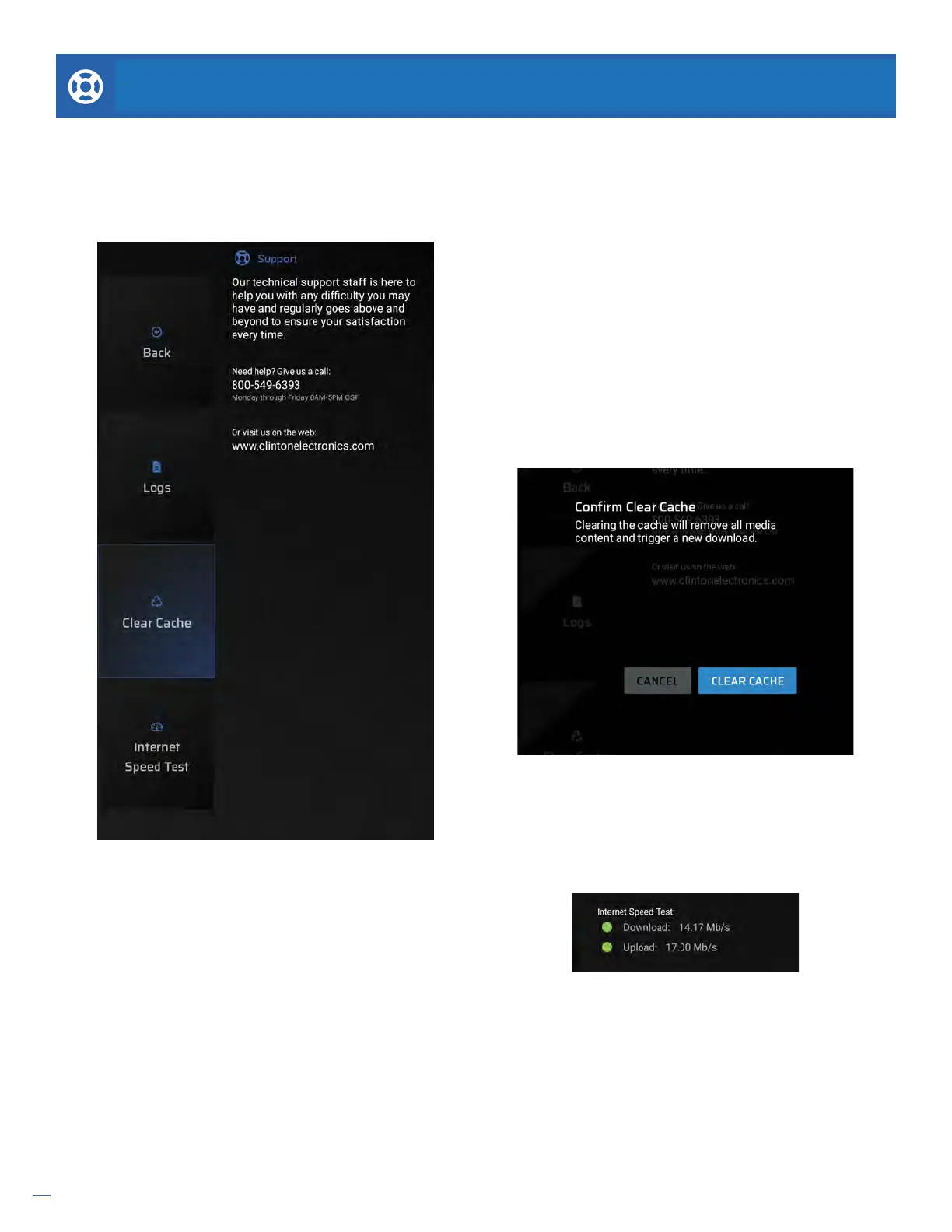
Logs. It may be required when speaking to our technical
support sta to detail some of the most recent data
logged on this device. If connected to the internet
this information can also be accessed remotely by the
admin using the Clinton Connect web app.
SUPPORT
Internet Speed Test. Many problems can be caused by
slow internet download speeds. For best performance
a minimum 2 Mbps download speed is required,
recommended 20 Mbps or faster download speed.
Clear Cache. If experiencing problems with media not
properly deploying or content missing, often clearing
the cache can remedy these problems. Scroll to Clear
Cache and hit ENTER on the remote.
If you are having diculties at any point in the installation process please contact us. We can be reached at 800-549-
6393, Monday~Friday, 8am~5pm CST. Before requesting technical support we suggest trying to reboot the device.
If you’re still experiencing diculties please access the About menu and have the Company name and device serial
number ready.


 To Next Page