21
Based on Software Version 1.31.1. Content subject to change without notice. Check www.clintonelectronics.com for the most current manual.
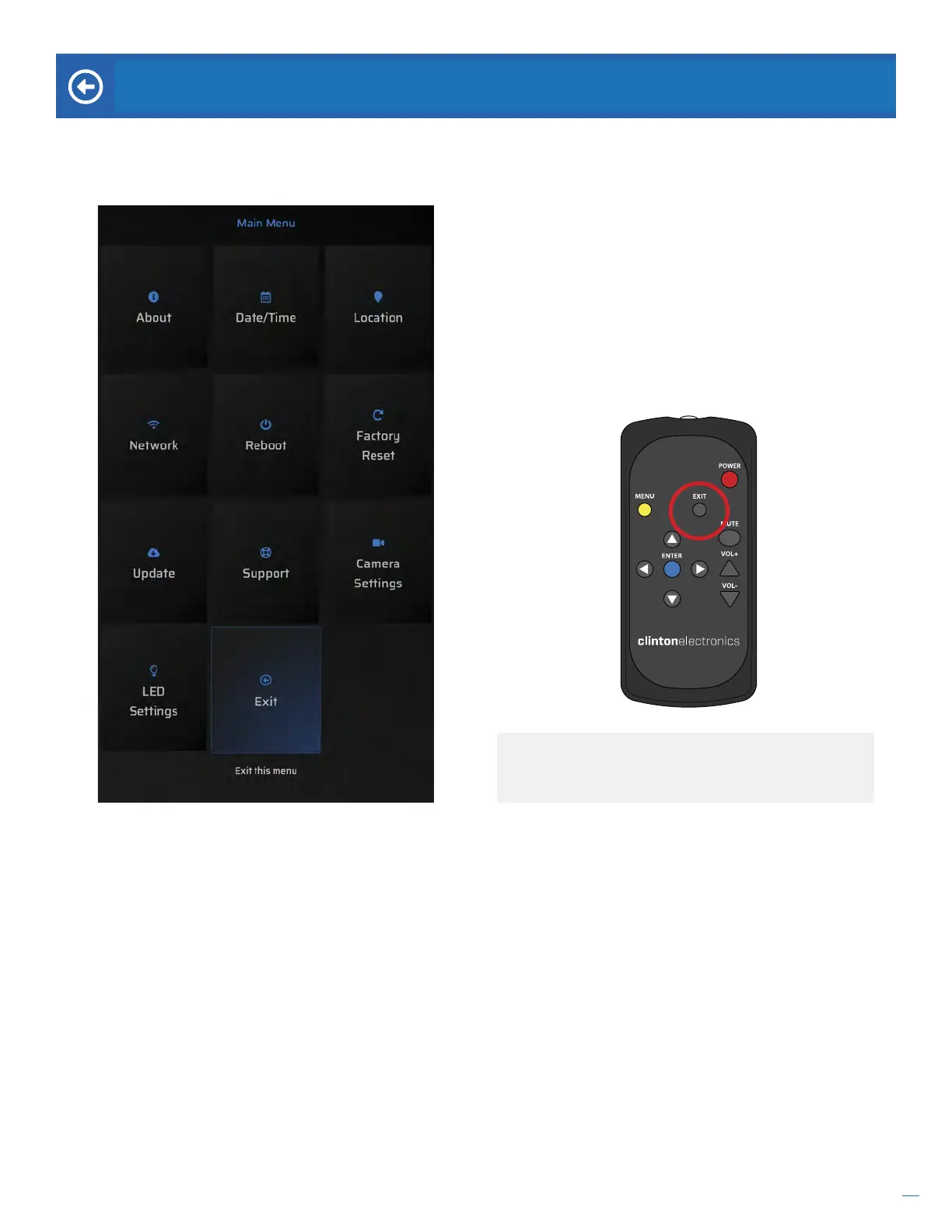
Exit. Select Exit then hit ENTER on the remote to close
the Main Menu and return to the advertising content.
EXIT
Exit the menu after making necessary adjustments. The menu will automatically time-out after 5 minutes of no activity.
EXIT button. Pressing the EXIT button on the remote
will also go back to a previous screen and/or exit the
main menu.


 To Next Page