7
Based on Software Version 1.31.1. Content subject to change without notice. Check www.clintonelectronics.com for the most current manual.
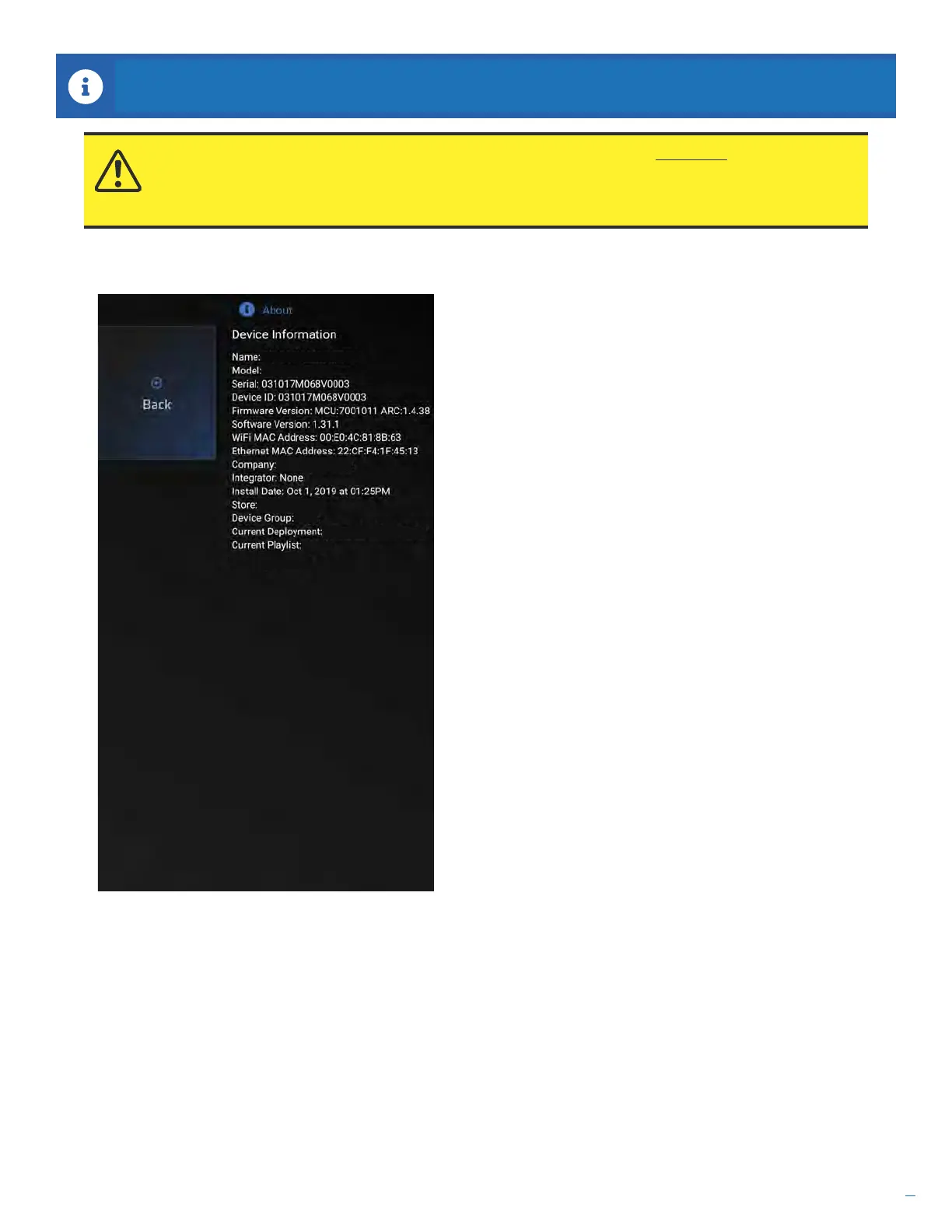
Press the MENU button on the remote to display the Main Menu, then select About. The About screen has basic
information about the device that may be useful during setup or in the event you need technical support.
13” Test Connect PVM
Welcome Ads
Ads 10.1.2019 13.29
Clinton Electronics
C6701E
Main Entrance
CE-P13-B
ABOUT
ATTENTION: Models with built-in IP cameras— IP Camera information WILL NOT be shown on this
screen. IP Camera information can only be viewed after making a connection to the IP Camera (output)
located on the back of the Connect PVM, then accessing camera via internet browser or other network
device/software.


 To Next Page