Model HF-15B High Frequency Spark Tester
HF-15B Instruction Manual – Page 19
Spark Tester Controls
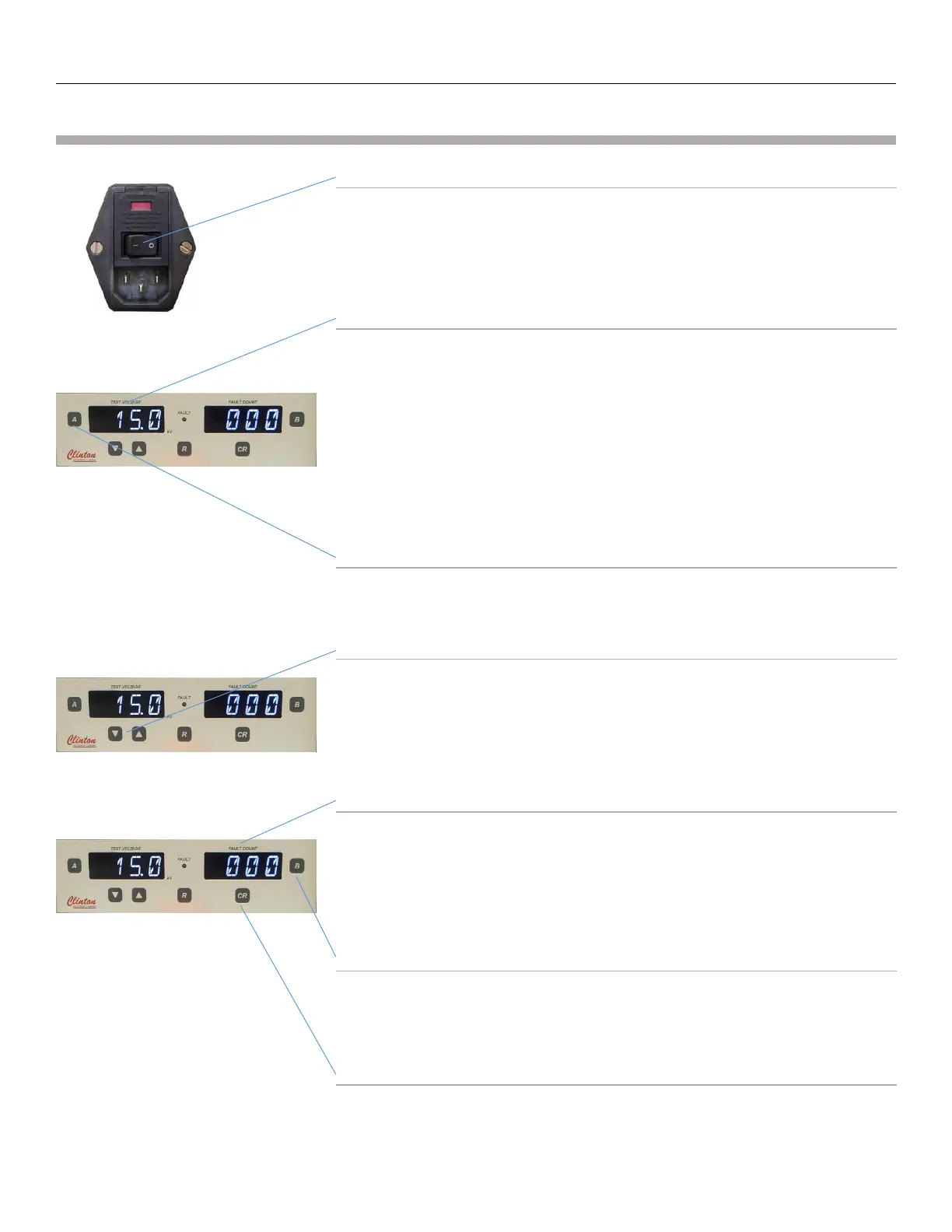
ON/OFF Power Switch
This switch is located on the rear panel of the spark tester.
Voltmeter
The voltmeter will indicate the high voltage present at the electrode.
The voltage is displayed in kV. When the output is set to 1,000V the
display will read 1.0. A reading of 10.2 indicates that the test voltage at
the electrode is 10.2kV RMS.
This display can also display a “Percent Load” value and the “Set Point”
value by pressing the “A” Button. These values will be displayed
momentarily on the Voltmeter display and then will return to displaying
the spark tester voltage at the electrode.
“A” Button
Pressing the “A” button will momentarily cycle the Voltage display
through the “Percent Load” and the “Set Point” Values.
UP/DOWN ARROW (VOLTAGE ADJUST) buttons
The spark test voltage may be adjusted from 0 to 15,000 volts in 100
volt increments by pressing the up and down arrow buttons under the
voltmeter. Press and hold a button to increase the speed at which you
change the voltage setting.
Fault Counter
The 3-digit fault counter registers a count each time any fault type is
detected in the electrode. This display can also momentarily show 4
additional fault counts by pressing the “B” button. These fault counts
are Pinhole, Metal Contact, Multiple pinhole, Gross Bare wire. Press the
CR button to reset the number of faults on the counter to 0.
“B” Button
Pressing the “B” button will momentarily cycle through the 4 additional
fault count values. (Pinhole, Metal Contact, Multiple Pinhole, Gross Bare
Wire)
“CR” COUNT RESET button
Pressing the “CR” button will reset all fault count values.



 To Next Page