Model HF-15B High Frequency Spark Tester
HF-15B Instruction Manual – Page 25
RC Display Security (PIN)
To Lock / Unlock the RC Display manually, hold the A & B Buttons for at least
four seconds.
If the display is locked it will require entry of the PIN number before it will
unlock. The factory default PIN code is 111.
If the display is unlocked, the display will lock to the “PLM” mode that is set in
the configuration menu. For more information see “Configuration Menu
Options” below.
Configuration Menu Options
--
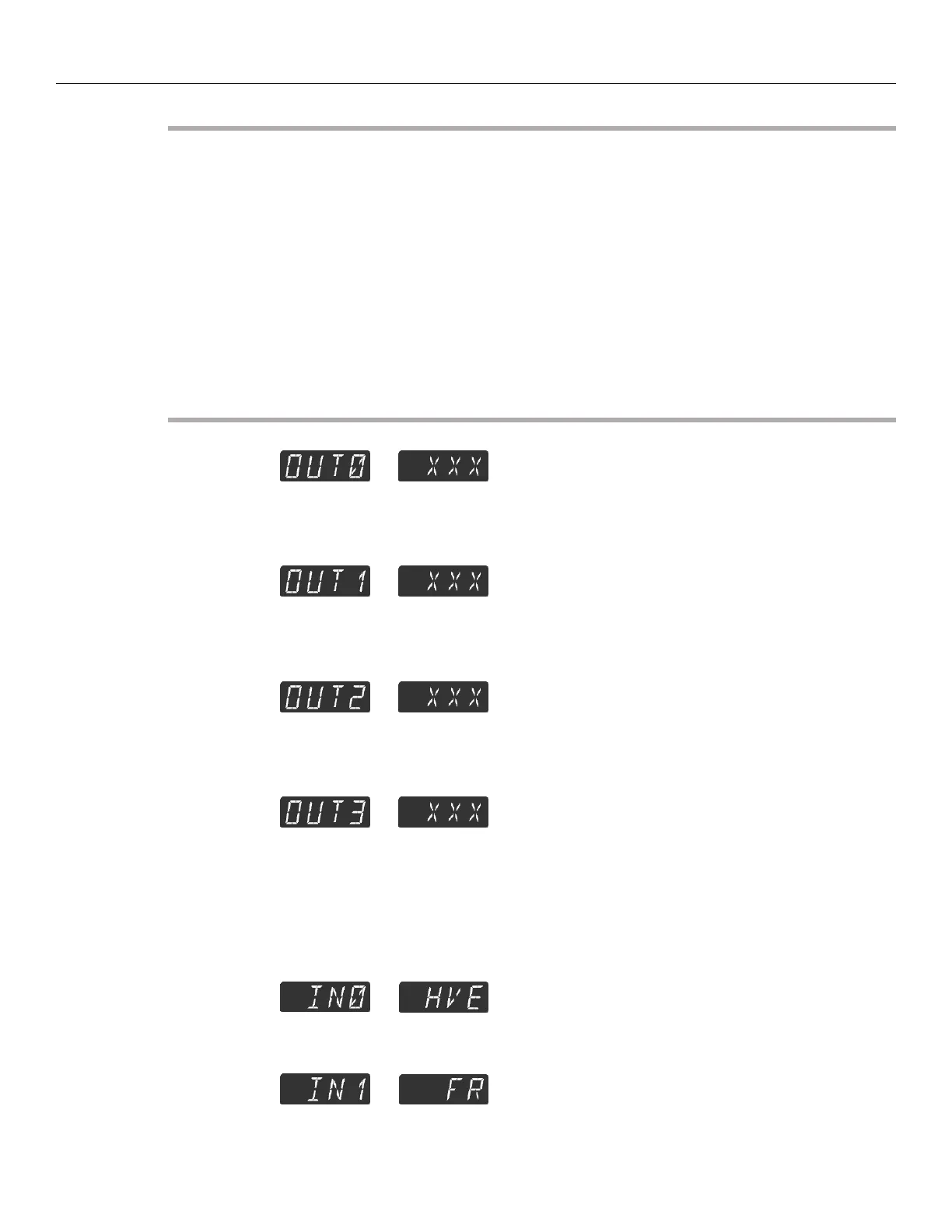
This configures the “Output Function” assigned to the hardware output
labeled “OUT0”, XXX is the configured function. For sub menu items, see
the “Spark Tester Outputs” section of this manual.
--
This configures the “Output Function” assigned to the hardware output
labeled “OUT1”, XXX is the configured function. For sub menu items, see
the “Spark Tester Outputs” section of this manual.
--
This configures the “Output Function” assigned to the hardware output
labeled “OUT2”, XXX is the configured function. For sub menu items, see
the “Spark Tester Outputs” section of this manual.
--
This configures the “Output Function” assigned to the hardware output
labeled “OUT3”, XXX is the configured function. For sub menu items, see
the “Spark Tester Outputs” section of this manual.
--
This displays that the High Voltage Enable “HVE” is assigned to the
hardware input labeled “IN0”. This input is not re-assignable.
--
This displays that the Fault Reset “FR” is assigned to the hardware input
labeled “IN1”. This input is not re-assignable.



 To Next Page