34
EVH-X SPACE 2.1 - 12.1
M0SM10N17-03
7 ELECTRICAL CONNECTIONS
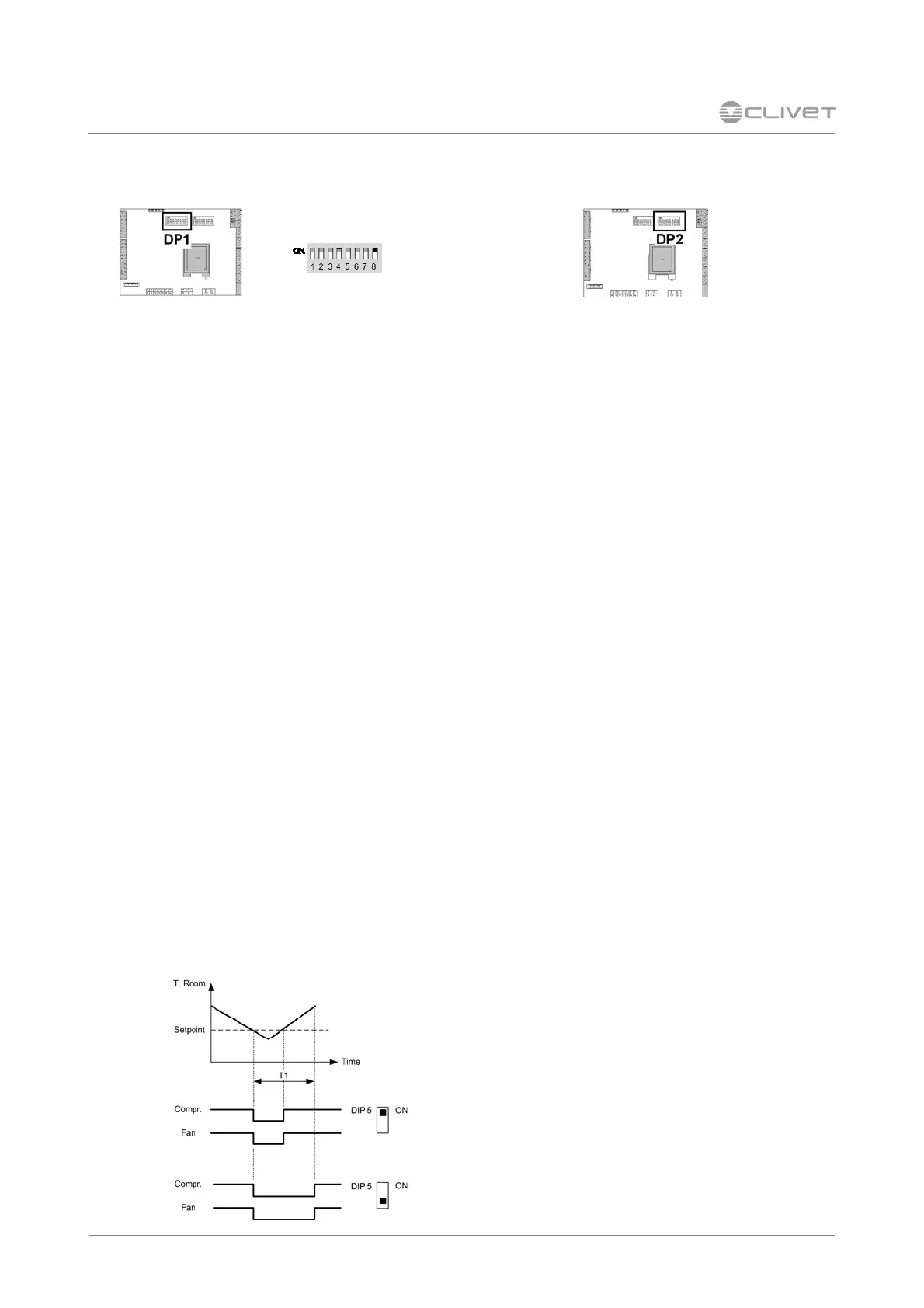
Configurations- DIP 1 Room temperature probe - DIP 2
1 : ON = disabled compressor in HEAT
OFF = enabled compressor in HEAT
2 : ON = enabled resistances in HEAT
OFF = disabled resistances in HEAT
3 : ON = active fan at satisfied thermoregulator in
COOL
OFF = stopped fan
4 : ON = active fan at satisfied thermoregulator in
HEAT
OFF = stopped fan
5 : ON = periodical ventilation in COOL enabled
OFF = periodical ventilation in COOL disabled
6 : ON = periodical ventilation in HEAT enabled
OFF = periodical ventilation in HEAT disabled
7 : ON 2-way modulating valve
OFF 2-way ON-OFF valve
8 : ON = Heat/Cool change from remote selector
OFF = Heat/Cool change from thermostat
In ECO mode 3, 4, 5, 6 are not managed.
The “fan at satisfied thermoregulator" function (3,
4) is active only if 5 , 6 in OFF.
Enable input Heat-Cool
Enabled input only if
DP1-8 = ON .
if DP1-8 =off : mode Heat-Cool from the keyboard
Ventilation
Example: summer
T1 = par. TOFFPeriodic
Room temperature probe
DP2-8 = ON return board unit probe
OFF probe on room thermostat
Mini-network
DP2-1 . . 7 = unit addresses
► Mini-network


 To Next Page
 Loading...