Cloud drive intelligent technology Co.,Ltd
Empower and serve the global eBike industry
Business Cooperation
Jim@clouddrive.tech
Page
11
of 19
7.3. Wheel diameter setting
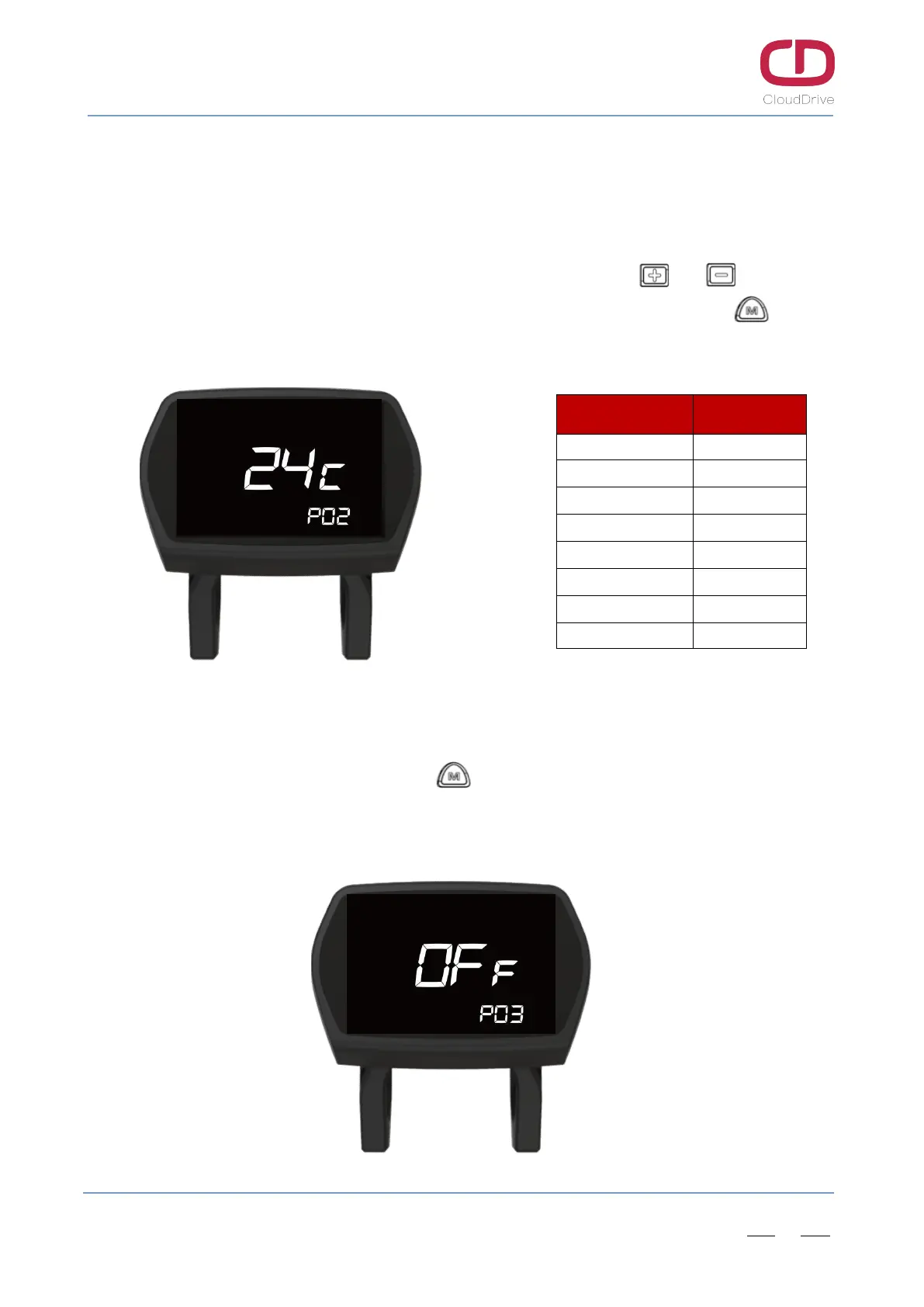
After input the correct password, enter the wheel diameter setting interface automatically, and the
following wheel diameter can be selected.(The wheel diameter is 26’’ in Figure7-3)
Select the wheel diameter corresponding to the e-Bike by clicking the or button, so
as to ensure the data accuracy of speed/ distance. If no operation within 6s or long press button,
current interface will exit automatically and back to main working interface.
Figure7-3 Wheel diameter setting Table4 Wheel size table
7.4. Startup password function ON/OFF setting
After finish wheel diameter setting, click button to enter the startup password ON/OFF
setting interface, select ON to turn on the startup password and select OFF to turn off the startup
password. (The default startup password is OFF)
Wheel Diameter Wheel Perimeter
16’’ 1272 mm
18’’ 1350 mm
20’’ 1590 mm
22’’ 1770 mm
24’’ 1948 mm
26’’ 2072 mm
27’’ 2210 mm
28’’ 2260 mm
Figure7-4 Startup password ON/OFF setting


 To Next Page