Operating instructions
3.10 Disabling and enabling a matrix group
The fire alarm system can comprise one or more matrix groups.
Matrix groups initiate a set of responses when a specific number
of fire detectors are activated or when two fire detectors within a
defined search radius are activated. You can disable and enable
matrix groups from the control panel using the Matrix command
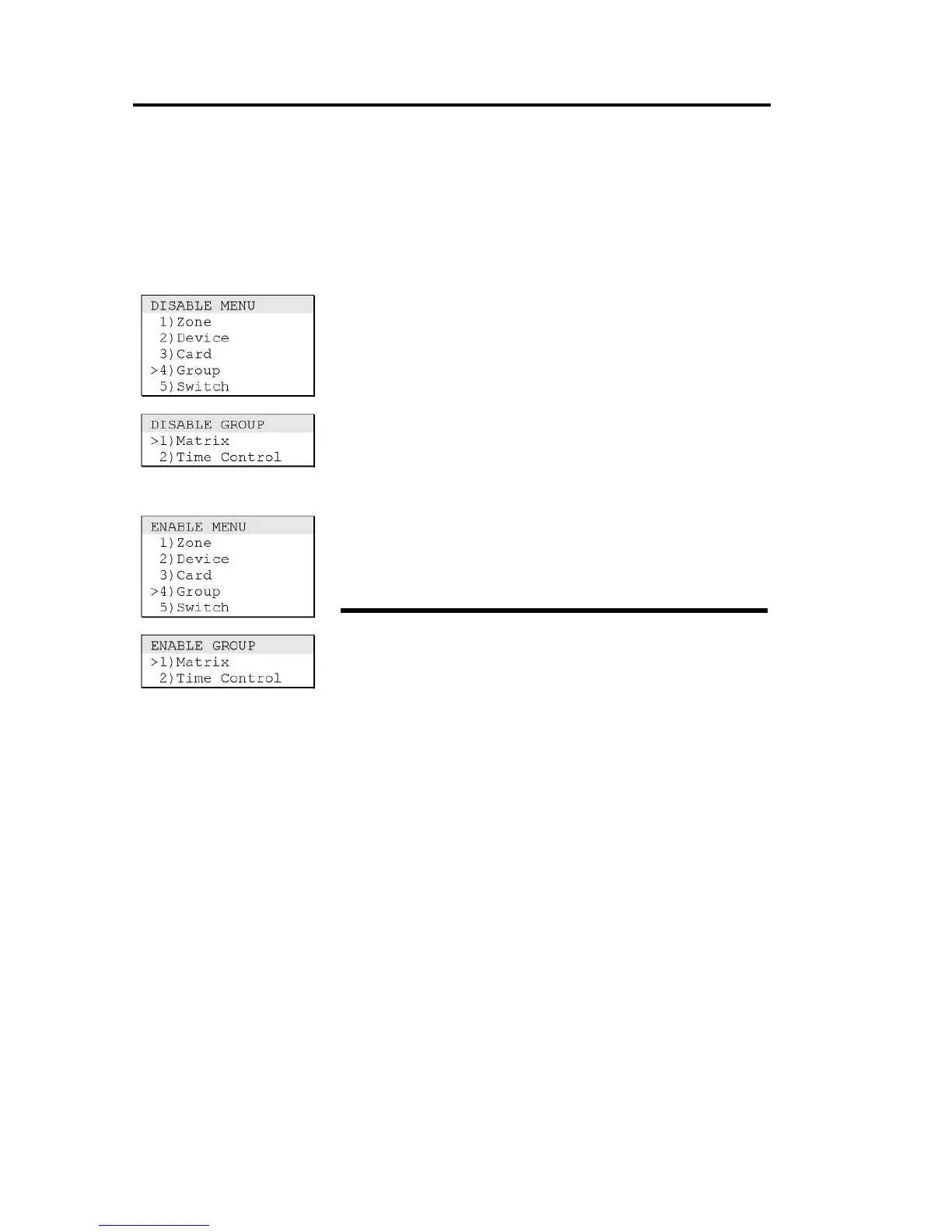
on the Disable Group and Enable Group menus.
Disabling a matrix group
Use the Matrix command on the Disable Group menu to
temporarily take a matrix group out of service and prevent it
from initiating a set of responses.
To disable a matrix group:
1. Log on using the level 2 password.
2. Choose Disable, then Group, and then Matrix.
3. Select a matrix group from the pick list, then press Enter.
Enabling a matrix group
Use the Matrix command on the Enable Group menu to return a
disabled matrix group to service and allow it to initiate a set of
responses.
To enable a matrix group:
1. Log on using the level 2 password.
2. Choose Enable, then Group, and then Matrix.
3. Select a matrix group from the pick list, then press Enter.



 To Next Page